
 EN
EN  DE
DE 
Funzcity Casino App: How to Play on Mobile (2026)
Funzcity Casino Mobile App Review
Funzcity runs as a Progressive Web App (PWA) in mobile browsers with home-screen installation. Account tools, offers, purchases, and about 2,800 games are available through the same interface. Fun Coins support social play, while City Coins unlock prize-eligible sweepstakes games.
The Funzcity casino app combines browser-level access with app-style navigation, quick access through a home-screen icon, and minimal storage use. It loads from Funzcity.com and requests location access before users can begin playing through their accounts.
How to Play Funzcity Casino on Mobile
The steps below take you from first access to a home-screen PWA that opens like a regular app.
Open Safari on an iPhone or iPad, or Chrome on an Android phone or tablet.
Enter Funzcity.com in the address bar and wait for the mobile interface to load.
Allow location services when prompted, then accept the cookie settings needed for the site to function.
Use the browser menu to add the Funzcity PWA to your home screen.
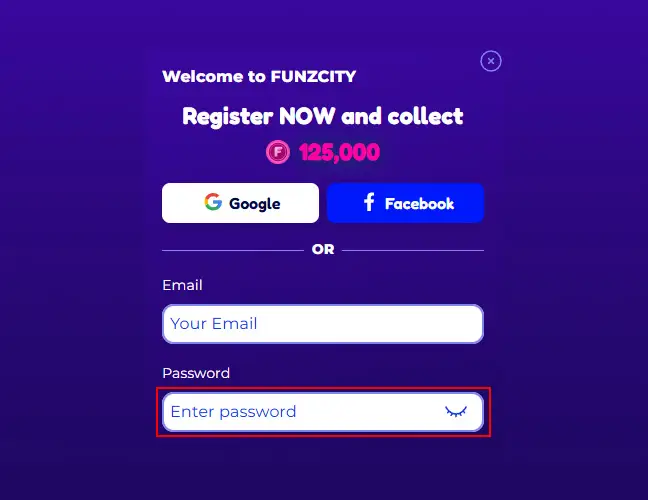
Launch the saved PWA from the new home-screen icon.
Select Log In for an existing account or Create Free Account for registration.
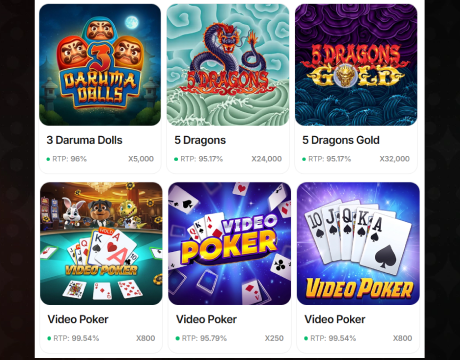
Open Games, choose a title, and select the available Fun Coin or City Coin mode.
Funzcity App System Requirements
The Funzcity casino app download is not a separate file; users install the PWA from Funzcity.com through the browser menu. Compatibility then depends on the device, connection, and account settings. The table outlines the recommended setup for mobile access.
| Requirement | Recommended Setup |
|---|---|
| Device | iPhone, iPad, Android phone, or Android tablet |
| Operating system | A supported iOS, iPadOS, or Android release with security updates |
| Browser | Current Safari or Chrome with cookies and JavaScript enabled |
| Connection | Stable Wi-Fi, 4G, or 5G |
| Location | Location services enabled for eligibility checks |
| Storage | Minimal space for browser cache and the PWA home-screen icon |
How to Update Funzcity Casino on Mobile
Since the Funzcity app runs as a PWA, it does not require manual updates like a native app. Updates are handled automatically through the website:
- Funzcity publishes the latest version online.
- The browser checks for updated files whenever the site or saved PWA is opened.
- If a new version is available, close all open Funzcity tabs and launch the PWA again to apply it.
- Log in as usual and continue using the existing account.
There is no separate update button or manual update process for players.
Registration Process via Funzcity Casino App
The PWA registration form keeps account setup short, while eligibility confirmations remain part of the process. The steps below explain how to create an account through the Funzcity PWA.
Tap Create Free Account on the mobile homepage.

Enter a valid email address and create a password.
Add a promo code only if you have an eligible code. The standard signup reward does not require one.

Confirm that you are at least 21, meet any higher local minimum gambling age, and are accessing the platform from an eligible U.S. jurisdiction.
Accept the Terms of Use and Privacy Policy.

Tap Join Us, open the confirmation email, and complete any requested profile checks for full account access.
Casino Games Available in the App
The PWA lobby provides around 2,800 mobile-ready games from over 30 studios. The categories below cover the lobby’s main game types.
Slot Games
Slots dominate Funzcity casino app’s catalog. Here is what you can find:
- Hold-and-win titles: Amazing Diamonds Hold ‘N’ Link 3×3, Gold Nugget Rush Hold & Win, and Coins Buffalo Hold & Win.
- Feature slots: 27 Very Cherry Classic Series, 3 Chests Bonus Combo 3×3, and 4 Fun City Chips Bonus Combo.
- Character-themed releases: Almighty Joker Big Bang, Snoop Dogg Dollars, and Diner 62 Hold ‘N’ Link.




Specialized Games
The specialized catalog in the Funzcity app includes arcade-style fishing games and live dealer games, such as the following:
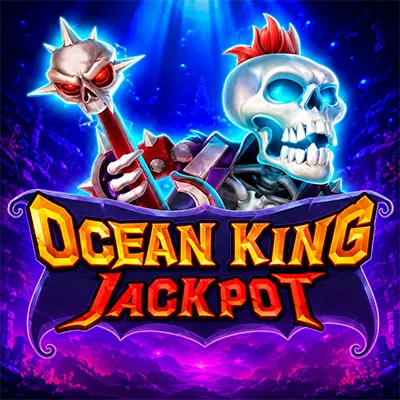
- Fishing games: Thunder Fishing, Ocean King Jackpot Shoot & Win, Galaxy Fishing, Ice & Fire Fishing, Big Catch Game, and Sparkle Fishooter Shoot & Win.
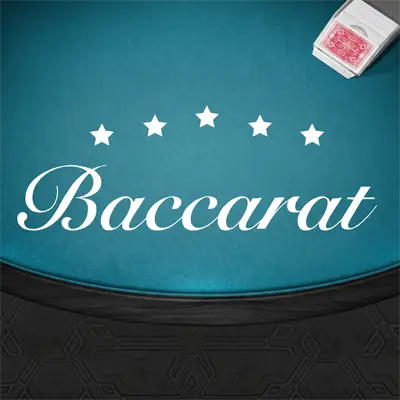
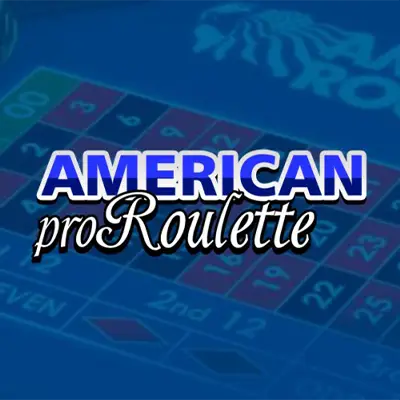
- Live games: Gravity Wheel x1000, Gravity Blackjack, Turbo Roulette, Speed Blackjack 4, Grand Bonus Baccarat, and Bubble Crapless Craps.

Bonuses You Can Access in the Funzcity Casino App
Promotions cover discounted coin packages, free-play deals, Daily Playback, City Scratch, VIP rewards, referrals, and Power Tower. The welcome bonus does not require a promo code, although the registration form accepts codes for separate eligible campaigns.
The 300% Key to the City promotion includes 750,000 Fun Coins + 50 free City Coins for $24.99 or 325,000 FC + 26 CC for $12.99. A $9.99 Free Play package includes 300,000 FC and 55 plays valued at 0.20 CC per play. Standard packages start with 70,000 FC + 7 CC for $6.99 and reach 5,000,000 FC + 500 CC for $499.99. Eligible packages marked in the store include one Season Ticket. These offers resemble a deposit bonus, while Daily Playback provides cashback-style account rewards.
Deposits & Withdrawals via the Funzcity Casino App
The platform uses optional Fun Coin purchases and prize redemptions instead of casino deposits and withdrawals. City Coins must be played through once before eligible winnings can be redeemed through the cashier. The table compares purchase and cash-out methods by minimum amount and processing time.
| Action | Method | Minimum | Typical Time |
|---|---|---|---|
| Coin purchase | Visa, Mastercard, Discover, or Apple Pay | 70,000 FC \+ 7 CC for $6.99 | Coins are normally credited immediately |
| Gift card redemption | Digital gift card | $25 eligible winnings | Instant to 24 hours |
| Bank redemption | ACH or bank transfer | $50 eligible winnings | 1 to 5 business days |
| Card redemption | Supported debit card | $100 eligible winnings | 1 to 5 business days |
| Other redemptions | PayPal | $100 eligible winnings | Up to 5 business days |
Identity verification precedes the first prize request. Every purchase must use an accepted payment method held in the account holder’s name. Winnings from free promotional City Coins carry a $25 lifetime redemption cap, while regular cashier limits apply to purchase-linked coins.
Security Features of the Funzcity Mobile App
The Funzcity casino app protects mobile access with HTTPS encryption, passwords, location checks, and identity verification. The registered name must match the name shown on the payment method and verification documents. Verification requires a photo ID and proof of address. Source-of-funds documents may also be requested in some cases.
Player controls add another layer. Account settings support daily, weekly, or monthly purchase limits. A lower limit takes effect immediately, while an increase is subject to a 72-hour cooling-off period. Additional controls include 24-hour and 7-day timeouts, account deactivation, and self-exclusion for at least six months.
Mobile Experience in the Funzcity Casino App
The PWA version of the Funzcity app is optimized for phone screens, with large controls, animated elements, and a single-column layout. Login stays prominent, while Games, Missions, VIP Club, and Promotions remain grouped. The welcome wheel occupies much of the first screen, so navigation requires some scrolling.
Once saved to the home screen, the PWA opens with app-style navigation on iOS and Android devices. Biometric login and offline games are not included, but the compact install avoids storage-heavy updates and keeps all account functions together.
FAQs About the Funzcity Casino App
Is the Funzcity Casino App available in my state or country?
Players must be at least 21 and meet any higher local minimum-age requirement. Access is restricted outside the U.S. and in CT, DE, ID, LA, MI, MT, NV, NJ, NY, RI, TN, WA, WV, and WY. In CA, IN, ME, and MD, the platform supports Fun Coin mode only.
How can I play Funzcity Casino on my mobile device?
The Funzcity casino app download begins at Funzcity.com. Open the site in Safari or Chrome, enable location services, then use Add to Home Screen or Install app. Launch the saved PWA, then register or log in.
What games are available in the Funzcity Casino App?
The mobile library contains around 2,800 games, including slots, Hold & Win titles, fishing games, and live dealer tables. Examples include 27 Very Cherry Classic Series, Thunder Fishing, and Gravity Blackjack.
How do I update Funzcity Casino on my mobile device?
Close and reopen the PWA to load the latest version automatically. If Funzcity still does not work properly, update the browser, clear the cached site data, remove and re-add the home-screen PWA, or restart the device.
What should I do if Funzcity Casino is not working properly?
Check the connection and location permission first. Then refresh the page, clear Funzcity cookies and cache, disable an interfering VPN, and retry with an updated Safari or Chrome browser.
How can I remove Funzcity Casino from my mobile browser?
Press and hold the Funzcity PWA icon, then select the available removal option for the device. Clearing Funzcity cookies, cache, history, and saved site permissions removes the remaining Funzcity-related browser data. Closing the account requires a request to customer support.

 PokerListings



Log in to leave a comment
Takes a minute. Your rating counts toward the score.