
PokerStars Review

- Up to 60%
- 100% up to $600 + $30 free
- +18
- 7 Card Stud
- Cash Games
- MTT
- Pot Limit
- Fast Fold Poker
- Jackpot Poker
- Omaha Hi-Lo
- PKO
- S'nG

 PokerListings
PokerStars Key Facts
- Established 2001
- Official website pokerstars.com
- License Malta Gaming Authority (MGA)
-
Compatibility
-
Localisations
-
hr

-
nl

-
en

-
fr

-
de

-
hu

-
is

-
it

-
jp

-
pt

-
ru

-
es

-
ua

-
-
Software


Table of Contents
Screenshots
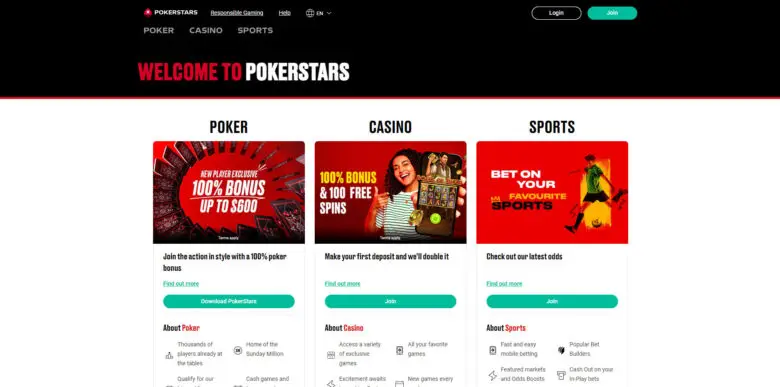
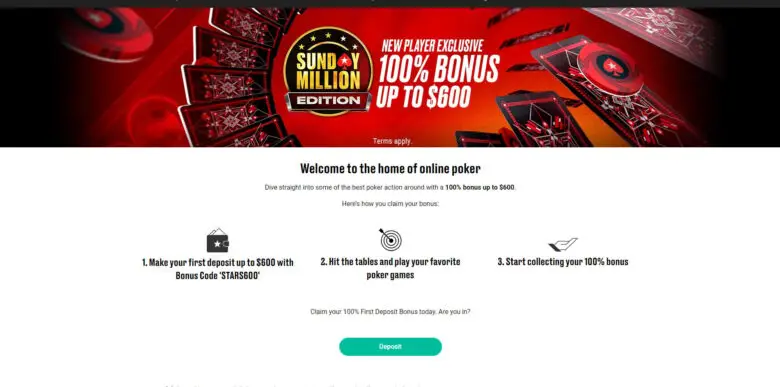
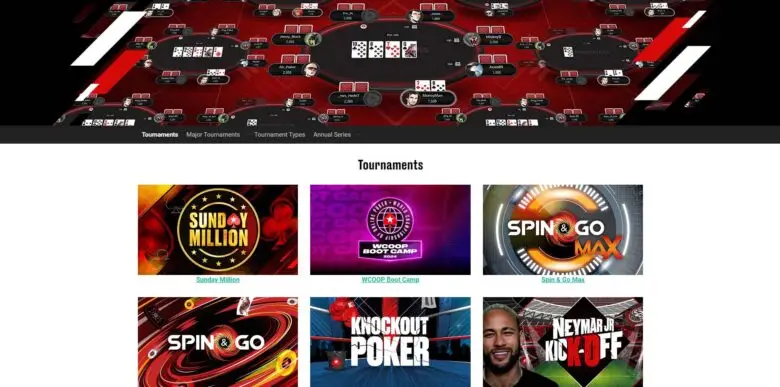
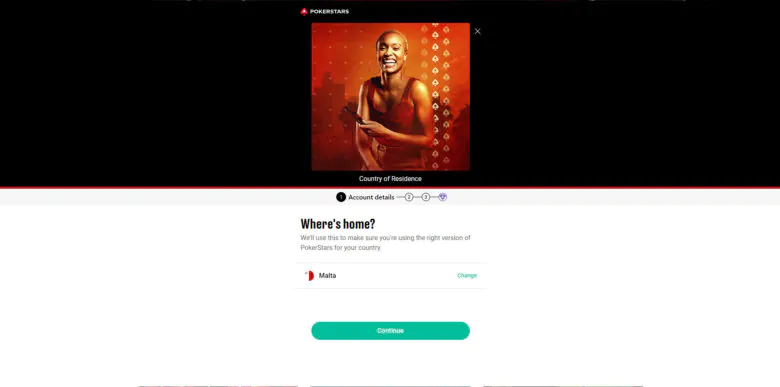
What is PokerStars?
PokerStars is the biggest and most reputable poker site in the world. It provides a range of exciting gambling services, including casino gaming and sports betting. The main focus of the company is online poker room tournaments and events. PokerStars operates legally in the US states of Pennsylvania, New Jersey and Michigan.
PokerStars is an awesome platform for poker players. It is completely legitimate and provides its services in a whole list of different countries. Here’s some main info on the site:
| Brand Name | PokerStars |
| Official Website | pokerstars.com |
| Location | Registered in Malta |
| Founded | 2001 |
| License | License No. MGA/B2C/213/2011 |
| Software | Windows, Mac, Android, iOS |
| Payment Methods | Debit/Credit cards (Visa, Mastercard), e-wallets (PayPal, Neteller, paysafecard, MuchBetter, and more), and bank transfers. |
| Network | Independent |
| Poker games | Texas Hold’em, Omaha |
| Most popular | Spin&Go, MTT, Fast |
| Languages | English, Dutch, Spanish, French, Italian, Portuguese, Russian, Croatian, Ukrainian, Icelandic, Hungarian, Japanese |
| Available in States | Yes |
PokerStars Pros & Cons
As any other gambling online poker site, the platform has its advantages and disadvantages. PokerStars players note the following:
- A wide range of tournaments and promotions
- Generous Rewards program for loyal users
- Low rake or tournament fees and rakeback up to 60%
- Wide range of available payment options
- Safe and fast transactions
- Responsive customer support
- User-friendly mobile application for Android and iOS
- No cryptocurrencies support
PokerStars Offers & Promotions

PokerStars offers lots of different promotions that cater to lots of different needs. At the moment, the platform provides the following kinds of promos:
- Freerolls with daily free tournament tickets and huge prize-pools;
- Rewards program with 15-60% rake PokerStars cashback and other prizes;
- Welcome bonus of 100% deposit match up to 600 USD;
- Challenges with opportunities to receive cash;
- 2x reward points for Zoom poker, and so on.
Bonus codes 2026
Bonus codes are specific combinations which are needed to activate local PokerStars promotions. They unlock additional bonus funds when making deposits, provide access to exclusive tournaments, and offer other perks. You can find them by subscribing to the platform’s newsletter and by following the company’s socials:
- X – @PokerStars;
- Facebook – @PokerStarsCasinoUS;
- Instagram – @PokerStars;
- Twitch – @PokerStars.
Welcome Bonus
The platform offers a generous PokerStars welcome bonus of 100% deposit match up to 600 USD for online poker enthusiasts. You can dive straight into action now! Here’s what you need to do to get PokerStars first deposit bonus:
- Sign up for the platform;
- Make your first ever deposit of at least 10 USD using the promo code “STARS600” in the Cashier;
- Start playing your favorite poker games at PokerStars tables.
As you play, you collect redemption points to receive a welcome bonus. For every 75 points earned, 5 USD are credited to your PokerStars account. You can make up to 3 qualifying deposits within 60 days from the date of the first one to maximize your reward. You have 4 months from each of them to earn redemption points.
Daily Leaderboards
Daily leaderboards are competitive promotions where players can earn extra rewards based on their performance in specific games or tournaments. To participate, enter a tournament, play eligible games, meet certain requirements, and accumulate points. You can track your progress by clicking on the appropriate button located in the menu on the right side of the screen.
Rewards Program
PokerStars rewards program is an excellent way to unlock valuable prizes by playing real money poker. It is point-based. As you accumulate points, you fill up progress bars and gain access to Chests filled with enticing bonuses.
The program consists of 6 levels. The higher the level, the greater the reward. For every 1 USD in fees for scheduled tournaments, Zoom or cash games, you earn 100 points. If you go 28 days without winning a Chest, your progress will reset, and you’ll move down a level.
| Chest Level | Points Requirements | Number of Chests to Level Up | Chest Value | Poker Reward % |
|---|---|---|---|---|
| Blue | 2000 | 5 | 3 USD | 15% |
| Bronze | 6000 | 5 | 10.50 USD | 17.5% |
| Silver | 20000 | 5 | 40 USD | 20% |
| Gold | 50000 | 5 | 125 USD | 25% |
| Diamond | 120000 | 5 | 360 USD | 30% |
| Black | 250000 | N/A | 1000 USD | 40% |
There’s also PokerStars Select and PokerStars Select+ programs where you can win additional benefits, including higher cashback percentages, exclusive offers, and daily rewards.
PokerStars Freerolls for Today
PokerStars freerolls offer a fantastic opportunity for players of all levels to enjoy competitive poker without spending a dime. These free-to-enter tournaments let you experience the excitement of poker while building your skills and bankroll. With a variety of freerolls available daily, there’s always a chance to win real prizes without any risk.
| Brand | Time: | Type: | Password: | Prize: |
|---|
PokerStars Rake

PokerStars employs the weighted contributed method to charge rake and follows a no-flop, no-drop principle. The rake fee varies based on the stake level and the number of players involved in the poker game. Here is an overview of the rake percentages and caps:
| Stake (USD) | Rake | 2 players cap | 3-4 players cap | 5+ players cap |
|---|---|---|---|---|
| 0.01/0.02 | 3.50% | 0.30 USD | 0.30 USD | 0.30 USD |
| 0.02/0.05 | 4.15% | 0.50 USD | 0.50 USD | 1 USD |
| 0.05/0.10 | 4.50% | 0.50 USD | 1 USD | 1 USD |
| 0.08/0.16 | 4.50% | 0.50 USD | 1 USD | 1 USD |
| 0.10/0.25 | 4.50% | 0.50 USD | 1 USD | 2 USD |
| 0.25/0.50 | 5.00% | 0.75 USD | 0.75 USD | 2 USD |
| 0.50/1 | 5.00% | 1 USD | 1 USD | 3 USD |
| 1/2 | 5.0% | 1.25 USD | 1.25 USD | 3.5 USD |
| 2.50/5 | 5.0% | 1 USD | 1 USD | 5 USD |
| 5/10 | 5.0% | 2 USD | 2 USD | 7.50 USD |
PokerStars Rakeback
For a long time, rakeback was not something PokerStars paid much attention to. However, it all changed back in 2021, when players requested to increase this percentage. Since then, the platform introduced their Rewards program, members of which can receive increased PokerStars rakeback of up to 60%. All rakeback payments are credited within 48 hours.
For a better comprehension, refer to the table bellow:
| Rewards Tier | Rake requirement (12-month period) | Rakeback percentage |
|---|---|---|
| PokerStars Select | 50000 USD | 50% from all poker games |
| PokerStars Select+ | 100000 USD | 60% from Spin & Go and Zoom50% from other poker games |
PokerStars Traffic Overview
PokerStars has a diverse player pool that includes both recreational users and professional ones. The platform offers various game formats (PokerStars cash games, MTTs, Spin&Go, and even sports betting).
During regular hours, the platform features thousands of players. In the evenings, the numbers can go up to 50000 poker players. During peak hours, the PokerStars traffic is more substantial, creating a bustling environment. The PokerStars software ensures that all processes are going smoothly and no significant technical difficulties can mess up gambling activities.
Additionally, PokerStars hosts large poker tournaments like World Championship of Online Poker (WCOOP) and Spring Championship of Online Poker (SCOOP). These attract a significant influx of players, resulting in even higher traffic levels.
PokerStars Cash Games

PokerStars offers a variety of cash games to cater to different poker player preferences. The selection is truly wide. You can choose from something thrilling like Omaha to something more intense like Texas Hold’em. Whatever you like, the platform has the game just for you!
Texas Hold’em
Texas Hold’em is the most popular and widely played poker variant worldwide. PokerStars provides a wide range of these cash table games, including various stakes and formats, such as No Limit, Limit, and Pot Limit. Each one has its own betting structures and strategic considerations.
Omaha
Omaha is quite similar to Texas Hold’em, but with more possibilities for strong hands due to additional cards. PokerStars features Omaha Hi/Lo and Omaha High. These variations offer players exciting gameplay and the opportunity to test their skills and strategies in a different poker format.
Mixed Games
Mixed games are a unique and challenging form of poker that tests a player’s versatility and adaptability. In these, users play through a variety of poker types, enjoying a different game after a set number of hands or time period. One of the most popular mixed game rotations on PokerStars is H.O.R.S.E. – Hold’em, Omaha, Razz, Stud, and Eight.
Major Tournament Series

PokerStars hosts several major tournament series that offer thrilling competition and significant prize pools. All of them provide players with chances to showcase their skills! Players who win them are considered the best in the sphere!
World Championship of Online Poker (WCOOP)
WCOOP is one of the most prestigious online poker tournaments globally. It features a variety of events with different buy-ins and poker variants. The series culminates in the Main Event, where players compete for substantial prizes and the prestigious winner title.
Spring Championship of Online Poker (SCOOP)
SCOOP is another PokerStars players championship which is always highly anticipated. It takes place each spring. The events of this competition cover various poker formats and attract a wide range of participants, including both amateurs and pros.
Micro Millions
Micro Millions is an exciting tournament series designed for players with smaller bankrolls. It features events with affordable entrance fees, allowing players of all skill levels to participate and have a shot at significant prizes. If you don’t want to break the bank, this one is definitely for you!
PokerStars Sign Up Process
Joining the platform takes up just a couple of minutes. To register, you need to be at least 18 years old and complete these simple steps:
Head to PokerStars website;
Click “Join”;
Enter your country of residence, email, username, and password;
Familiarize yourself with the platform’s General Terms and Privacy freerollsPolicy and check the appropriate box;
Optionally, you can consent to receiving details of special offers, poker news, and other marketing communications;
Click “Create account” to complete.
PokerStars Payment Options

PokerStars features a wide range of available fast and secure payment options. They differ depending on the country you access it. The following methods can be used at the moment:
- Credit/Debit cards;
- E-wallets;
- Bank transfers.
Unfortunately, PokerStars doesn’t provide any opportunities to pay using cryptocurrencies.
Deposit Methods
You can make a PokerStars deposit using one of the available methods. Generally, the minimum required amount is 10 USD, but it depends on the payment option. All transactions can be made in USD and are processed almost instantly.
| Deposit Method | Deposit processing times | Fast Deposit feature | PokerStars Fees | Available for withdrawals |
|---|---|---|---|---|
| Visa | Instant | Yes | No | Yes |
| Mastercard | Instant | Yes | No | No |
| PayPal | N/A | No | No | Yes |
| MuchBetter | Instant | Yes | No | Yes |
| Apple Pay | Instant | Yes | No | No |
| NeoSurf | N/A | No | No | No |
| Instant eChecks | Instant | Yes | No | Yes |
| INSTADEBIT | Instant | No | No | Yes |
| paysafecard | N/A | No | No | No |
| INTERAC® | N/A | No | No | Yes |
| Luxon Pay | Instant | Yes | No | Yes |
Withdrawal Methods
To initiate a withdrawal, login and access the desktop lobby. Then, click the “Cashier” button. From there, select the “Withdrawal” tab. You’ll be prompted to enter the desired amount. Here’s how much time the processing takes for each withdrawal method:
| Withdrawal Method | Withdrawal processing times |
|---|---|
| Visa | 3-10 business days |
| Payz | Instant |
| MuchBetter | Instant |
| Direct Bank Transfer | 3-5 business days |
| Instant eChecks | 3-10 business days |
| INSTADEBIT | Instant |
| INTERAC® | Within 1 hour |
| Luxon Pay | N/A |
PokerStars Desktop Software

To play at PokerStars, you need to download a special desktop software that provides a comprehensive gambling experience, Here are some of its key features:
- Game selection. The software allows access to hundreds of games available on PokerStars, including cash poker, casino, and tournaments of various formats and stakes.
- Lobby. The lobby serves as the central hub where players can browse, adjust filters and select their preferred games.
- Interface. The table interface is designed to provide a visually appealing and immersive experience. You can completely customize it in the settings.
- Player Notes. This feature allows users to take notes on opponents, record observations for future references.
- Hand history and stats. The software keeps a detailed record of all hands, allowing to review and track performance.
- Responsible gambling tools. These include setting limits and self-exclusion. You can also learn more about safe gambling in this section.
PokerStars Mobile App

The PokerStars mobile app for Android offers several benefits that enhance the experience for players:
- Accessibility – you can play poker anytime, anywhere as long as you have internet connection;
- Game variety – the app features cash poker games, slots, and tournaments;
- User-friendly interface – the application is easy to navigate and customize;
- Notifications – with push alerts you are always informed about tournaments, upcoming games, and poker bonus offers.
The iOS version of the app is available as well. It is accessible on the App Store and can be installed on the devices with iPadOS/iOS system version 14.0 and later. Other info about the app is presented in the table below:
| Provider | Stars Mobile Limited |
| Size | 256,7 MB |
| Languages | English, Danish, French, German, Greek, Hungarian, Italian, Portuguese, Russian, Spanish, Swedish |
PokerStars Key Features
PokerStars is the largest online poker gambling site in the world. Here are some of the key features of the platform:
- Ability to cater to a large influx of players;
- A wide range of tournaments, including MTTs and S&Gs;
- Lucrative Rewards program;
- Home games;
- Zoom poker.
Zoom Poker
You can experience the speed and excitement of fast-fold poker with PokerStars’ Zoom tables. Available for Pot Limit Omaha and No Limit Hold’em, Zoom tables offer the same stakes as traditional tables and are available in both 6-max and heads-up formats. You can select tables with or without caps to suit your preferences.
There are also thrilling Zoom tournaments available at the table. To participate, look for the red “Z” symbol in the tournament lobby.
Home Games
This feature lets you create your own personalized poker games and tournaments. You can invite your friends or club members to join, making it feel like a virtual poker night with your closest companions! ENjoy the fun and excitement of playing poker together!
Security & Fair Play

PokerStars places a high priority on security and fair play to ensure safe and trustworthy gambling for its players. The platform operates under MGA license (No. MGA/B2C/213/2011) which guarantees strict adherence to all regulations in the sphere of online casinos. PokerStars also employs advanced security measures, including encryption technologies. All the games are based on the RNG, which ensures that the dealing of cards, shuffling, and distribution of outcomes are fair and unbiased.
PokerStars Customer Service
As the best poker room in the world, PokerStars provides comprehensive customer support. You can contact them if you have questions regarding any aspect of the platform’s services. Here’s how you can do it:
| Availability | 24/7 |
| Live chat | Available |
| [email protected] | |
| On-page support | Help Center with FAQs and articles, step-by-step guides and instructions |
PokerStars FAQs
Is PokerStars Legal in the US?
Many ask is PokerStars legit. The answer is yes, PokerStars is licensed by MGA (No. MGA/B2C/213/2011) and has all permissions to perform gambling activities in Michigan, New Jersey, and Pennsylvania.
Can I Play PokerStars for Real Money?
Yes, you can play PokerStars games using real money. To do it, create an account, deposit funds, and choose the preferred game.
Are There Any Freerolls at PokerStars?
The platform provides a wide range of various promotions, including no deposit bonus offers, free tournament tickets, and PokerStars freerolls. The availability and details of such offers may vary over time, so it is recommended to visit the website and check the latest information.
What Bonuses Are Available at PokerStars?
In the last couple of months, PokerStars launched a number of exciting promotions, which include Welcome offer of 100% deposit match up to 600 USD, rakeback up to 60%, free tournament tickets, 35000 Free Chips upon registration, challenges, and more.
What Promotions Are Available at PokerStars?
PokerStars poker promotions include challenges, tournaments, and reward program prizes. They provide additional opportunities for players to earn extra and enhance overall gambling experience.
Does PokerStars Offer a Mobile App?
Yes, PokerStars gives players opportunities to enjoy their favorite games on their smartphones and tablets. The PokerStars app is available to Android and iOS users and provides a friendly interface, allowing access to PokerStars bonus offers and exciting tournaments.
Is It Safe to Install PokerStars App?
Yes, downloading and using the PokerStars mobile app is completely safe.
Does Partypoker Allow to Use HUDs?
Yes, the PokerStars allows tracking software like PokerTracker, Holdem Manager, DriveHUD, and Hand2Note.
How to Delete a PokerStars Account?
To delete your account, it’s best to contact PokerStars support team via one of the available methods (email ([email protected]) or live chat).
Where to Read PokerStars Terms and Conditions?
You can find the platform’s terms and conditions on the official website. Once you visit it, scroll down to the end of the page and look for the desired document. There you can find all information about the rules, policies, and guidelines of the company.
How Can I Contact PokerStars Support?
You can contact the support of PokerStars via email ([email protected]) or live chat. There’s also a useful section called Help Center where you can find answers to the most common questions and detailed instructions.
Who Are The Ambassadors for PokerStars?
The majority of PokerStars ambassadors are professional players – Sam Grafton, Andre Coimbra, Jennifer Shahade. Brazilian football superstar Neymar is recognized as the leading ambassador of the brand.




Feedback & Players Rating
In Indonesia ?
Hey Laurent,
Check this page: https://www.pokerlistings.com/indonesia
Can u play this site in Australia
Hey Mitchell,
I’m afraid not – Since the Interactive Gambling Amendment Bill (2016), all real money poker play at Pokerstars was halted for Australian players.