
 EN
EN  DE
DE 
Spinpals Casino App: Download for iOS & Android (2026)
Spinpals Casino Mobile App Review
Spinpals is a sweepstakes social casino where Gold Coins are used for social play and Sweeps Coins support prize-based sessions. Native apps are available for iOS and Android platforms, providing access to a diverse catalog of games to suit every taste, as well as a rewards system, account management tools, and transaction features.
This guide, prepared by our team of experts, covers installation, system requirements, registration, game selection, updates, security, payments, and the overall experience of using the Spinpals app on your smartphone or tablet.
Download Spinpals Casino App for iOS
Spinpals has a native iOS application available through the App Store. It is supported on both iPhone and iPad, so users don’t need to create a shortcut in the browser or install software from third-party sources. Use the step-by-step instructions prepared by our review team below:
Open the App Store on your device.
Find “SpinPals Slots & Casino Games” and open the app page.

Tap “Get” to download the app and confirm the installation using Face ID or your Apple ID password.

Wait for the Spinpals icon to appear on the Home Screen.
Open Spinpals, create an account or complete the login process, then enter the game lobby.
How to Play Spinpals Casino on Android
A separate Spinpals mobile app is also available for Android devices through Google Play. The official store offers the standard version of the application, so there is no need to download the APK file from third-party sites. To install, follow these steps:
Launch Google Play on your phone or tablet.
Enter “SpinPals” in the search bar.
Select “Install” and leave the store open until setup is complete.
Find the new icon on your device and open the app.
Sign in to an existing account or complete the registration form to enter the game lobby.
Spinpals App System Requirements
Before starting the download, users should check whether their device meets the listed system requirements. The table below compares the current technical details for both versions of the Spinpals Casino app:
| Requirement | iOS | Android |
|---|---|---|
| Device type | iPhone or iPad | Android phone or tablet |
| OS version | iOS 16.6 or later | Android 8.0 or later |
| Current version | 1.4.2 | 1.7.9 |
| Latest update | April 24, 2026 | July 17, 2026 |
| Size | 130.5 MB | 72.2 MB |
How to Update Spinpals Casino on Mobile
Spinpals app updates are installed through the same store used for the original setup. When a newer version becomes available, follow these steps:
- Open Google Play on an Android device or the App Store on an Apple device.
- Search for the Spinpals mobile app and open its store page.
- Tap “Update” if the option is available.
- Wait for the installation to finish, then reopen Spinpals.
- If the app still shows the older version, close the application completely or restart the device.
Registration Process via Spinpals Casino App
Account creation in the Spinpals Casino app takes only a few screens, with the registration form divided into two stages. Follow the process described below:

Open Spinpals and tap “Join Now.”

Enter an email address and create a password.

Check the confirmation box to accept the Terms of Service and Sweepstakes Rules, including the listed location restrictions.
Tap “Create Account.”
Enter a username, first name, and last name.
Provide your date of birth and select your state.
Enable location access so Spinpals can confirm regional availability.
Tap “Continue” to finish registration and receive the displayed sign-up reward.
Casino Games Available in the App
The Spinpals mobile app includes more than 1,900 games from over 25 software studios. Providers represented in the catalog include Betsoft, 3 Oaks Gaming, Booming Games, and Hacksaw. The main game categories are:
- Slots;
- Table games;
- Live dealer games;
- Spinpals Originals;
- Scratch cards;
- Arcade games.
Slots Games
Slots make up the largest part of the catalog in the Spinpals app, with more than 1,700 titles available. The lobby separates them into sections such as Hold & Win, Megaways, and Hot Games, while provider filters make it easier to narrow the selection by studio. Examples include Chilli 4 Pots, Book of Flames Xtra, Joker Glitz x1000, and Buffalo Wealth Hold & Win.



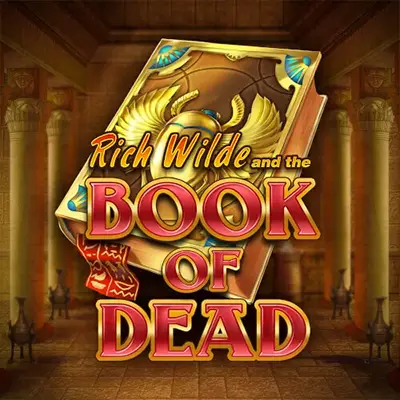
Table Games
Along with its slot library, the Spinpals app offers a selection of table games powered by a random number generator (RNG). Available options include Twenty-One, Instant Blackjack, Virtual Top Card, and Spinpals Originals Roulette.




Live Dealer Games
The Spinpals app’s live dealer section contains more than 30 games. Available formats include roulette, blackjack, baccarat, craps, and game shows, with titles such as Gravity Auto Roulette, Grand Bonus Blackjack, and Grand Baccarat.





Specialised games
The online catalog also includes formats outside standard slots and table games. Spinpals Originals features Plinko, Keno, Coin Heist, Mines and Midnight Crash, while separate sections cover scratch cards and arcade games. Examples include Eggstra Cash, Millionaire Tapcards, Spinner Hit and Dungeon Dice.



Bonuses You Can Access in the Spinpals Casino App
The Spinpals app’s rewards section features a range of promotions covering registration, daily activity, task completion, jackpots, and loyalty program benefits. These offers use both Gold Coins and Sweeps Coins, with eligibility and reward amounts depending on the specific activity. The main options are listed below:
- Welcome bonus: 3 free SC and 30K GC after completing registration.
- Daily bonus: Day 1 includes 0.1 SC and 1K GC.
- Spin the Wheel: Prizes reach up to 1 SC and 10K GC.
- Loyalty program: Higher levels unlock additional account benefits.
- Daily Missions: The mission for 20 rounds of Wild Gold Mine 2 awards 0.2 SC and 2K GC.
- Exclusive SC Jackpot: A progressive prize feature with Grand, Major, Minor, and Mini jackpot levels.
Deposits & Withdrawals via the Spinpals Casino App
Spinpals operates as a social casino, so transactions involve the purchase of Gold Coin packages and Sweeps Coin prize redemptions rather than a standard real-money balance. The table below shows the supported methods and processing times:
| Purchase methods | Processing time | Redemption method | Processing time |
|---|---|---|---|
| Credit or debit card | Instant | Bank transfer | 24–72 hours after approval |
| Apple Pay | Instant | ||
| Google Pay | Instant |
Gold Coin packages start at $1 for 10,000 GC and reach $100 for 1,250,000 GC plus 125 Bonus Coins. Redemptions start at 100 SC, are capped at 500 SC per request, and are limited to one request every 24 hours.
Security Features of the Spinpals Mobile App
Spinpals LLC operates the platform as a social casino for users aged 18 or older, with access subject to state restrictions. Account security measures include SSL encryption, one-time verification codes sent by SMS or email, phone checks, and password controls that can temporarily restrict access after repeated failed attempts.
Identity checks also require a government-issued ID and selfie, particularly for sensitive account actions such as prize redemption. These measures help link account activity, personal details, and transactions to the registered user rather than an unauthorized person using the device.
Mobile Experience in the Spinpals Casino App
The Spinpals app provides convenient access from a phone. Installation and updates are handled directly through the stores, without browser shortcuts or third-party files. The game catalog covers enough formats to suit different player preferences, while search and provider filters make the selection easier to navigate. Rewards, account settings, and cashier tools are also easy to reach, and the app remains responsive during regular use.
FAQs About the Spinpals Casino App
Is the Spinpals Casino App available in my state or country?
The Spinpals app is available in most U.S. states, including Massachusetts and Ohio, and in Washington, DC. It is not available in Alabama, Arizona, California, Connecticut, Delaware, Idaho, Louisiana, Michigan, Montana, Nevada, New Jersey, New York, Tennessee, Washington, or West Virginia.
How do I download the Spinpals Casino App on iOS?
The iOS version is available for download through the App Store under the name “SpinPals Slots & Casino Games.”
What games are available in the Spinpals Casino App?
The catalog covers slots, RNG table games, live dealer releases, Originals, scratch cards, and arcade-style titles.
How do I update the Spinpals Casino App to the latest version?
Updates are available in the App Store or Google Play, depending on the device. Check the store page for the Spinpals app to find a newer version and install it.
What should I do if the Spinpals Casino App is not working?
Check your internet connection, close and reopen Spinpals, and install all available updates. If the problem persists, restart your device or reinstall the app. If this doesn’t help, contact the casino’s support team.
How do I remove the Spinpals Casino App from my iPhone?
Press and hold the Spinpals icon, select “Remove App,” and then tap “Delete App.” Removing it from the device does not close the associated Spinpals account.

 PokerListings




Log in to leave a comment
Takes a minute. Your rating counts toward the score.