
 EN
EN  DE
DE 
Sidepot Casino Mobile App Review
Smartphones have made it easier to enjoy entertainment almost anywhere, whether users are traveling, waiting for an appointment or simply relaxing away from a computer. For social casino players, a well-designed mobile experience can make access to games more convenient and enjoyable.
However, choosing the right platform involves more than checking how it looks on a smaller screen. Reliability, data protection, navigation and overall usability also matter. Our team assessed Sidepot Casino for US players and gathered the most important mobile details in this guide.
How to Play Sidepot Casino on Mobile
For users new to Sidepot Casino or social casinos, a short guide can make the starting process clearer and help avoid basic mistakes. Our team has narrowed it down to the essential actions, giving players a simple path from installing the Progressive Web App (PWA) to starting their first game:
Open the Sidepot website in Safari on iOS or Google Chrome on Android:
- On iPhone, tap the Share icon and select Add to Home Screen;
- On Android, open the browser menu and choose Add to Home Screen;
Confirm the installation and wait for the Sidepot icon to appear;

Open Sidepot from the new home-screen shortcut;
Create an account;

Collect the starting coin balance added to the account;
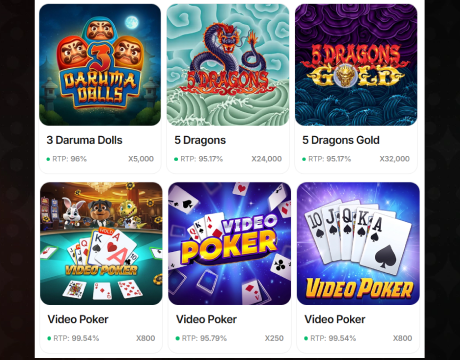
Browse the mobile lobby, select a game and start playing.
Sidepot App System Requirements
Sidepot runs through a mobile browser or PWA, so it does not require high-end hardware. Still, an updated operating system, enough free storage and a stable connection help games load smoothly and reduce interruptions. Here are the system recommendations for reliable daily operation:
| Category | iOS | Android |
|---|---|---|
| Device | iPhone or iPad capable of running a supported browser | Smartphone or tablet capable of running a supported browser |
| Operating system | A version of iOS that supports the latest available Safari release | A version of Android that supports the latest available Google Chrome release |
| Browser | Safari | Google Chrome |
| Browser settings | JavaScript and cookies enabled | JavaScript and cookies enabled |
| Connection | Wi-Fi, 4G or 5G | Wi-Fi, 4G or 5G |
| Software updates | Keep iOS and Safari updated | Keep Android and Chrome updated |
| Free storage | Enough space for browser data, cached files and the PWA shortcut | Enough space for browser data, cached files and the PWA shortcut |
How to Update Sidepot Casino on Mobile
Since Sidepot works as a PWA, its content and features update together with the platform itself. Users do not need to download new versions manually. To make sure the latest changes have loaded, close Sidepot and open it again from the home screen or refresh the page in the mobile browser. If the previous interface is still visible, restart the browser and reopen the platform. Reinstalling the PWA is only worth considering after a major redesign if the home-screen icon or shortcut remains outdated.
Registration Process via Sidepot Casino App
New users can complete Sidepot registration directly on mobile. Our team found the process clear and logically structured. Following each stage in order helps prevent delays in accessing the account. The steps below cover the complete setup:
Tap the yellow “Register” button at the top of the page;

Enter an email address and password, then add a promo code if you have one;
Provide a valid US phone number and review the optional marketing consent boxes before continuing;
Read the age declaration and Terms and Conditions, then tap “Next”;
Open the verification message sent to the registered email address and follow the included link;
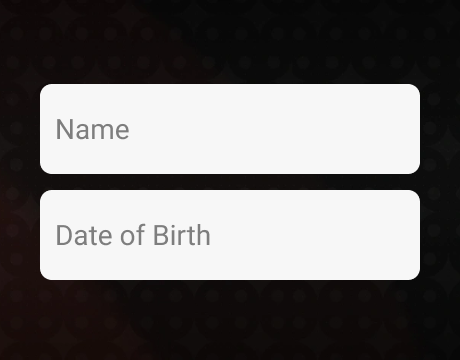
After clicking the link, a window will open asking for your profile information. Fill out the form, including your first name, last name, and date of birth;
Tap “Register” to finish creating the account and access Sidepot on mobile.
Accurate personal details are essential because they will be verified before any prize redemption is processed.
Casino Games Available in the App
Sidepot’s mobile lobby features more than 1,500 games, covering original titles, slots, table games, instant games, Megaways, Hold & Win releases and classic options. The sections below explain the main categories and highlight several popular choices available to mobile players.
Slot Games
Online slots are the most popular game category among Sidepot users, and the bright, colorful library offers varied themes and mechanics. Players can choose from classic formats, Megaways titles, Hold & Win releases and games with Buy Feature options. The selection ranges from simple reel-based games to feature-rich titles with bonus rounds and multipliers. Notable examples include Gates of Olympia, Thunderline Express Hold & Win and Piggy Bank 3 Pots Bonanza.




Table Games
Table games remain a casino classic, including on social gaming platforms. The Sidepot Casino app offers a dedicated selection, although the range centers mainly on roulette and blackjack. Players can choose between several digital and live-dealer variations, with different table layouts, visual styles and game speeds. While the category is less extensive than the slot library, it still provides enough choice for fans of traditional formats. Notable titles include European Roulette, Gravity Blackjack and Speed Blackjack.




Specialized Games
Specialized games offer a change from traditional slots and table formats, with faster rounds and simpler mechanics. Sidepot’s selection includes exclusive Sidepot Originals, such as Crash, Dice, Limbo, HiLo and Wheel of Fortune, alongside a separate Instant Games category. Titles including Lucky Birds, Chicken Tap and Midas Golden Plinko suit players who prefer quick results, straightforward controls and shorter gaming sessions.




Bonuses You Can Access in the Sidepot Casino App
The Sidepot Casino app gives new users several ways to receive Gold Coins (GC) and Sweep Coins (SC) through registration, a welcome purchase and regular logins:
- No-purchase welcome bonus: Players receive 10,000 GC and 1 SC after creating an account. No Gold Coin purchase is required to collect this introductory reward;
- First purchase bonus: Purchasing the $19.99 package provides 50,000 GC and 25 SC, giving new users a larger starting balance for social play and sweepstakes participation;
- Daily login bonus: Sidepot awards 10,000 GC and 1 SC every 24 hours when the player returns to the platform.
Bonus SC must be used within 30 days and played through once before becoming eligible for prize redemption.
Deposits & Withdrawals via the Sidepot Casino App
The Sidepot app handles payments through Gold Coin purchases and SC prize redemptions rather than conventional casino deposits and withdrawals. Our team found the mobile cashier practical, with familiar banking options and a solid selection of cryptocurrencies. The table below brings the available methods, limits and processing periods together for easier comparison.
| Method | Purchase Minimum | Purchase Maximum | Redemption Minimum | Redemption Maximum | Redemption Time |
|---|---|---|---|---|---|
| Bank transfer | $4.99 | $99.99 | 100 SC | – | 2–5 business days |
| Visa and Mastercard | $4.99 | $99.99 | 100 SC | – | 2–5 business days |
| Bitcoin Gold, Ethereum, Tether, XRP, Dogecoin and Litecoin | $4.99 | $99.99 | – | – | N/A |
Players must verify their accounts before they can cash out their prizes.
Security Features of the Sidepot Mobile App
Sidepot keeps mobile play straightforward by combining familiar security checks with practical account protection. SSL encryption helps protect personal and payment details while they move between the device and platform. New accounts must be confirmed by email, while phone verification can be completed later through the profile settings. Before requesting a prize redemption, users also complete KYC checks.
Access to location data is required after successful registration so that the Sidepot app can verify that the player is located in a U.S. state where the service is permitted. The Privacy and Responsible Gameplay policies explain how data is handled and what account controls are available. Game-fairness measures apply across the full catalog. Standard titles use random number generators, while Sidepot Originals rely on Provably Fair technology that lets players verify results through cryptographic seed values. Together, these measures make the mobile experience feel transparent and reassuring.
Mobile Experience in the Sidepot Casino App
Sidepot’s mobile version feels properly adapted rather than squeezed onto a smaller screen. The full platform remains available, while menus, buttons and game tiles are arranged for quick thumb navigation. The lobby, promotions, profile area, and payment area are all easy to reach, and games move smoothly without awkward pauses. The result is a clean, responsive setup that works equally well for a quick break or a longer gaming session.
FAQs About the Sidepot Casino App
Is the Sidepot Casino App available in my state or country?
Sidepot is available only in the United States, excluding Alabama, Arizona, Connecticut, Delaware, Idaho, Kentucky, Louisiana, Maryland, Michigan, Mississippi, Montana, New Jersey, New York, Nevada, Tennessee, Washington and West Virginia.
How can I play Sidepot Casino on my mobile device?
Open Sidepot in a compatible mobile browser on an Apple device running iOS or on an Android device, then register or sign in. For quicker access, install the PWA and launch it directly from the home screen.
What games are available in the Sidepot Casino App?
The mobile catalog includes more than 1,500 titles, covering slots, blackjack, roulette, instant games and exclusive Sidepot Originals such as Crash, Dice, Limbo, HiLo and Wheel of Fortune.
How do I update Sidepot Casino on my mobile device?
Sidepot updates automatically because it runs as a PWA. Close and reopen the platform or refresh the browser page. Reinstall the PWA only if the home-screen icon remains outdated after a redesign.
What should I do if Sidepot Casino is not working properly?
Refresh the page, restart the browser and check the internet connection. Clearing cached site data can also help. If problems continue, remove the PWA, reopen Sidepot and install it again.
How can I remove Sidepot Casino from my mobile device?
To remove the Sidepot PWA, press and hold its icon on the home screen, then select the option to remove it. Browser users can simply close the tab and clear saved site data.

 PokerListings




Log in to leave a comment
Takes a minute. Your rating counts toward the score.