
 EN
EN  DE
DE 
Rolla Casino Mobile App Review
Rolla Casino app gives players a smooth way to open the sweepstakes lobby on iOS and Android without downloading a native app. The platform runs through a mobile browser, but it feels close to a web app thanks to a clean layout, bottom navigation, quick search, and phone-friendly game pages.
This guide explains how to play Rolla Casino on mobile, create an account, access games and bonuses, use the cashier, pass verification, and fix common mobile issues.
How to Play Rolla Casino on Mobile
Rolla works through a mobile browser and supports Progressive Web App (PWA) access, so mobile setup does not involve a native iOS or Android installation. Instead of a Rolla casino app download from the App Store or Google Play, players can add Rolla to the home screen and open the casino faster from there. The guide below shows how to start playing and save Rolla for quicker mobile access.
Use Safari on iPhone or iPad, or Chrome on an Android phone or tablet.
Enter the website address and wait for the mobile homepage to load.

Use Google sign-in or an email address to log in or create an account.
On iOS, tap the Share button in Safari and choose Add to Home Screen. On Android, open the Chrome menu and tap Add to Home Screen or Install App.
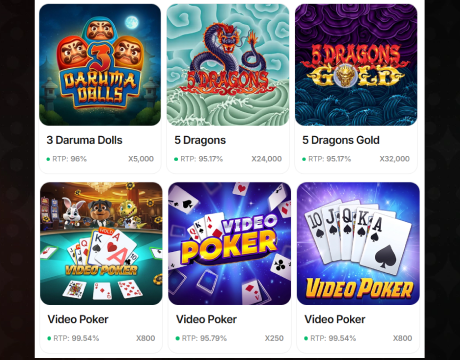
Use the bottom menu, search bar, or category filters to browse available games.
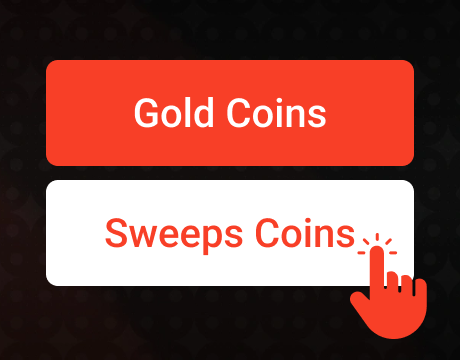
Select GC or SC before launching eligible games.
Tap a game card and wait for it to load in the browser window.
Rolla does not require an APK download. After the home-screen shortcut is added, players can return to the mobile casino in one tap while still using the browser-based version.
Registration Process via Rolla Casino App
Mobile registration follows the same account flow as desktop. The main Rolla app difference is that each field is formatted for a smaller screen.
Start from the mobile homepage.

Google is faster, while email requires a username, email address, and password.
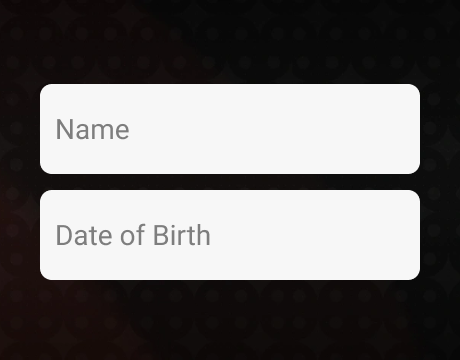
Add first name, last name, country, state, and date of birth.
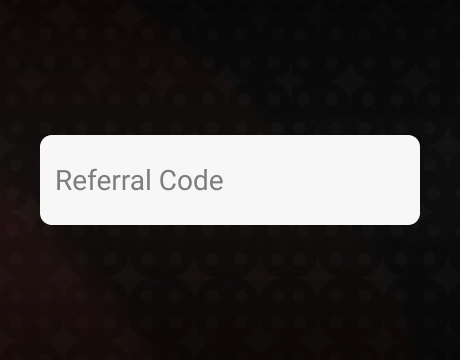
Use this optional field only if you have one.

Accept the terms and confirm that you meet the age and location requirements.

Open the confirmation message and activate the account.
I completed the Google registration flow in less than 3 minutes, and the mobile layout did not create any extra steps.
Casino Games Available in the App
Rolla app has a strong mobile game lobby with 2,100+ titles and 36 providers. The selection focuses on fast digital play from studios such as Jili, Hacksaw Gaming, M2Play, 3 Oaks Gaming, BGaming, NetGaming, Evoplay, Betsoft, and RubyPlay. Live dealer games are not available, so the mobile lobby is better for slots, jackpots, scratchcards, and arcade-style titles.
The categories below show what players can expect after registration.
Slot Games
Rolla’s slot lobby is the main attraction. Players can browse classic reels, Hold and Spin titles, new releases, popular games, jackpot slots, and feature-heavy formats.
- Classic Slots: Gold Mine Express, Fortune Gems 500, Money Coming 2, Wild Whopper.
- Hold and Spin: Jump! 2, Fireball Inferno, Pirate’s Awakening, Golden Treasures.
- Popular Games: Wild Reel Royale, Super Pyramid of Gold, Yokai, Joker Jane.
- Featured Games: Joker’s Fortune, Buffalo 250 Anniversary, Coins of Fruit, Rapid Gems.
Specialised Games
Specialized games give the mobile lobby more variety beyond standard slot formats. These sections are useful for short sessions because rounds are quick and easy to launch.
- Shooting Games: Sparkle Fish Shooter, Lucky Shooter 2, Beast Shooter, Boar Rush.
- Scratchcard Games: Old West, Scratch Match, Shave the Beard, Chaos Crew Scratch.
- Low Spins Big Wins: Money Coming, Wild West Trueways, Mystic Alaska, Gems of Ra 3 Pots.
Bonuses You Can Access in the Rolla Casino App
Rolla mobile users can access the same bonuses available on desktop. The key is to finish account setup first, since verification and profile details affect bonus access. Using the Rolla casino app does not unlock any exclusive mobile bonus, so players receive the same promotions as desktop users.
The offers below are the main mobile-friendly bonus options for new users.
- No-deposit welcome bonus: New players can collect 250,000 GC + 1 FREE SC per day for the first 7 days, up to 1.75 million GC + 7 FREE SC total.
- First-purchase pack: The discounted welcome pack includes 1,250,000 GC + 25 FREE SC for $9.99.
- No promo code needed: The main sign-up offer is activated without a code.
- Daily promotions: Mobile players can check Daily Reel Quest, Weekly Rollback, Coin Drop, and social promos through the promotions area.
- VIP and rewards: Regular play can unlock extra value through High Rolla VIP and Rolla Rewards.
The bonus setup gives new users a strong starting boost, especially through the welcome offer and daily claims. The main limitation is that Rolla does not currently include a cashback feature or a separate bonus to download the app, so the best value comes from regular promotion updates inside the account.
Deposits & Withdrawals via the Rolla Casino App
Rolla is an online sweepstakes casino, so the cashier works through coin purchases and prize redemptions rather than standard casino deposits and withdrawals. The table below gives a quick view of how mobile payments and redemptions work inside the Rolla cashier.
| Action | Available Methods | Timing | Notes |
|---|---|---|---|
| Coin purchases | Visa, Mastercard, American Express, Discover, Trustly, Apple Pay, Skrill | Instant | Coin bundles start from $1.99 |
| Prize redemptions | Bank transfer, Skrill, gift cards | Within 48 hours | Verification is required before redemption |
| First-purchase offer | Supported cashier methods | Instant after purchase | Discounted welcome coin package for new players |
Apple Pay is especially useful on mobile because it reduces manual card entry. Bank transfer and Skrill are better suited for players who plan to cash out eligible prizes after verification.
Security Features of the Rolla Mobile App
Rolla uses several account checks to protect mobile access and prize redemptions. Email confirmation is required after registration, and login from a new device, browser, or IP address can trigger a one-time email code.
Verification is split into two levels. Level 1 is required before the first purchase and includes a selfie liveness check plus photo ID upload. Level 2 is required before the first redemption and requires proof of address. Accepted address documents include utility bills, bank or credit card statements, government letters, or a different government ID showing the current address.
Players should upload clear, full documents and avoid screenshots, edited files, or cropped images. Clean files reduce delays, especially before the first redemption.
Mobile Experience in the Rolla Casino App
Rolla’s mobile version feels polished for browser play. The bottom menu makes one-handed navigation easier, while search, promotions, rewards, chat, and account tools stay close without crowding the screen. Game pages load in a compact view, and the lobby remains easy to scan even with a large catalog.
The biggest strength is convenience. Players can register, claim bonuses, buy coin packages, open the promotions area, contact support, and play games from one browser session. The main limitation is the lack of a native iOS or Android app, so there are no App Store ratings, Google Play ratings, push notifications, or app-style biometric login.
FAQs About the Rolla Casino App
Is Rolla Casino available in my state or country?
Rolla Casino is built for eligible US players in permitted states. Restricted states include California, Connecticut, Idaho, Indiana, Maine, Michigan, Montana, New Jersey, Nevada, New York, Tennessee, and Washington.
How can I play Rolla Casino on my mobile device?
Open Rolla Casino through Safari, Chrome, or another updated mobile browser. No rolla casino app download is required, because mobile access works directly from the browser.
What games are available on Rolla Casino mobile?
Mobile players get access to slots, jackpot games, scratchcards, shooting games, Hold and Spin titles, and other digital formats. Live dealer games are not available.
Can I add Rolla Casino to my phone’s home screen?
Yes. Use the browser menu and select the home-screen option. This creates a shortcut that opens Rolla faster from your phone.
What should I do if Rolla Casino is not loading or working properly on mobile?
Refresh the page, clear browser cache, check your connection, disable VPN if location access fails, and try another updated browser.
Is the Rolla Casino mobile site safe to use?
Yes. Rolla uses email checks, account verification, identity review, proof of address, and secure cashier options to protect mobile sessions and redemptions.

 PokerListings



Log in to leave a comment
Takes a minute. Your rating counts toward the score.