
 EN
 DE

SpinQuest Casino Registration and Login Process
SpinQuest combines social gaming with a straightforward account experience built around quick access, clear rules, and a sweepstakes model using Gold Coins and Sweep Coins. SpinQuest registration and SpinQuest casino login are the main account actions players need to understand before using the platform. This guide explains how to create and verify an account, access SpinQuest on desktop and mobile, claim available rewards, and resolve common account issues.
How to Sign Up to Play at SpinQuest Casino
Creating an account at SpinQuest is quick and straightforward, with a clear form and simple eligibility checks. A new user can complete the SpinQuest sign up directly on the website.

Open the official SpinQuest website and select “Sign Up”.
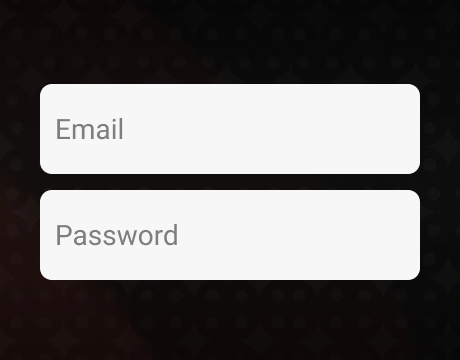
Enter a valid email address, choose a username, create a password, confirm it, and complete the Cloudflare human check.
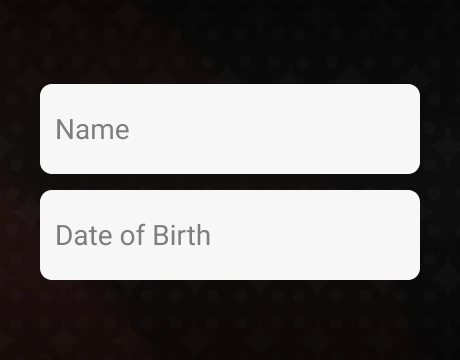
Add the legal first and last name, select the state, enter the date of birth and phone number, and add a referral code only if one is available.

Confirm that the age requirement is met, that the player is not in an excluded state, and that the Terms and Conditions are accepted. The marketing consent box is separate and is not required to register.
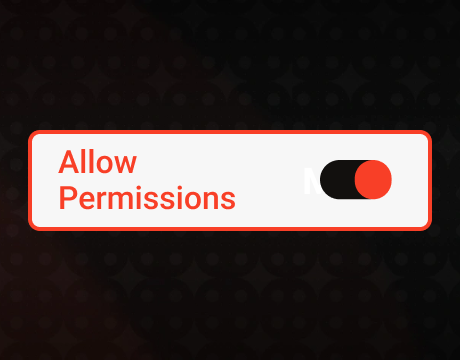
Submit the form and allow location access so SpinQuest can confirm that the device is in an eligible state.

Open the confirmation email sent by SpinQuest and follow the verification link to confirm the email address before you play.
SpinQuest allows one profile per person, including inactive profiles. Players must update personal information through support instead of creating another profile.
Verification of a SpinQuest Casino Account
SpinQuest uses Veriff for identity checks to confirm the player’s identity, age, and location-based eligibility. Account details must match the information on the player’s government-issued ID. Verification requires a valid physical photo ID, while additional checks require proof-of-address or source-of-funds documents. Players must verify their account before redeeming prizes, and incomplete verification keeps redemption requests pending.
How to Log In to SpinQuest Casino on Desktop
Desktop access uses the same credentials created during registration. The SpinQuest login form accepts either the registered email address or username together with the password.

Open the official SpinQuest website in a supported browser on your computer.

Select Login in the upper-right area of the page.
Enter the registered email address or username.
Enter the account password and choose Login to sign in.
If you have forgotten your password, use the “Forgot password?” function.
If access is blocked by a location message, enable browser location services, disable VPN or proxy tools, and reload the page.
The SpinQuest casino login gives returning players direct access to their game library, coin balances, rewards, and account settings from the main website.
Register at SpinQuest Casino via Mobile
SpinQuest does not use a native Android or iOS app. Mobile access is provided through the website, with the full account flow and game library available through a phone or tablet browser.
Open SpinQuest.com in Safari, Chrome, or another supported mobile browser.
Tap Sign Up to start the mobile SpinQuest sign up.
Enter the email address and create a username and password, then complete the human check.
Enter the legal personal details, state, date of birth, and phone number.
Accept the required terms, allow the browser to use the device location, and submit the registration form.
Open the confirmation email and follow the verification link to confirm the email address before you play.
No download is required, and the browser version provides the same core features as the desktop version. Players open games, claim rewards, review balances, and manage their profiles from a mobile device.
Available SpinQuest Casino Games
SpinQuest offers more than 1,000 games across online slot machines, live dealer tables, table games, instant titles, and exclusive releases. Gold Coins are used for Standard Play, while Sweeps Coins are used for Promotional Play and prize-eligible sessions.
- Slots: Wanted Dead or a Wild, Coin Express: Hold & Win, and Aztec Clusters.
- Live dealer games: live blackjack, live roulette, and baccarat.
- Table games: blackjack, roulette, and craps.
- Instant games: Plinko, Mines, and Speed Crash.
- SpinQuest exclusives: Dodge Bob, Bubble Craps, and Crapless Bubble Craps.
SpinQuest Casino Sign-Up Bonuses and How to Claim Them
SpinQuest separates the free registration reward, the recurring daily reward, and the paid Welcome Package. Each bonus has its own value and claim method, clearly separating free rewards from paid packages.
Free Registration Reward
New accounts receive 100,000 Gold Coins + 2 Sweep Coins after successful sign-up and eligibility checks. This reward costs nothing and is separate from every paid coin package.
- Reward: 100,000 GC + 2 SC
- Claim: create an eligible account and complete the required registration steps
- Purchase requirement: none
First Daily Reward
The first daily claim adds 10,000 GC + 1 SC, bringing the first-day free total to 110,000 GC + 3 SC when both rewards are collected. The daily claim is available every 24 hours from the rewards area.
- Cost: $0
- Reward: 10,000 GC + 1 SC
- Claim frequency: once every 24 hours
- Claim method: open the rewards area after logging in and collect the daily reward
- Playthrough: promotional SC from the daily claim carry a 3x requirement before prize redemption
Welcome Package
The new-player Welcome Package costs $10 and provides 300,000 Gold Coins + 30 Sweep Coins. The package is offered to a new player only once and is separate from the free registration reward.
- Price: $10
- Package value: 300,000 GC + 30 SC
- Standard package price: $29.99
- Availability: one purchase per eligible new account
- Playthrough: the promotional SC carry a 3x requirement
Our practical experience places the SpinQuest Welcome Package among the strongest offers in the Sweepstakes casino segment because it combines a low purchase price with 30 SC and a large GC balance. To claim it, open the package offer after creating your account, select the $10 Welcome Package, and complete the purchase using your own payment method.
Slots and instant games provide the highest contribution rate toward the playthrough requirement for promotional SC because those categories contribute 100% toward the requirement. Live dealer games, table games, and exclusive titles contribute 20%, and prize redemption starts at 50 SC after all required checks are completed and all playthrough conditions are met.
Tips for Maximizing Bonuses on SpinQuest Casino
Free claims, paid packages, and playthrough rules work as separate parts of the reward system. These five habits help players use each reward effectively.
- Claim the daily reward every 24 hours. Each claim adds 10,000 GC + 1 SC without a purchase.
- Use slots and instant games for promotional SC playthrough. They contribute 100%, while live dealer, table, and exclusive games contribute 20%.
- Keep the free registration reward separate from the paid Welcome Package. The first costs nothing, while the second costs $10.
- Read each promotion before claiming it. Promotion-specific terms control the reward value, eligibility, and playthrough attached to that offer.
- Use free entry routes when you do not want to make a purchase. SpinQuest also supports free promotional methods, including eligible mail-in requests that award 5 SC.
SpinQuest Casino Sign-Up FAQs
What information is needed to open a SpinQuest Casino account?
A player needs a valid email address, username, password, legal first and last name, state, date of birth, phone number, and the personal details required for the profile record. The information must match government-issued identification, and SpinQuest also records the permanent residential address for identity and eligibility checks.
Does SpinQuest require email confirmation before I can play?
Yes. After registration, SpinQuest sends a confirmation email to the address provided during sign-up. Open the message and follow the verification link to confirm the email address.
Is a purchase necessary to unlock the SpinQuest welcome bonus?
No purchase is required for the free registration reward or the daily reward. The separate Welcome Package requires a $10 purchase and provides 300,000 GC + 30 SC.
What types of games can I access after registering at SpinQuest?
Players access slots, live dealer games, blackjack, roulette, craps, baccarat, instant games, and SpinQuest exclusives after the profile is active.
Am I allowed to create multiple SpinQuest accounts with the same information?
No. SpinQuest allows one customer profile per person, including inactive profiles, and duplicate profiles are not permitted.
My SpinQuest account won’t log in – what are my options?
If the problem is related to your password, please use the “Forgot password?” function. If the SpinQuest login is blocked by a location error, allow browser location access, turn off VPN or proxy tools, reload the page, and contact support if the issue remains.
Can I sign up through a SpinQuest app, or is it browser-only?
SpinQuest has no separate native Android or iOS app. Registration and gameplay run through the mobile website, which provides the full set of account tools, rewards, and games without an app download.
Which states are excluded from SpinQuest registration?
SpinQuest registration is unavailable in California, Connecticut, Idaho, Indiana, Louisiana, Maine, Michigan, Montana, Nevada, New Jersey, New York, Tennessee, and Washington.

 PokerListings




Log in to leave a comment
Takes a minute. Your rating counts toward the score.