
 EN
 DE

SpinQuest Casino App: How to Play on Mobile (2026)
SpinQuest Online Casino provides a mobile-optimised social casino experience for players who prefer using a smartphone or tablet. There is no dedicated SpinQuest Casino app available through the Apple App Store or Google Play Store. Instead, players access the platform through a supported mobile browser or by installing the SpinQuest Progressive Web App (PWA). The PWA can be added directly to your home screen, offering an app-like experience without the need to download anything from an app store.
The mobile version provides access to the same account, virtual currency balances, promotions, purchases, redemptions, and game library available on desktop. SpinQuest uses two currencies: Gold Coins (GC) for entertainment-only Standard Play and SweepsCoins (SC) for Promotional Play.
How to Play SpinQuest Casino on Mobile
No installation is required. Simply open a mobile browser on your iPhone, iPad, or Android device and follow these steps:
Open Safari, Chrome, or another current mobile browser.
Visit the official SpinQuest website.
Tap Login if you have an account, or Sign Up to create one.
Enter your account credentials.
Open the casino lobby and select Gold Coin or SweepsCoin gameplay.
Choose a game and wait for it to load.
For quicker access in future, save the SpinQuest website as a shortcut on your home screen.
SpinQuest App System Requirements
To ensure a seamless and enjoyable gaming experience, it’s important to meet the basic system requirements for accessing SpinQuest. Below is a quick guide to help you check if your device is ready to go.
| Requirement | Recommended Setup |
|---|---|
| Devices | iPhone, iPad, Android smartphones and tablets |
| iOS browser | Current version of Safari |
| Android browser | Current version of Google Chrome or another modern browser |
| Internet | Stable Wi-Fi, 4G, or 5G connection |
| Cookies | Enabled for account sessions |
| Storage | No dedicated app installation space required |
How to Update SpinQuest Casino on Mobile
Because SpinQuest runs through a browser rather than a downloadable casino app, there is no separate update to install – platform changes load automatically from the website.
Close the SpinQuest browser tab.
Update Safari, Chrome, or your preferred browser via your device settings or app store.
Reopen the browser and return to SpinQuest.
Refresh the page to load the latest version.
If an older version appears, clear the browser cache and reload.
If using a home-screen shortcut, remove and recreate it if loading problems persist.
Registration Process via SpinQuest Casino App
Registration on mobile uses the same account system as the desktop platform. New players can create their account directly from the SpinQuest mobile website.
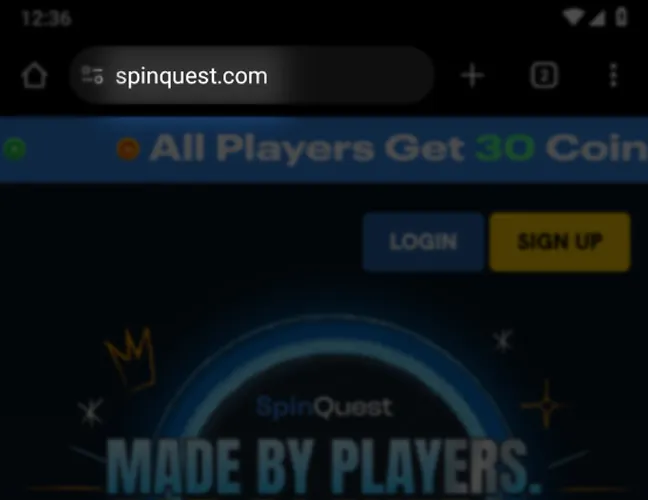
Launch the SpinQuest web app and tap Sign Up.
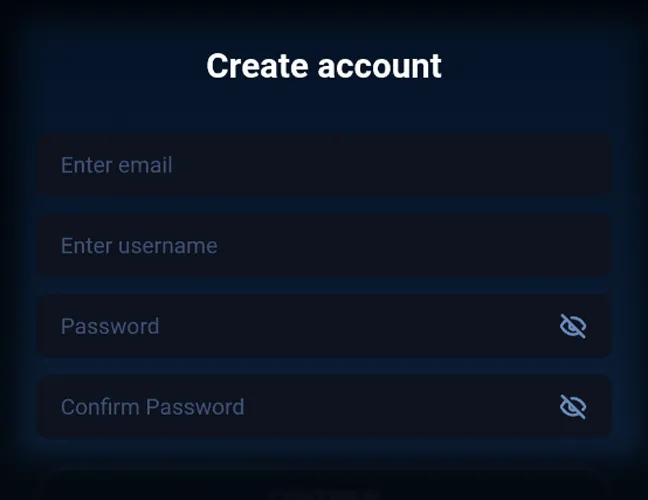
Enter your name and email address, then select your state.
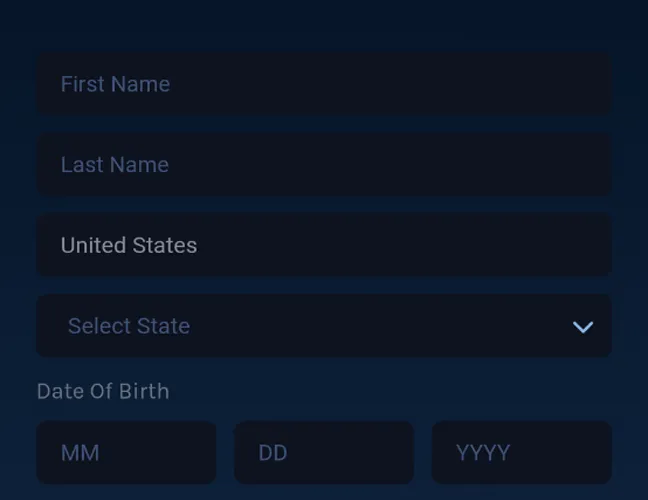
Provide your date of birth and create a secure password.
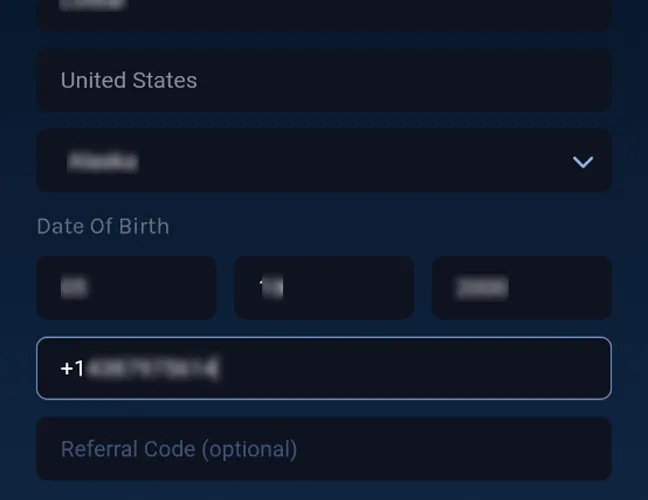
Type in your phone number and a promo code if you have one.
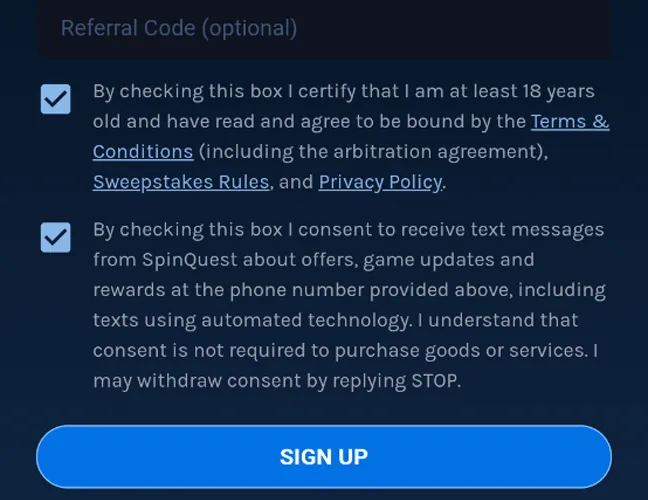
Accept the terms and conditions and tap Submit.
Casino Games Available in the App
The SpinQuest app includes more than 1,000 casino-style games. The library covers several major categories and is designed to run directly in mobile browsers. The main game categories include:
Slot Games
Slots form the largest part of the SpinQuest game library. Players can access titles from studios including Hacksaw Gaming, BGaming, NoLimit City, Red Tiger, and other providers.
Games include standard video slots alongside high-volatility releases and titles with free spins, multipliers, Wild features, and bonus rounds. The most popular slots on the platform include:
- Wanted Dead or a Wild
- Tombstone R.I.P.
- Le Viking
- Coin Express
Specialised Games
SpinQuest also offers alternatives to conventional slots and table games. This section includes instant-win titles, scratch cards, crash-style games, Plinko-style releases, and other arcade-oriented formats. These games are particularly suitable for mobile sessions because rounds are generally fast and controls are designed around simple taps rather than complex menus.
Live Dealer Games
The live dealer section covers blackjack, roulette, baccarat, craps-style games, and game-show formats. SpinQuest partners with studios including Evolution and ICONIC21, along with other content providers.
Table Games
SpinQuest offers a range of classic table games that can be accessed directly from your mobile browser, including:
- Blackjack
- Baccarat
- Roulette
Bonuses You Can Access in the SpinQuest Casino App
SpinQuest promotions are available through the mobile version, so players can access eligible bonuses directly from their account without using a separate app. The current bonus selection includes several offers for new and returning players:
- Welcome bonus: 200% extra, providing 300,000 Gold Coins plus 30 free SweepsCoins for a $10 first purchase.
- No deposit bonus: New players can receive 110,000 Gold Coins + 3 SweepsCoins free without making a purchase.
- Daily bonus: Returning players can collect 10,000 Gold Coins + 1 SweepsCoin every day.
Deposits & Withdrawals via the SpinQuest Casino App
SpinQuest follows the sweepstakes casino model, where players purchase Gold Coins instead of making traditional casino deposits, while eligible SweepsCoins can be used for prize redemptions.
| Payment Method | Available for Purchases | Processing Time | Minimum Purchase |
|---|---|---|---|
| Visa | Yes | Instant | $5 |
| Mastercard | Yes | Instant | $5 |
| American Express | Yes | Instant | $5 |
| Apple Pay | Yes | Instant | $5 |
| ACH / Instant Bank Transfer | Yes | Instant | $5 |
For redemptions, players need at least 50 redeemable SweepsCoins and must complete the required identity verification before a prize can be paid. Cash redemptions are sent in USD to a bank account held in the verified account holder’s name.
Players can submit one prize redemption request per 24-hour period, and bank transfers can take up to 10 business days to process. Only eligible SweepsCoins can be redeemed. Gold Coins have no cash value and cannot be exchanged for prizes.
Security Features of the SpinQuest Mobile App
SpinQuest applies account and transaction controls across both its mobile and desktop platforms. Identity verification is handled through Veriff, while payment methods must be registered in the account holder’s name before players can make purchases or cash out eligible SweepsCoin prizes. Industry-standard security measures are used to protect account, transaction, and personal data.
Mobile Experience in the SpinQuest Casino App
The SpinQuest mobile interface brings together the casino lobby, account controls, transactions, bonuses, and games in a browser-based layout. No large installation file is required, and players can switch between desktop and mobile using the same account. The main drawback is the lack of a dedicated App Store or Google Play application. The browser version removes the need to download an Android app installation file or manually install updates, while still letting players add a home-screen shortcut that functions much like a standard app icon.
FAQs About the SpinQuest Casino App
In which US states is SpinQuest Casino available?
SpinQuest is available across most of the United States, but it does not accept players from Connecticut, Idaho, Indiana, Louisiana, Maine, Michigan, Montana, Nevada, New Jersey, New York, Tennessee, or Washington.
Can I play SpinQuest Casino without downloading an app?
Yes, SpinQuest Casino is available as a Progressive Web App (PWA), so players do not need to download the app to access the platform on mobile. Simply visit the site through Safari, Chrome, or another supported mobile browser and add it to your home screen for quick, app-like access.
What types of games does SpinQuest Casino offer on mobile?
The mobile library includes slots, instant-win games, scratch cards, crash games, blackjack, roulette, baccarat, craps-style games, and live dealer titles.
Does SpinQuest Casino update automatically on mobile?
Yes, website and game updates are delivered through the browser, so there is no standalone SpinQuest mobile app update to install. Updating the browser itself helps maintain compatibility with new platform features.
Why is SpinQuest Casino not loading on my phone?
Loading problems can stem from an outdated browser, poor internet connection, corrupted cache, temporary outages, or location restrictions. Try refreshing the page, switching networks, updating your browser, and clearing cached data before logging in again.
How do I clear SpinQuest Casino data from my browser?
Open your browser settings and remove SpinQuest cookies, cached files, and website data. Players who added SpinQuest to their home screen can also press and hold the shortcut and remove it.

 PokerListings




Log in to leave a comment
Takes a minute. Your rating counts toward the score.