
 EN
 DE

Lucky Hands Casino Registration and Login Process
Creating a Lucky Hands account gives players access to the platform’s social casino games, virtual currencies, and available promotions. This guide explains the full Lucky Hands registration process, including account creation, verification, and the Lucky Hands Casino login steps. It also covers the available sign-up methods, game categories, welcome bonus, and key account issues new players may encounter after registration.
How to Sign Up to Play at Lucky Hands Casino
Lucky Hands keeps the initial registration short, with email confirmation separating basic account creation from the additional profile verification used to unlock more account features.

Visit the Lucky Hands website and select “Sign Up.”
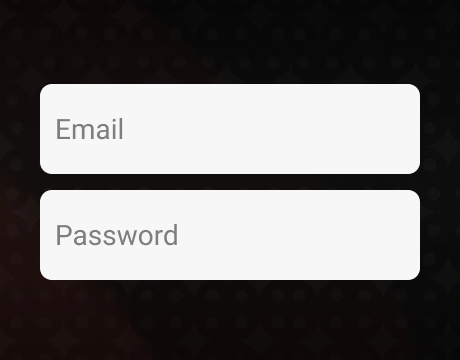
Enter a username, email address, and password in the registration form.
Add a referral or promo code if one is available.

Confirm that you meet the local age requirement, are located in a permitted territory, and do not already have a Lucky Hands account.

Accept the Terms and Conditions and other applicable Lucky Hands policies, then select “Continue.”

Confirm the registered email address through the link sent by email or by entering the verification code manually.

Once the email is confirmed, the account becomes available with 10,000 Gold Coins.
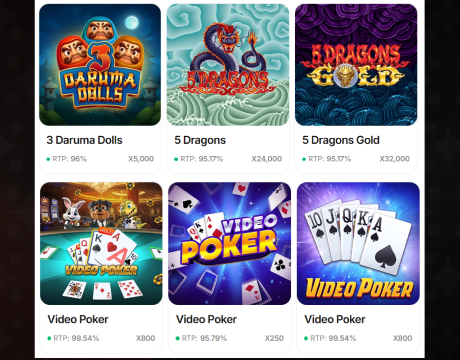
Open the “Games” section and select a title from the available catalog.

Choose the available coin type for the session and start playing.

Complete the additional profile verification afterward to unlock the verification reward and other features available to verified accounts.
During our first test, registration took less than a minute. We liked that Lucky Hands lets new players access the account and try the platform before completing the full verification process, which makes the initial signup noticeably quicker.
Ways to Create Your Lucky Hands Casino Account
Lucky Hands supports three registration methods, giving players a choice between a standard account and connected login options.
- Email and password: Players creating a standard account at Lucky Hands sign up by choosing a username, entering an email address, and setting a password. A referral or promo code can also be added before continuing.
- Google: Players can register through an existing Google account instead of creating separate Lucky Hands login credentials.
- Facebook: Facebook provides another connected registration option and uses the linked account to continue the signup process.
While testing the different signup methods, we noticed that Google registration would not continue until the eligibility and Terms and Conditions boxes were checked. We also found Google and Facebook convenient because they remove the need to remember a separate Lucky Hands password.
Verification of a Lucky Hands Casino Account
Email confirmation does not complete the full Lucky Hands verification process. After confirming the registered email, players can already access the account and use the 10,000 Gold Coins, but Lucky Hands then prompts them to complete their profile to unlock the remaining account features.
The verification form asks for the player’s first and last name, date of birth, phone number, street address, city, state, and ZIP code. Completing the profile verification, including phone confirmation, unlocks the verification reward.
Lucky Hands uses Know Your Customer (KYC) checks to confirm customer identity and eligibility. Players must be at least 18, or meet any higher age requirement in their jurisdiction, and reside in an eligible US state. Additional verification can include identity or address evidence, and more detailed checks may require information about income, source of wealth, or source of funds.
How to Log In to Lucky Hands Casino on Desktop
Returning players can access the same Lucky Hands account from a desktop browser using the credentials or connected login selected during registration.
Open the Lucky Hands website and select “Sign In.”
Enter the registered email address or username.
Type the account password and select “Login.”
If the account was created through Google or Facebook, choose the matching option below the standard Lucky Hands Casino login form.
Use “Forgot Password” if the password cannot be remembered, then follow the recovery instructions sent to the registered email address.

After a successful login, open the account or games area and continue playing with the available balance.
During our login test, the account opened immediately after entering the registered email and password, without another email confirmation step.
Register at Lucky Hands Casino via Mobile
On mobile, players at Lucky Hands sign up through a browser because there is no dedicated app. The process closely follows the desktop version, but the interface is adapted for smaller screens and touch controls.

Open the Lucky Hands website in a mobile browser.
Scroll to the bottom of the page and tap “Sign Up.”
Enter a username, email address, and password, then add a referral or promo code if available.
Confirm eligibility and accept the required Lucky Hands terms.
Tap “Continue” and verify the email address by link or confirmation code.
After email confirmation, use the 10,000 Gold Coins already added to the account or complete the additional profile verification to unlock the 1,000,000 Gold Coins (GC) + 2 Sweeps Coins (SC) welcome reward.
The mobile layout uses larger touch-friendly buttons and a vertical form, while the registration process creates the same Lucky Hands account used on desktop.
Available Lucky Hands Casino Games
Lucky Hands currently lists 967 games from 25 casino software providers, including Evolution, Playson, Hacksaw Gaming, JILI, and 3 Oaks Gaming.
The main lobby filters cover the most useful ways to browse the catalog:
- Slot Games: Includes titles such as Diamonds Diamonds Diamonds, Fortune Surge, and Money Coming.
- Live Dealers: Covers streamed blackjack, roulette, baccarat, craps, poker, and other table games.
- Fish Tables and Arcade Games: Groups fishing titles and faster arcade-style formats.
- Other filters: Hold and Win, New Releases, Classics, and Top Games help narrow the catalog further.
Lucky Hands Casino Sign-Up Bonuses and How to Claim Them
New players can collect the main Lucky Hands welcome rewards without entering a promo code. The no-deposit offer is split between the initial account reward and an additional bonus unlocked after verification. An optional first-purchase package is also available for players who want more coins.
The available signup offers and their claim requirements are:
- Initial registration reward: 10,000 GC becomes available after the registered email address is confirmed. No purchase or promo code is required.
- Welcome verification reward: The Lucky Hands welcome offer includes 1,000,000 GC + 2 SC. After the initial 10,000 GC becomes available, players can complete the additional profile and phone verification required to unlock this reward.
- First-purchase bonus: New players can buy a package containing 300,000 GC + 30.1 SC for $10. This provides 200% extra value compared with the regular $10 package and is completely optional.
Tips for Maximizing Bonuses on Lucky Hands Casino
Several recurring Lucky Hands rewards are easy to miss after signup. The most useful options are:
- Claim daily rewards: Bronze starts at 10,000 GC + 0.10 SC, with higher Clover Club levels offering larger rewards.
- Follow social channels: Giveaways and tournament announcements can provide additional limited-time rewards.
- Use referrals: The referring player can receive 125,000 GC + 20 SC after the invited player joins through the referral link and spends at least $15 on Gold Coin packages.
- Use GC Top Up: When the GC balance drops below 500, the feature can add 1,250 GC for free.
Lucky Hands Casino Sign-Up FAQs
What’s the difference between the starter Gold Coins I get instantly and the bonus I unlock after verification?
The starter 10,000 GC is credited immediately when the account is created. The larger 1,000,000 GC + 2 SC welcome reward becomes available after additional verification.
Do I need to verify both my email and phone number to complete registration?
Not for basic account creation. Email confirmation activates the account and makes the starter GC available. Phone verification is part of the additional process used to unlock the full welcome reward.
No. Players can sign up and play directly through the Lucky Hands mobile website.
What game categories can I access right after creating my account?
Players can browse Slot Games, Fish Tables, Hold and Win, Arcade Games, Live Dealers, New Releases, Classics, and Top Games. The catalog currently contains 967 games from 25 providers.
Do I need to make a purchase to unlock the full welcome bonus?
No. The 1,000,000 GC + 2 SC verification reward does not require a purchase. The $10 first-purchase package is a separate optional offer.
What should I do if my account shows as “not verified” after signing up?
Open the verification prompt and complete the requested profile details and any pending email or phone confirmation. Contact support if the status does not update afterward.
Can I refer a friend during registration to earn extra Sweeps Coins?
Yes, you can earn 125,000 GC + 20 SC when a friend joins through your referral link and spends at least $15 on Gold Coin packages.
What happens if I forget which email I used to register at Lucky Hands?
The Lucky Hands login form accepts either the registered email address or username. Players who remember their username and password can still access the account. Support can assist with recovery if needed.
Is there a Lucky Hands mobile app, or do I need to use my browser to sign up?
No. Players can sign up and play directly through the Lucky Hands mobile website.

 PokerListings




Log in to leave a comment
Takes a minute. Your rating counts toward the score.