
 EN
EN  DE
DE 
Daruma Casino App: Download for iOS & Android (2026)
Daruma gives mobile players access to more than 1,000 games, including slots, table games, jackpots, and live dealer titles. Android users can download a separate free-to-play slot app from Google Play, while iPhone and iPad users can access Daruma through Safari and add the browser platform to their Home Screen as a Progressive Web App (PWA). The browser-based sweepstakes platform supports registration, bonuses, Gold Coin purchases, Sweeps Coin play, and eligible prize redemptions. This guide covers both mobile access methods, device requirements, updates, security, payments, and a troubleshooting checklist.
Access Daruma on iOS as a Web App
Daruma does not offer a native iOS application through the Apple App Store. iPhone and iPad users can open the browser-based platform in Safari and add it to the Home Screen as a PWA. Before signing in or creating the shortcut, confirm that Safari displays the correct Daruma website address.
Follow these steps to add the Daruma app to an iOS device:
Launch Safari on your iPhone or iPad.
Enter the correct Daruma website address and confirm that you are on the legitimate platform.
Sign in to your existing account or complete registration through the browser-based platform.
Tap the square icon with an upward-pointing arrow at the bottom of Safari.
Scroll through the available options and choose this command.

Turn on this option so Daruma opens in a standalone web app window.

Keep the Daruma name or edit it before adding the PWA.
Safari will place the Daruma icon on your device’s Home Screen.
Tap the new icon whenever you want to access the browser-based sweepstakes platform.
Download Daruma Casino App for Android
Android users can download “Daruma: Free Casino Slots” directly from Google Play. This separate free-to-play application focuses on slot games, daily rewards, and mobile entertainment. Registration, Gold Coin purchases, Sweeps Coin play, and eligible prize redemptions remain available through the browser-based Daruma sweepstakes platform.
Follow these steps to install the Daruma Casino app on Android:
Launch the Play Store on your Android smartphone or tablet.
Enter “Daruma: Free Casino Slots” in the search bar.

Confirm that the application is published by NoDaysOff Enterprise LLC.
Google Play will automatically download and install the application.
Tap Open after the installation is complete.
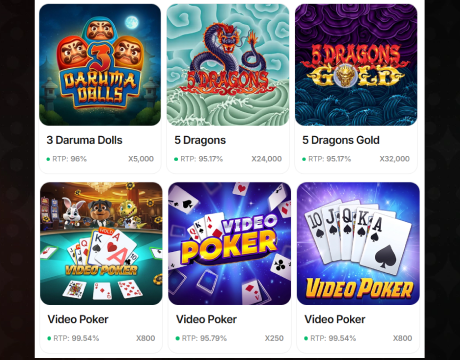
Browse the available free-to-play slot games and daily rewards.
Open Daruma in your browser to register, manage Gold Coins and Sweeps Coins, make purchases, and request eligible prize redemptions.
Daruma Mobile Access System Requirements
The Daruma Casino app works on modern Android smartphones and tablets, while iPhone and iPad users access the platform through an updated mobile browser.
| Requirement | iOS and iPadOS | Android |
|---|---|---|
| Access type | Mobile browser and home-screen shortcut | Google Play slot app or browser-based sweepstakes platform |
| Supported devices | iPhone and iPad | Android smartphones and tablets |
| Operating system | Current iOS or iPadOS version | Google Play-compatible Android version |
| Recommended browser | Updated Safari or Chrome | Updated Chrome, Edge, or Firefox |
| Storage | Space for browser data and cache | Approximately 62 MB plus space for updates |
| Internet connection | Stable Wi-Fi, 4G, or 5G | Stable Wi-Fi, 4G, or 5G |
How to Update Daruma Casino on Mobile
Keeping Daruma updated gives players access to the latest games, performance improvements, security fixes, and platform features. Android users update the native application through Google Play. iPhone and iPad users who access Daruma through Safari should update iOS, which also updates Safari, instead of downloading a separate casino app.
- Check your access method. Android users should open the installed Daruma app, while iOS users should confirm that they access the platform through Safari or a home-screen shortcut.
- Open the update controls. Launch Google Play on Android or open Settings on an iPhone or iPad.
- Search for available updates. Android users should find “Daruma: Free Casino Slots” and tap Update. iOS users should open Settings, select General, and choose Software Update.
- Install the update. Keep the device connected to a stable Wi-Fi network until the download and installation finish.
- Update the browser. Android browser users should update Chrome through Google Play. Safari updates automatically with the latest iOS version.
- Restart the Daruma mobile app or web platform. Close the Daruma mobile app or browser completely, then reopen it after the update is installed.
- Refresh the home-screen shortcut. iOS users experiencing loading problems should delete the existing shortcut and add Daruma to the Home Screen again through Safari.
Registration Process on the Daruma Mobile Website
Registration for the Daruma sweepstakes platform takes place through the mobile website. Android, iPhone, and iPad users follow the same browser-based account setup process. The separate Android slot app does not support registration for the sweepstakes platform, Gold Coin purchases, Sweeps Coin play, or prize redemptions.
Visit the browser-based sweepstakes platform on your Android device, iPhone, or iPad.

Select the registration button in the upper-right corner.

Provide an active email address that you can access immediately.
Choose a strong password and keep it private.
Enter accurate information that matches your identification documents.

Open the verification message and follow the included confirmation instructions.
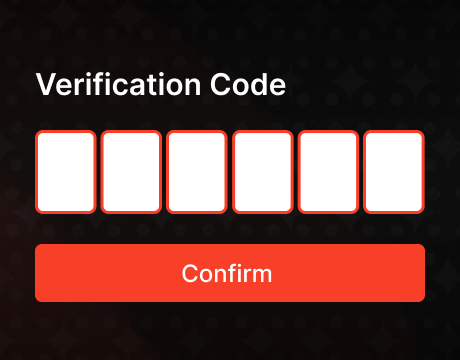
Enter the SMS code sent to your registered mobile number.
Return to the browser-based platform and sign in using your verified credentials.
Casino Games Available on the Daruma Mobile Platform
The Daruma mobile app is limited to free-to-play slots and daily rewards, while the browser-based platform provides access to more than 1,000 mobile-compatible games across several categories. Its lobby includes slots, automated table games, live dealer tables, jackpots, and fast-play titles.
Slot Games
Slots form the largest part of the Daruma mobile lobby, with classic reels, modern video slots, Megaways releases, jackpot titles, and feature-rich games from established studios. Players can choose recognizable releases such as Starburst and Gonzo’s Quest alongside newer games with free spins, expanding wilds, multipliers, bonus rounds, and cascading symbols.




Table Games
Daruma offers digital table games for players who prefer structured rules and familiar casino formats. The selection includes blackjack, roulette, baccarat, poker-style games, and video poker, with several versions providing different layouts, side bets, and playing speeds.




Live Dealer Games
Live dealer games bring real-time studio play to the Daruma mobile lobby through streamed tables hosted by professional dealers. The category includes live blackjack, roulette, baccarat, and poker-based options, with multiple tables designed for different limits and playing styles.





Specialized Games
Daruma’s specialized games add faster and less traditional formats to the main casino selection. Players can explore crash games, fishing titles, arcade releases, scratch-style instant games, jackpot games, and other quick-result options. These titles use simple controls and short rounds, making them suitable for brief mobile sessions.



Bonuses Available on the Daruma Mobile Website
The browser-based Daruma sweepstakes platform gives mobile players several bonus options, starting with a no-deposit offer of 20,000 Gold Coins and 1 Sweeps Coin. Another featured promotion includes 25,000 Gold Coins, 25 Sweeps Coins, and a 250% bonus on your first purchase. Ongoing rewards include a mystery daily bonus available every 24 hours, monthly featured-game prizes, and social media giveaways.
Purchases & Prize Redemptions on Daruma Mobile
Daruma does not use traditional casino deposits, and Gold Coin purchases are optional. Mobile purchases and eligible prize redemptions are completed through the browser-based Daruma sweepstakes platform. These transactions are not available through the separate Android slot app.
| Transaction | Method | Minimum | Typical Time |
|---|---|---|---|
| Gold Coin purchase | Visa or Mastercard debit card | $9.99 | Instant |
| Cash redemption | ACH Bank Transfer | 100 SC | 9–10 hours for approval, then 1–3 days |
| Cash redemption | Online Bank Transfer | 100 SC | 9–10 hours for approval, then 1–3 days |
| Prize redemption | Gift card | 100 SC | 9–10 hours for approval, then within 1 business day |
Security Features of Daruma Mobile Access
The browser-based Daruma sweepstakes platform protects accounts with email and SMS verification, secure card and bank-transfer payments, encrypted document uploads, and identity checks before Sweeps Coin redemptions. Government-issued identification and proof of address confirm eligibility and help prevent unauthorized account access. Uploaded files remain encrypted and are reviewed only by authorized staff. Players can also reset compromised passwords, contact 24/7 support, and use purchase limits, cooling-off periods, or self-exclusion.
Daruma Mobile Experience on Android and iOS
Daruma provides two distinct mobile experiences. The separate Android app is available through Google Play and offers free-to-play slots and daily rewards. The browser-based sweepstakes platform is available on Android, iPhone, and iPad and supports registration, bonuses, Gold Coin purchases, Sweeps Coin play, eligible prize redemptions, and access to more than 1,000 games. The browser lobby supports portrait and landscape play, offers smooth navigation, and features live dealer streaming.
FAQs About the Daruma Casino App
Is Daruma available in my state?
Daruma accepts players from supported US states. Access is unavailable in restricted jurisdictions, so confirm eligibility from your location before registering or purchasing Gold Coins.
How do I download the Daruma Casino App on iOS?
Daruma does not offer a native iOS download. Open the platform in Safari, tap Share, select Add to Home Screen, enable Open as Web App, and tap Add.
What games are available in the Daruma Casino App?
The Daruma Casino App for Android focuses on free-to-play slots, while the browser-based platform features more than 1,000 games, including slots, table games, and live dealer titles such as blackjack, roulette, baccarat, and streamed game-show formats for mobile.
How do I update the Daruma Casino App to the latest version?
Android users update Daruma through Google Play. iPhone users refresh Daruma after updating iOS, which also updates Safari, then recreate its home-screen shortcut if loading problems continue.
What should I do if the Daruma Casino App is not working?
Restart the app, check your connection, install pending updates, clear cached data, and reopen Daruma. Contact customer support if the problem continues after these steps.
How do I remove the Daruma Casino App from my iPhone?
Hold the Daruma home-screen icon, choose Remove App, select Delete App, and confirm. This removes the Progressive Web App from your device without closing or deleting your Daruma account.

 PokerListings




Log in to leave a comment
Takes a minute. Your rating counts toward the score.