
 EN
EN  DE
DE 
Clubs Casino App: How to Play on Mobile (2026)
Clubs Casino Mobile App Review
Mobile access makes social casino play more flexible, giving users an easy way to open their favorite games while traveling, relaxing at home or taking a short break away from a computer. Clubs Casino supports this through a mobile-optimized website and Progressive Web App, so players can access the platform from a smartphone or tablet without installing a native application.
A good mobile experience should feel simple from the first tap. Clear navigation, fast loading, convenient account access and a varied game lobby all help make shorter sessions more enjoyable and longer visits easier to manage. This guide looks at the main Clubs Casino mobile features and explains what players can expect from both the browser and Progressive Web App (PWA) versions.
How to Play Clubs Casino on Mobile
Getting started with Clubs app is straightforward, but first-time users may not know which steps to complete before opening a game. This short guide provides a clear route through the initial setup and helps players become familiar with the main mobile features:

Open the official Clubs Casino website on a smartphone or tablet;
Install the PWA for home-screen access or continue in the mobile browser;
Create an account and complete the registration process;

Collect the no-purchase welcome package added after registration;

Review the lobby, profile, settings, platform features and available coin packages;
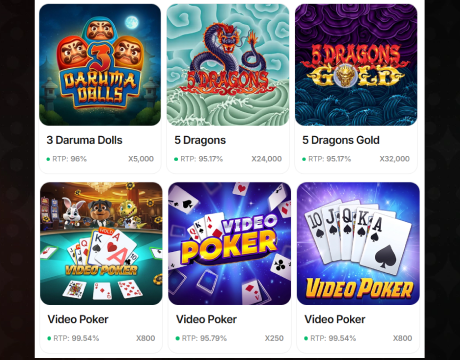
Choose a game from the mobile catalog and start playing.
Clubs App System Requirements
Clubs Casino does not place heavy demands on mobile hardware because it runs through a browser or PWA. A compatible device, current software and a reliable internet connection are enough for smooth everyday use. The table below outlines the recommended setup for iOS and Android users:
| Requirement | iOS | Android |
|---|---|---|
| Supported devices | iPhone or iPad with access to a current mobile browser | Smartphone or tablet with access to a current mobile browser |
| Operating system | Recent iOS version compatible with the latest Safari update | Recent Android version compatible with the latest Chrome update |
| Preferred browser | Safari | Google Chrome |
| Required browser features | JavaScript and cookies switched on | JavaScript and cookies switched on |
| Internet connection | Stable Wi-Fi, 4G or 5G connection | Stable Wi-Fi, 4G or 5G connection |
| Updates | Install available iOS and Safari updates | Install available Android and Chrome updates |
| Available storage | Free space for temporary browser files and the PWA installation | Free space for temporary browser files and the PWA installation |
How to Update Clubs Casino on Mobile
The mobile browser version of Clubs Online Casino always opens the current version of the platform, so no manual update is required. The Progressive Web App (PWA) also refreshes automatically as new content and features are introduced. If recent changes do not appear straight away, close the PWA and launch it again from the home screen. Removing and reinstalling it can also help if the PWA does not update or function properly.
Registration Process via Clubs Casino App
Registration is quick, but knowing what to expect can make the process smoother. The steps below cover the full email sign-up process:
Tap the blue “Sign Up” button in the upper-right corner;

Choose Google, Facebook, or email as the registration method;

For email sign-up, enter a valid email address, create a password, and confirm it;
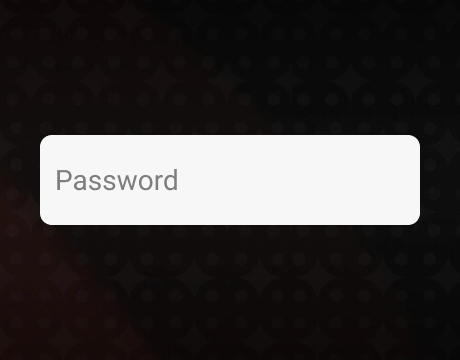
Use 8 to 20 characters, including uppercase and lowercase letters, a number, and a special symbol;

Open the verification email from Clubs, copy the code, enter it in the activation field, and tap “Continue” to confirm the email address;
Accept the Terms of Use, Privacy Policy, and Sweepstakes Rules, then confirm that you are at least 18 years old;
Tap “Continue” to complete account creation and access Clubs Casino.
Casino Games Available in the App
The Clubs mobile app library features more than 300 games. It is a relatively compact collection, but it includes titles from well-known providers such as Hacksaw Gaming, Booming Games, BGaming, 3 Oaks, NetGaming, and Penguin King. Players can explore several different categories, including:
- Slots
- Virtual table games
- Live dealer games
- Arcade games
- Instant-win games
- Jackpot games
Slot Games
Slots form the largest part of the Clubs Casino library, giving mobile players plenty of choice across different themes and visual styles. The selection ranges from bright, playful releases to games inspired by American celebrations and ancient Egyptian treasures. Alien Fruits 3, Fireworks of Fortune, and 5 Pyramids of Gold: Hold & Win are three notable examples available in the lobby. Players can also explore dedicated jackpot collections and recently added titles, making it easier to find a game that suits a quick session or a longer visit.




Other Games
Players looking beyond standard slots can explore a smaller selection of specialized games with quicker rounds and more direct mechanics. Chicken Shot offers an instant-style format, while Plinko Poker adds a new twist to classic Plinko. Traditional casino fans can also find American Roulette, and CCTV Game Rush Hour brings a less familiar concept to the Clubs Casino mobile lobby. Although this category is more limited than the slot collection, it gives users several alternatives when they want a different pace or gameplay style.
Bonuses You Can Access in the Clubs Casino App
Clubs app gives new and returning players several ways to collect extra Gold Coins (GC), Sweeps Coins (SC), and Free Spins. The main mobile offers include:
- No-purchase welcome bonus: 25,000 GC, 5 SC, and 5 Free Spins credited after registration, with no promo code required.
- First purchase bonus: A $20 coin purchase package containing 200,000 GC and 40 SC.
- Daily login reward: Free Coins available each day when players return to their accounts.
- Purchase bonuses: Selected coin packages include added value, such as 20 bonus SC with a $20 purchase.
- Social media promotions: Giveaways on Facebook, Instagram, and X reward users for completing simple tasks.
- Postal requests: Eligible players can request free SC by mail provided each entry complies with the Sweepstakes Rules.
Deposits & Withdrawals via the Clubs Casino App
Clubs Casino app uses coin purchases and prize redemptions rather than standard casino deposits and withdrawals. Players can buy Gold Coin packages ranging from $2 to $500, and purchases are processed instantly after identity verification. For prize redemption requests, 1 SC equals $1, the minimum redemption is 50 SC, and players must satisfy a 1x playthrough requirement on eligible Sweeps Coins. The table below compares the supported methods, limits, and redemption periods:
| Method | Purchase Minimum | Purchase Maximum | Redemption Minimum | Cash-out Processing Time |
|---|---|---|---|---|
| Visa | $2 | $500 | 50 SC | 2–5 business days |
| Mastercard | $2 | $500 | 50 SC | 2–5 business days |
| American Express | $2 | $500 | 50 SC | 2–5 business days |
| Discover | $2 | $500 | 50 SC | 2–5 business days |
| Apple Pay | $2 | $500 | – | N/A |
| Google Pay | $2 | $500 | – | N/A |
| ACH | $2 | $500 | 50 SC | 2–5 business days |
Security Features of the Clubs Mobile App
Clubs Casino app uses several familiar safeguards to protect mobile players and their accounts. SSL encryption secures personal and payment data, while KYC checks confirm identity before coin purchases and prize redemptions. The Privacy Policy explains how user information is collected, stored, and handled across the platform.
Responsible play is supported through account-management tools and links to professional resources for players who may need psychological or emotional assistance. Clubs Casino works with established software providers and reviews titles before adding them to the library. Clear Sweepstakes Rules also explain eligible play, Sweeps Coin use, and prize-redemption requirements for added transparency.
Mobile Experience in the Clubs Casino App
Clubs Casino provides a smooth mobile experience through both the browser version and the PWA. During testing, our team found that the interface adapted well to smartphones and tablets, with clear menus, responsive game tiles, and convenient access to account features. Registration, promotions, coin packages, prize redemptions, profile settings, and games remained available without switching to a desktop device.
The search function and lobby sections were easy to use on a smaller screen, while pages loaded quickly and touch controls responded without noticeable delays. Based on our experience, both access options feel comfortable, practical, and suitable for regular mobile play.
FAQs About the Clubs Casino App
Is the Clubs Casino App available in my state or country?
Clubs Casino is available only in the United States and can be accessed from 38 states. It is unavailable in California, Connecticut, Idaho, Louisiana, Michigan, Montana, Nevada, New Jersey, New York, Tennessee, Washington, and West Virginia.
How can I play Clubs Casino on my mobile device?
Open Clubs Casino on an iOS or Android device, then register or log in through the mobile browser or PWA. Collect the welcome bonus or make sure your account has enough coins, choose a title from the lobby, and start playing.
What games are available in the Clubs Casino App?
The mobile library includes more than 300 games, covering slots, virtual tables, live dealer games, arcade titles, instant-win releases, and jackpots.
How do I update Clubs Casino on my mobile device?
The browser version always loads the current version of the platform, so no update is required. The PWA also updates automatically. Close and reopen it if recent changes do not appear immediately.
What should I do if Clubs Casino is not working properly?
Check your internet connection, refresh the page, and restart the browser or PWA. If the problem continues and your connection is stable, Clubs Casino may be undergoing maintenance. Wait a while and try again, or contact customer support for assistance.
How can I remove Clubs Casino from my mobile browser?
The browser version is not installed, so there is nothing to uninstall. Close the tab, remove any saved bookmark, and clear the site data through the browser settings.

 PokerListings




Log in to leave a comment
Takes a minute. Your rating counts toward the score.