EN
EN  DE
DE 

GGPoker Mobile App: How To Download for iOS and Android 2026
GGPoker has become one of the leading online poker platforms, thanks to its modern design and smooth mobile experience. The real money poker app for iOS makes it easy for Apple users to jump into cash games or tournaments from anywhere, while Android players can rely on the equally intuitive Android poker app for real money to enjoy the same high-quality gameplay. With quick installation, a straightforward setup process, and full access to real money tables, the GGPoker app lets players enjoy a top-tier poker experience whenever and wherever they choose.
Developed by NSUS Ltd, the GGPoker mobile app brings the full poker environment to your phone or tablet. Its clean design, smooth animations, and intuitive controls make it easy to join games, manage your account, and enter tournaments. The app provides quick access to all game types found on the desktop version.
GGPoker operates under a license from the Isle of Man Gambling Supervision Commission under the Online Gambling Regulations Act 2001, which ensures a safe and reliable playing environment. Players can choose from cash games, Sit & Go tournaments, large-field MTTs, or fast-action formats such as Spin & Gold and All-In or Fold. Major series like GGMasters and other festival events are also available directly through the app.
GGPoker App Download for iOS
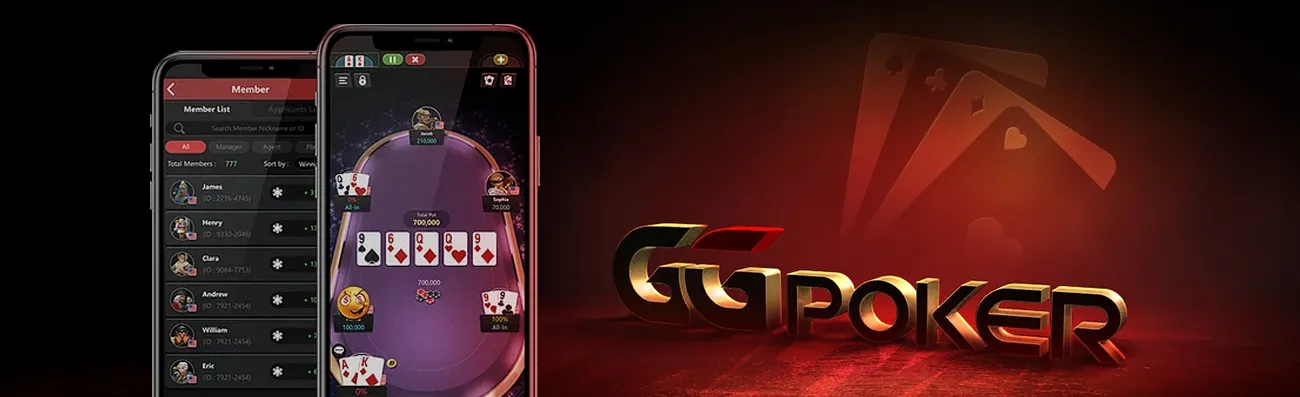
If you need to download the GGPoker app on your iPhone or iPad, the download process is quick and simple: just make sure you’re signed into your Apple ID and have a stable internet connection.
- Open your mobile browser, visit the official GGPoker website, and tap the red “Download” button. This will take you directly to the GGPoker app page on the App Store.
- Tap “Get” and complete the authentication using Face ID, Touch ID, or your Apple ID password.
- Once the download and installation process are finished, the app icon will appear on your Home Screen.
- Launch the app, grant any necessary permissions (like notifications), sign in or create a new account.
Download GGPoker APK for Android
Installing the GG Poker app on your Android device is a straightforward process that ensures you can enjoy seamless gameplay on the go. Follow these steps carefully to download and set up the app securely:
- On your Android phone, go to the official GGPoker website.
- Tap the “Download” button to begin the download.
- Confirm the GGPoker installation file download when prompted by your browser.
- Navigate to your Downloads folder and open the downloaded APK file.
- If a security prompt appears, grant permission for your browser or file manager to install apps from this source.
- Follow the installation steps until complete.
- Launch the GGPoker app for Android, grant necessary permissions (like notifications), then log in or register.
Troubleshooting: If installation is blocked, go to Settings → Security → Install unknown apps and enable permission for the browser you used. For best practice, disable this permission after installation.
GGPoker Application System Requirements
The GGPoker app is optimized for a wide range of modern phones and tablets. For the most comfortable experience, check the system requirements and practice smart device management; use recent hardware and keep your operating system up to date.
| Component | iOS (iPhone & iPad) | Android (Smartphone & Tablet) |
|---|---|---|
| OS Version / Devices | iPhone 6S / iPad Air 2 / iPad Mini 4 or newer; recommended: iPhone X or higher, iPad 7 / iPad Air 3 / iPad Pro 2 / iPad Mini 5 or higher | Android OS 6.0 (Marshmallow) or higher; recommended: Android 10.0 or higher |
| RAM | Recommended: 3 GB or greater | 2 GB minimum; recommended: 3 GB or greater |
| Storage | 500 MB free; recommended: 1 GB or greater | 500 MB free; recommended: 1 GB or greater |
| Network | Stable Wi-Fi or 4G/5G | Stable Wi-Fi or 4G/5G |
How To Update GG Poker App to the Latest Version
Keeping the app updated ensures you always have the latest features, bug fixes, and security patches, and the process is usually quick and painless.
Open the App Store, tap your profile icon in the top right, scroll to the Available Updates section, and update the GGPoker app on iOS from there; if you prefer not to check manually, enable Automatic Updates in Settings so new versions install on their own.
On Android, open the GGPoker app to see if an in-app prompt flags a new build, then download the latest APK from the official website, install it over the existing version without uninstalling, and relaunch the GGPoker app on Android when the installer finishes. For all setups, enable notifications so you’re alerted whenever a new version or feature drops.
Registration Process via GGPoker App
Creating an account in-app is quick. To create your account, have a valid email, a strong password, and your phone nearby for any required verification.
Launch the GGPoker app and tap the “Sign Up” button.
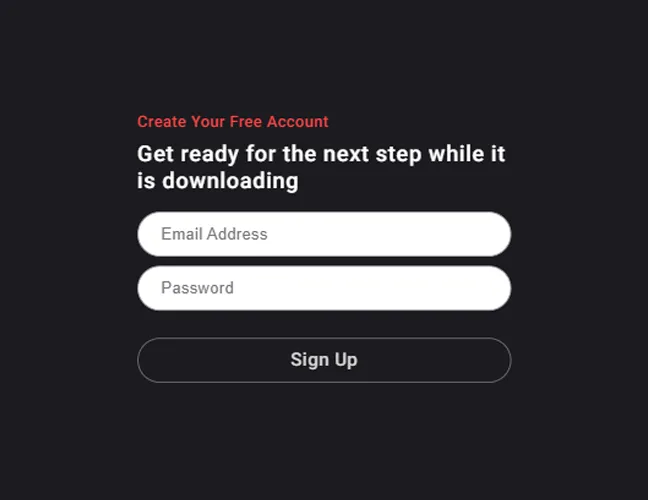
Fill in your email address and choose a secure password.
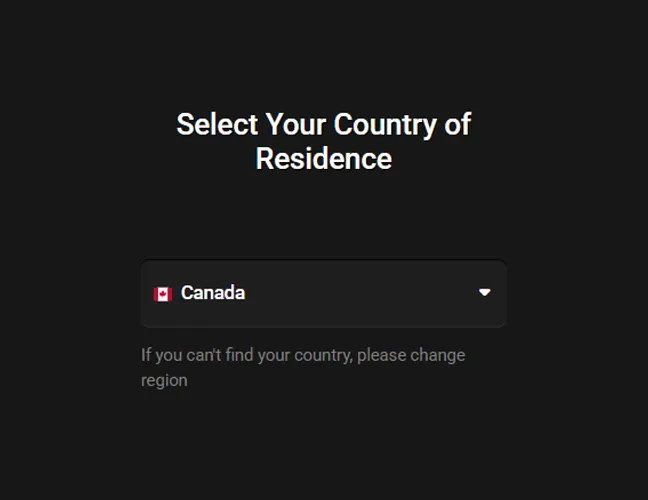
Select your country of residence from the dropdown menu.
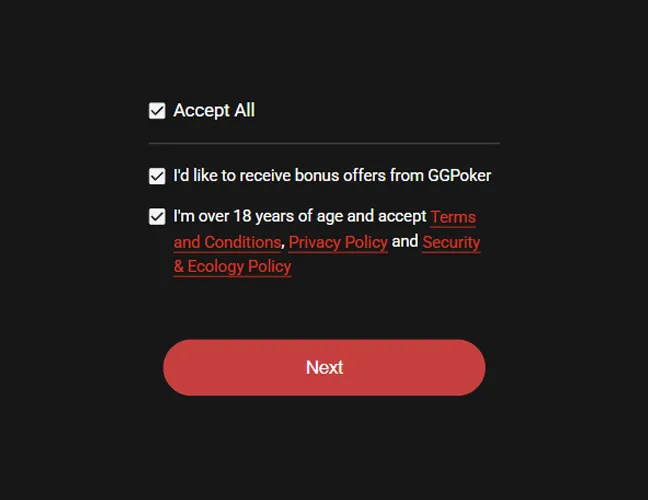
Review and agree to the Terms & Conditions, and confirm you are of legal age to play.

After you receive an email with a verification code, enter it to verify your address.

Once verified, your registration is complete, and you’re ready to hit the tables.
Features & Game Types Available in GGPoker App
The app aims to replicate the full desktop lobby on mobile, with quick filters, favorites, and smart recommendations. Expect fluid multi-tabling, table-switching, and robust search to find the exact stakes and formats you prefer.
Cash Games
Cash tables run around the clock, offering instant seating and flexible session length. Use lobby filters to find your preferred stake, table size, and buy-in range. Quick-fold variants can minimize waits and maximize hands per hour. Favor stable connections, especially when multi-tabling; use the time bank judiciously; and set stop-loss or session reminders.
Sit & Go Tournaments
Sit & Go’s (SNGs) are ideal for short sessions, starting automatically as soon as the required number of poker players register. The process is straightforward: players register, enter a brief waiting lobby, are immediately seated, and then prize payouts occur according to the published structure.
Multi-Table Tournaments (MTTs)
Multi-Table Tournaments (MTTs) offer larger fields and deeper strategic play, often including late registration and re-entry options based on the specific event. To effectively navigate these, it’s crucial to pay close attention to several key elements. Always check the starting stack, understand the blind structure, be aware of any bounty rules if it’s a Progressive Knockout (PKO) event, and note the break schedules.
Spin & Gold
Spin & Gold provides fast-paced, thrilling action where prize multipliers are randomized. While buy-ins are set for each game, the prize pool is determined right at the start. Given the high variance, effective bankroll management is essential; consider setting volume goals and frequently reviewing your sessions using the hand replayer to optimize your strategy.
All-In or Fold
Fast-paced formats like All-In or Fold (AOF) ask you to shove or fold every hand, so getting started is effortless. With minimal decisions and frequent showdowns, the action moves quickly and stays engaging. It’s ideal for short sessions, perfect for quick breaks or whenever you only have a few minutes to play.
GGMasters & Other Major Series
GGMasters and other headline series are front and center in the app. The flagship event is a $150 buy-in, $1,000,000 GTD weekly freezeout, one shot only with no rebuys or add-ons. You can qualify on the cheap through an in-app satellite ladder that starts at micro stakes and feeds into the main.
There’s also a WSOP Express route that can begin for free, with cash-game promotions awarding tickets along the way. As you play, the Master Rise Reward lets you progress week by week and unlock poker bonuses, but you’ll need to enter each week to keep your progression. Event schedules and guarantees can change, so always check the lobby for the latest details.
Benefits of the GGPoker Mobile App
The GGPoker mobile app goes beyond convenience, offering top-tier performance and user-friendly features designed to keep you fully immersed in the game. Here’s what makes it stand out:
- Play Anywhere: Jump into cash games or poker tournaments from wherever you are.
- Full Feature Access: Enjoy smart HUD, hand replayer, staking options, and more, all integrated seamlessly into the app.
- Customizable Gameplay: Personalize your mobile experience with table themes, bet sliders, and preferred seating for maximum comfort and speed.
- Bonuses and Promotions: New players can claim a welcome poker bonus after a $20+ deposit, choosing between $100 in free tickets and Cash Game Dollars or a 100% match bonus up to $600. Beyond the welcome offer, players get access to rotating promos, including daily promos and free GG Poker tournament entries.
- Effortless Multi-tabling: Switch between tables, get real-time alerts, and manage multiple games with intuitive controls.
- Tools for Responsible Gaming: Set limits, create reminders, or take breaks to ensure healthy gaming habits.
- Frequent Updates: Expect regular performance upgrades, bug fixes, and new features to enhance your experience.
GGPoker Mobile App Overview
A quick look at the GGPoker app can help you decide if it’s the right fit for your needs. Designed for both Apple iOS and Android devices, the GGPoker offers a variety of core modes, including Cash Games, SNGs, MTTs, Spin & Gold, and All-In or Fold, catering to a wide range of poker enthusiasts. It also features marquee events like GGMasters and other rotating series, giving players exciting opportunities to compete.
The app includes several key utilities, such as a Smart HUD, staking features, and customizable lobby filters, all aimed at enhancing the user experience. Security is also a priority, with account verification, session tools, and responsible gaming settings ensuring a safe and controlled environment.
For optimal performance, the app is optimized for Wi-Fi, 4G, and 5G networks, with stable connectivity recommended for uninterrupted gameplay. In case of any issues, iOS and Android users can rely on the in-app help center and ticketing system, alongside FAQs and status updates, for support.
FAQs About GGPoker App
Is it safe to use the GGPoker app to play poker?
Yes, provided you download it from the official source (App Store, or the official GGPoker website). The app uses standard security measures, but you should also protect your mobile device with a passcode/biometrics and avoid public Wi-Fi for financial actions.
Can I download the GG Poker app for free?
Yes, downloading and installing the app is free. Game entries, buy-ins, and optional services incur costs, just as on desktop.
Are all GGPoker bonuses available for mobile players?
Most promotions are accessible on mobile, although specific offers and mechanics can vary over time. Check the in-app “Promotions” section for current details and eligibility.
Do I need to register for the GGPoker app separately?
No, your GGPoker account works across platforms. If you already have an account from desktop, simply sign in on mobile with the same credentials.
Do I need to update the GGPoker app to the latest version?
It’s strongly recommended. Updates contain performance improvements, new features, and security fixes. If you use the Android APK, install new versions from the official site when prompted.
Can I play with friends on the GGPoker app?
Yes, check for the private online poker room feature. You can also organize tournament registrations or join cash stakes together.
What should I do if the GGPoker app doesn’t work?
First, check your internet connection by switching between Wi-Fi and mobile data. Then, try restarting the app and rebooting your device. Ensure you’re using the latest version of the app. If performance issues continue, clear the cache on Android, or delete and install the GGPoker app again on iOS. If the problem persists, contact GGPoker support with your device details and screenshots.
How to delete (uninstall) the GGPoker app?
On iOS, press and hold the app icon, choose Remove App, then Delete App. On Android, press and hold the icon and tap Uninstall, or open Settings → Apps → GGPoker and select Uninstall.

 PokerListings