EN
EN  DE
DE 

CoinPoker Mobile App: How To Download for iOS and Android Devices 2026
CoinPoker allows you to play real money online poker on mobile with crypto-friendly payments, fast lobbies, and familiar table tools. Android users can install the official APK, while iPhone and iPad users can access a Progressive Web App until the native app becomes available. This guide covers installation, updates, system requirements, features, and FAQs to help you get started safely and efficiently.
Designed for poker players who want fast, secure, and modern gameplay, CoinPoker brings Sit & Go’s, MTTs, Short Deck, Cash Games, and tournaments to a clean, low-latency mobile interface that mirrors the desktop experience.
The crypto poker app includes integrated crypto wallets, quick registration, and responsible gaming controls. You can deposit using popular cryptocurrencies such as USDT, USDC, ETH, SOL, BTC, and BNB, or traditional methods like credit cards, Apple Pay, and Google Pay.
Download CoinPoker Mobile App for iOS
There isn’t a standalone iOS client yet, but it’s in development. In the meantime, you can add CoinPoker to your iPhone/iPad as a Progressive Web App (PWA) for a native-like experience, or install the desktop app on macOS if you have a Mac.
- Open Safari on your iPhone or iPad and go to the official CoinPoker website.
- Tap the Share icon.
- Scroll down and tap Add to Home Screen.
- Rename the shortcut (e.g., “CoinPoker”).
- Tap Add. A CoinPoker icon now appears on your Home Screen.
- Launch it from the icon, sign in, or create an account.
Download CoinPoker on Android
You can install the android poker app via an APK from the official source. You can complete the process within minutes if you follow the steps carefully.
- On your Android device, open your mobile browser and navigate to the official CoinPoker website.
- From the top menu, find and tap the Download button, then select the Android version to start downloading the APK file.
- Once the download is complete, open your “Downloads” folder and tap the CoinPoker APK file.
- Tap “Install” and wait for the process to finish.
- Open the CoinPoker app from your app drawer.
- Log in or register a new account.
CoinPoker App System Requirements
CoinPoker is optimized for modern mobile hardware to provide quick table loading, smooth animations, and reliable multi-tabling. Android app users install the native app via APK. For the best experience, keep your OS and browser current and ensure sufficient memory and storage.
| Platform | Delivery | Minimum OS | Recommended OS | RAM Guidance | Storage Needed | Network |
|---|---|---|---|---|---|---|
| iOS | Web app added to Home Screen | iOS 13 | iOS 16 or later | 3GB+ RAM | No full install, allow ~100 MB free for cache and temp files | Stable Wi-Fi or 4G/5G |
| Android (APK) | Native app (APK) | Android 7.0 | Android 11 or later | 3GB+ RAM | 400 MB free | Stable Wi-Fi or 4G/5G |
How To Update CoinPoker App to the Latest Version
To keep CoinPoker current on iPhone or iPad, there’s nothing to update manually because you’ll be using the Progressive Web App (PWA). The PWA always loads the latest version directly from the site each time you open it. For the best experience, keep iOS and Safari up to date and simply relaunch the Home-Screen icon to get new features and fixes automatically.
On Android, updates are handled by reinstalling the newest APK. Visit the official CoinPoker website on your device, download the latest Android APK, open it, and confirm the installation to update in place. If your device previously blocked installs from your browser, temporarily allow “Install unknown apps” to complete the process, then switch that setting off again if you prefer.
Registration Process via CoinPoker App
Creating your CoinPoker account is fast and easy, all from your mobile device. Just have a valid email and a strong password ready. Here’s how:

Open the CoinPoker app and tap the Sign Up button.
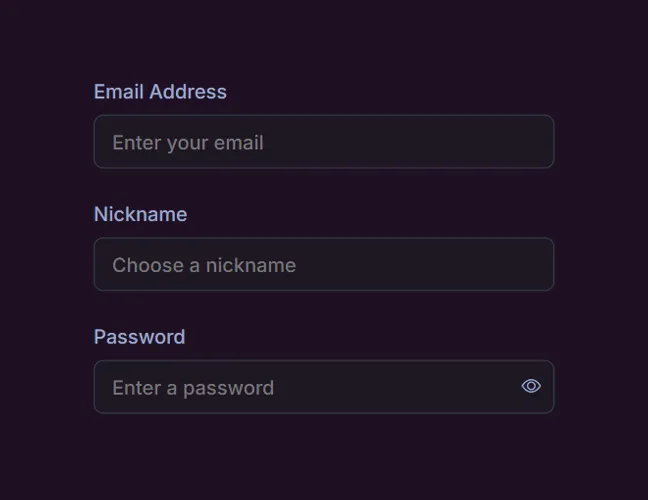
Enter your email address, preferred nickname, and create a secure password.
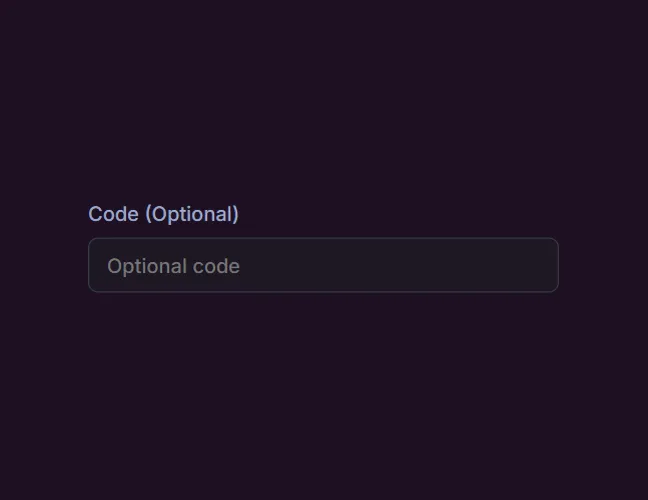
Have a promo code? Enter it here.
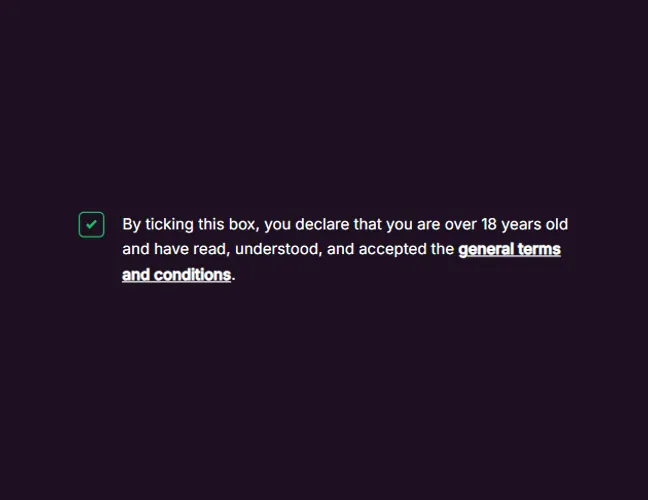
Agree to the terms and confirm you meet the age requirements.

Verify your email. Then, explore the lobby and join your first table or tournament.
CoinPoker App Features & Casino Game Types
The app is designed to deliver a full-featured poker room experience with intuitive navigation. From fast cash games to marathon MTTs, you can tailor the action to your schedule.
Cash Games
Cash games run around the clock and are ideal for flexible sessions. You buy in once and can leave the table at any time, taking your stack with you. The app’s quick-seat function filters by stake, table size, and variant to match you with suitable games fast.
Sit & Go Tournaments
Sit & Go’s (SNGs) are perfect when you want a complete tournament in a short window. Choose your buy-in tier, fill the table, and play poker until the paid places are decided. Turbo and hyper structures make it exciting to play mobile.
Multi-Table Tournaments (MTTs)
MTTs offer larger prize pools and a classic tournament grind. The app provides late registration windows, re-entry options, and real-time chip counts. Push-fold charts, break timers, and blind-level reminders help you stay sharp on small screens.
Short Deck Poker
Short Deck (6+) spices up the meta by removing low cards, reshaping hand equities and post-flop play. If you enjoy action-heavy games and creative lines, Short Deck tables in the app deliver quick decisions and entertaining pots.
High-Stakes Crypto Games
For seasoned players, high-stakes crypto casino poker tables and premium events are available with higher buy-ins and larger blinds. The app emphasizes security, optional 2FA, and fast confirmations to support bigger sessions with confidence.
Private Tables and Leaderboards
Running a home poker game or community league? Set up private tables with invitation controls, then track performance across leaderboard seasons. It’s a slick way to keep friends or club members competing on a recurring schedule.
Benefits of Online Poker on the CoinPoker Mobile App
The value of a poker app shows up in the details: speed, reliability, and the small touches that keep you in the zone. CoinPoker focuses on a frictionless, crypto-native experience.
- Instant Crypto Transactions: Quick crypto deposits and withdrawals with supported coins and transparent fees.
- Mobile-Optimized UI: Clear action buttons, bet sliders, and readable stacks on small screens.
- Performance & Stability: Optimized animations and reconnection logic for spotty networks.
- Bonuses and Promotions: A 150% welcome bonus up to $2,000 bankroll for new players, plus ongoing poker promotions available in the app.
- Security-Centered: 2FA, encrypted connections, and optional device locks.
- Customization: Four-color decks, table themes, and sound toggles.
- Support & Help: In-app FAQ section and contact options if issues arise.
CoinPoker Mobile App Overview
In short, CoinPoker’s app brings a full selection of poker formats, including Texas Hold’em, Pot-Limit Omaha, and 5-Card Omaha, to your phone or tablet. It features responsive controls and seamless crypto-native payments. For deposits, CoinPoker accepts cryptocurrencies like Bitcoin (BTC), Ethereum (ETH), Solana (SOL), Tether (USDT), USD Coin (USDC), CoinPoker (CHP), Tron (TRX), Binance Coin (BNB), Visa, Mastercard, Apple Pay, or Google Pay. New players are recommended to deposit at least $10 to qualify for the 150% welcome bonus.
CoinPoker is licensed and regulated by the Government of the Autonomous Island of Anjouan, Union of Comoros, operating under License No. ALSI-202412004-FI1. Installing is easy: download the app directly on Android or set it up as a PWA on iOS. Frequent updates ensure the software keeps getting better. If you’re looking for a portable poker room that combines speed with robust security, CoinPoker is built to deliver.
FAQs About Mobile Poker on CoinPoker App
Is the CoinPoker App safe for real-money poker?
Yes, the app uses secure connections, account protections like 2FA, and responsible-gaming tools. As with any real-money poker platform, keep your device updated and never share your personal data.
Can I download the CoinPoker App for free?
Yes, the app itself is free to download and install, you only need funds if you choose to play real-money CoinPoker games.
How do I install the CoinPoker App?
On iPhone/iPad, there’s no standalone iOS app yet. Use the Progressive Web App (PWA): open the official CoinPoker site in Safari, click the Share icon, choose Add to Home Screen, then launch it from the new icon. On Android, download the official APK from the Coin Poker site, open the file, tap Install, and sign in or create an account.
How do I download the CoinPoker App?
For iOS, you don’t download a native app: add the site as a PWA via Safari (Share → Add to Home Screen). For Android, visit the official CoinPoker website on your device, select the Android option to download the APK, then follow the on-screen steps to install.
How can I deposit and withdraw crypto via the CoinPoker App?
Use the in-app wallet section. Choose a supported cryptocurrency, copy your deposit address or use an on-chain QR code, and confirm on your wallet. For withdrawals, paste your destination address, verify network details, and approve. Always double-check addresses and minimums.
Do I need to register separately for the Coin Poker App?
No, your CoinPoker account works across mobile and desktop. You can register directly in the app and use the same login everywhere.
How do I update the CoinPoker App to the latest version?
On iOS (PWA), updates are automatic: each launch loads the latest version from the website, just keep iOS/Safari current. On Android, get the newest APK from the official site and install it over your existing app.
What should I do if the Coin Poker App doesn’t work properly?
First, check your connection and restart the CoinPoker app. Make sure you’re on the latest version. Clear cache (Android), free up storage, and close background apps. If you’re still having trouble, you can reach the support team through the in-app help center or by emailing [email protected].
Is the CoinPoker App available in my country or region?
Availability can vary. The app is designed for a global audience, but access and real money play depend on local laws and platform rules. Always review the terms of service and comply with regulations in your location.

 PokerListings