
 EN
EN  DE
DE 
SweepShark Casino Mobile App Review
SweepShark Casino gives mobile players a simple way to access its sweepstakes lobby without installing a native iOS or Android app. The platform runs through a mobile browser and supports home-screen access through a Progressive Web App (PWA), so players can open it quickly after the first visit.
This SweepShark app review covers mobile access, device requirements, updates, registration, games, bonuses, payments, security, and usability.
How to Play SweepShark Casino on Mobile
It takes only a few minutes to access SweepShark Casino and start playing on mobile because the platform runs in a browser on a phone or tablet. The steps below show the route from opening the site to launching a game.

Open a mobile browser on an iPhone, iPad, Android phone, or Android tablet.
Enter the SweepShark Casino website address or search for SweepShark Casino.

Tap Log In if an account already exists, or choose the sign-up option.

Complete the account form, then confirm the required details.
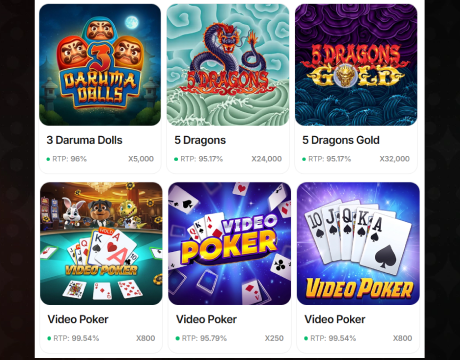
Open the lobby and choose a game category from the mobile menu.
Select a slot and pick Gold Coins or Sweeps Coins when both play modes are available.
Add the site to the home screen for faster access.
SweepShark App System Requirements
Players do not need to download a native SweepShark Casino app. Since mobile access is browser-based, setup mainly depends on a stable connection, an updated browser, and a compatible device.
Here are the main requirements:
| SweepShark App Requirement | Recommended Setup |
|---|---|
| Device | iPhone, iPad, Android phone, or Android tablet |
| Operating system | Recent iOS, iPadOS, or Android version |
| Browser | Safari, Chrome, or another updated mobile browser |
| Internet connection | Stable Wi-Fi, 4G, or 5G connection |
| Storage space | No native app download required; only browser and PWA site data use storage |
| Account access | Registered SweepShark account for full lobby and coin features |
How to Update SweepShark Casino on Mobile
SweepShark does not require manual updates because mobile play runs through the browser, letting players avoid the usual app update cycle. The steps below help players load the latest version and fix display issues.
- Open the mobile browser preferred for accessing SweepShark Casino.
- Close older SweepShark tabs running in the background.
- Open a new tab and visit the SweepShark Casino website again.
- Refresh the page to reload the latest mobile version.
- Clear browser cache and cookies if the lobby, SweepShark login page, or cashier does not load correctly.
- Restart the browser, then sign back in.
- Reinstall the PWA if it opens an outdated page.
Registration Process via SweepShark Casino App
SweepShark registration works smoothly on mobile because the account form is built for browser access. The steps below show how new players can create an account from a phone or tablet.
Open SweepShark Casino in a mobile browser or PWA.
Tap the sign-up button on the homepage.
Register using an email address or a Google, Apple, or Facebook account.
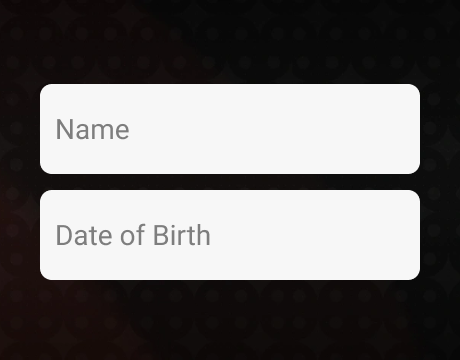
Enter the required personal details in the account form.

Accept the terms and confirm that the account details are accurate.
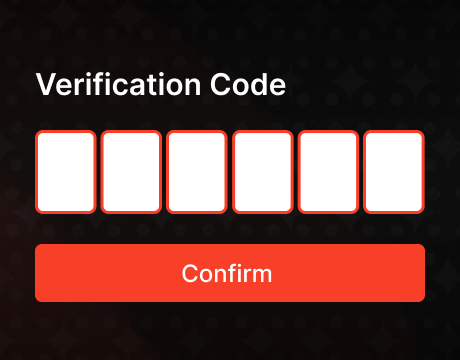
Verify the email address and confirm the phone number.

Complete the profile section to unlock the full onboarding rewards.
Sign in from the mobile browser or PWA.
Casino Games Available in the App
SweepShark’s mobile lobby is built around slots, with 1,000+ games available through the browser version on phones and tablets. The library includes games from providers such as NetGame, Jili, BGaming, Booming Games, Reel Riot, Red Tiger, Penguin King, and NetEnt, and covers classic reels, Hold’n’Win features, Megaways games, jackpot-style slots, and cascading reels.
The categories below are the best starting points for mobile play because each one shows a different slot format.
- Hot games: This section is useful for quick access to popular titles. Red Planet Rapid Link, Red Hot Chilli 7s, Triple Fortune, and Genie’s Chest Hold’n’Link show SweepShark’s brighter, feature-heavy side.
- Hold’n’Win and Hold’n’Link slots: These games focus on bonus rounds with locking symbols and expanding prize setups. Good picks include 777 Bonus Combo, Amazing Diamonds Hold’n’Link 3×3, Piggy’s Vault Power Coins, and Blazing Apple Hold’n’Link.
- Megaways slots: Megaways games use changing reel layouts and more win routes than standard slots. Wild Buffalo Megaways, Arriba Heat Megaways, Solar Nova Megaways, and Book of Panda Megaways show the format well.
- Classic Reels: These slots use simpler layouts, fruit symbols, sevens, and faster gameplay. Flaming Luck 27, Rollin’ Hot 10, Pure Luck 27, and Clover Reels 40 are good first choices.
- Cascading Reels: Cascading slots replace winning symbols with new ones, adding more movement to each spin. Jack Raider and the Lost Relics, Pop Lollipop, Carnival Bonanza, and Recycle Riches are strong mobile examples.








Bonuses You Can Access in the SweepShark Casino App
SweepShark’s mobile browser version gives players access to the same promotion area used on desktop. That makes it easy to claim onboarding rewards, check daily bonuses, and review limited-time deals without switching devices.
The main mobile-accessible bonuses include a no-deposit welcome bonus, verification rewards, Daily Catch login prizes, PlayBack rewards, first-purchase boosts, referral bonuses, and mail-in Sweeps Coins requests. New players get the most value from completing the full account setup, while returning players benefit more from daily logins and ongoing promotions.
Deposits & Withdrawals via the SweepShark Casino App
SweepShark uses a sweepstakes payment model, so mobile players buy optional Gold Coin packages instead of making casino deposits. Packages range from $4.99 to $499, and the extra Sweeps Coins included with some purchases work more like a promotional deposit bonus than a standard casino top-up. Eligible Sweeps Coins can be redeemed for prizes after verification. SweepShark social online casino platform does not require playthrough before redemption, but players must complete any required account and payment checks before cashing out eligible prizes.
The table below keeps the key mobile payment details in one place.
| Payment Area | Mobile Details |
|---|---|
| Coin purchases | Gold Coin packages are available from $4.99 to $499, with bonus Sweeps Coins added as a promotional extra. |
| Purchase methods | Mobile purchase options include Visa, Mastercard, bank transfer, Apple Pay, and Skrill. |
| Prize currency | Only eligible Sweeps Coins qualify for redemption. Gold Coins are used for social play only. |
| Redemption minimums | Gift cards start from 25 SC, while cash prize redemptions start from 100 SC. |
| Redemption methods | Gift cards are sent by email, while cash prizes are paid through ACH transfer or push-to-card. |
| Processing time | Gift cards are usually the fastest option. ACH transfers take up to 10 business days, while push-to-card takes up to 3 business days. |
Security Features of the SweepShark Mobile App
The SweepShark mobile casino app protects players through secure account access, identity verification, and controls over payment and redemption activity. Email and phone confirmation help prevent unauthorized account use, while profile checks make sure prize redemptions are tied to the verified account holder.
The main player protections apply during payment and redemption steps. Prize requests go through identity and payment review before cash prizes or gift cards are released, which helps reduce fraud, duplicate accounts, and unauthorized redemptions. Players also benefit from secure browser sessions, but the safest experience comes from using an updated browser, avoiding public Wi-Fi during cashier actions, and logging out on shared devices.
Mobile Experience in the SweepShark Casino App
The SweepShark mobile app has a responsive interface designed for smaller screens. Games load cleanly on phones and tablets, while the bottom menu keeps bonuses, rewards, account settings, and cashier tools easy to reach.
Players do not need to download the SweepShark casino app because the full platform runs directly in a mobile browser. It supports registration, purchases, redemptions, and customer support, but lacks push notifications, biometric login, and other native app features.
FAQs About the SweepShark Casino App
Is the SweepShark Casino App available in my country?
SweepShark is available to eligible players in the United States, but not in Washington, Idaho, Wyoming, Michigan, Nevada, Connecticut, Delaware, Montana, West Virginia, New York, New Jersey, Louisiana, Rhode Island, Tennessee, or California.
How can I play SweepShark Sweepstakes Casino on my mobile device?
Open SweepShark Casino through Safari, Chrome, or another updated mobile browser. After logging in, players can use the mobile lobby directly or add the site to the home screen.
What games can I play in the SweepShark Casino App?
Mobile players can access slots, jackpot-style titles, Hold’n’Link games, Megaways releases, cascading reels, and highlighted lobby picks. The full library is built for browser-based play.
How do I update SweepShark Social Casino on mobile?
SweepShark updates through the live browser version. Refresh the page, close older tabs, clear cache if needed, and reinstall the Progressive Web App if it opens an outdated page.
What should I do if the SweepShark Casino App doesn’t work?
Players should refresh the browser, check the internet connection, clear cache and cookies, update the browser, and restart the device. If account tools still fail, support can review the issue.
How can I remove SweepShark Sweepstakes Casino from my mobile browser?
Remove the Progressive Web App by pressing the icon and choosing the delete or remove option. Players can also clear browser history, cookies, and saved site data.

 PokerListings



Log in to leave a comment
Takes a minute. Your rating counts toward the score.