
 EN
EN  DE
DE 
Pulsz Casino App: Download for iOS & Play on Android (2026)
Pulsz Casino Mobile App Review
Pulsz is a sweepstakes social casino where players use Gold Coins for free social play and Sweeps Coins for prize-based sessions rather than using a standard real-money balance. The platform is available through native apps for iPhone, iPad, and Android devices, with a broad game catalog that covers slots, table games, live dealer titles, and casual games.
This guide explains how Pulsz works on mobile devices in 2026, including installation through the app stores, updates, account setup, payments, security checks, and the overall app experience tested by our review team.
Download Pulsz Casino App for iOS
The Pulsz Casino app download process can be completed through the Apple App Store, allowing iPhone and iPad users to install the native iOS app without using a browser shortcut. Follow the steps outlined by our review team below:
Open the App Store on your Apple device.
Search for “Pulsz Online Casino Games”.
Open the app page and tap “Get” to start the download.
Confirm the installation with Face ID, Touch ID, or Apple ID password.
Wait until the app appears on the home screen.
Open the Pulsz app, then register or complete the login process to start using the mobile platform.
How to Play Pulsz Casino on Android
Pulsz also has a native Android app available through Google Play, so the installation does not require an APK file or a third-party store. Follow these steps to complete the Pulsz casino app download process:
Open Google Play on your Android device and search for “Pulsz: Fun Slots & Casino”.
Open the app page and tap “Install”.
Wait for the installation to finish, then open the app from your home screen or app drawer.
Log in with an existing account or complete registration if this is your first time using Pulsz.
Allow any required permissions, then use the mobile lobby to access online games, bonuses, and account tools.
Pulsz App System Requirements
The Pulsz app runs as a native application on both iOS and Android. Below is a table with the main technical parameters our team checked before installing the app on phones and tablets.
| Requirement | iOS | Android |
|---|---|---|
| Device type | iPhone or iPad | Android phone or tablet |
| OS version | iOS 15.6 or later | Android 7.0 or later |
| Current version | 1.0.44 | 1.136.9 |
| Latest update | Jun 26, 2026 | May 27, 2026 |
How to Update Pulsz Casino on Mobile
The Pulsz mobile app receives updates through the store used to download the app, so the process is similar on iOS and Android. If a newer version is available, follow the steps below:
- Open the App Store or Google Play on the same device where Pulsz is installed.
- Open the app page and tap “Update” if the button is available.
- Wait until the update is installed, then open Pulsz again.
- If the old version still appears, close the app fully, reopen it, or restart the device.
Registration Process via Pulsz Casino App
Account creation in the Pulsz Casino app takes only a few screens, with social sign-up options and a separate email form for manual registration. Follow the process described below:
Open Pulsz and tap “Register”.
Choose one of the available registration methods: Facebook, email, or Google.

If Facebook or Google is selected, follow the account connection steps shown on the screen. For email registration, fill in the form manually.
Enter your first name, last name, email address, and password.
Use a password with 8–20 characters, including at least one number and one uppercase letter.
Check the confirmation box to accept the Terms of Use and Privacy Policy, and to confirm that the account holder is at least 21 years old and not located in a restricted territory.

Tap “Join Now for Free Coins” to submit the form.
Casino Games Available in the App
The Pulsz app gives players access to over 1,000 free casino-style games from 35+ providers, including Playson, 3 Oaks Gaming, RubyPlay, and Relax Gaming. The catalog includes slots, table games, and casual formats, alongside tournaments, leaderboards, and daily rewards, all built around Gold Coins and Sweeps Coins rather than a standard real-money balance.
Slots Games
The bulk of the Pulsz catalog consists of slots, presented in categories such as Tumbling Reels, Megaways, Classic and Hold and Win. Each slot tile also has an “i” button, which opens key details before launch, including type, provider, max win and volatility. Examples from the slot lobby include 777 Gems Respin, Sun of Egypt 3, Big Heist, and Wild Chapo 2.




Table Games
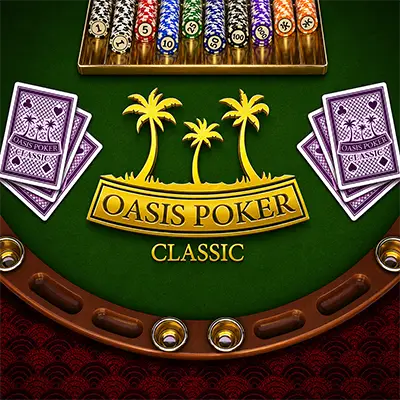
The table games section is smaller than the slot lobby, but it still adds several RNG-based casino formats to the Pulsz catalog. Available titles include Texas Hold’em Poker 3D, Classic Dice, and Classic Multihand Blackjack.
Pulsz also has a Live Social Casino section with real-time dealer games streamed in high quality. The lobby includes titles such as Live Roulette, Gravity Blackjack, and Grand Bonus Baccarat, with game tiles adapted for quick access from mobile screens.



Specialised games
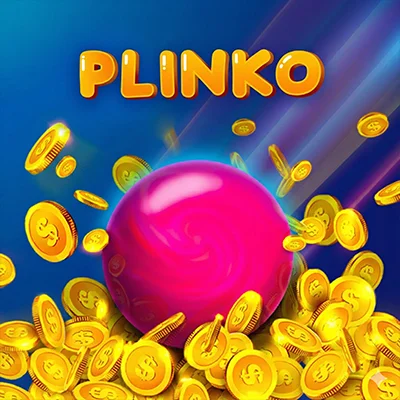
The specialized games area covers formats outside standard slots and table games, including casual releases, instant win titles, and crash-style games. The Pulsz casino app has 30+ games in this category, including Pulsz Jet, Pulsz Aviators, Pulsz Ball Drop, and Chicken Tap. These titles have simpler layouts, faster rounds, and a more arcade-style presentation than the main slot catalog.


Bonuses You Can Access in the Pulsz Casino App
Pulsz promotions are available through the lobby after registration. New players receive 5,000 Gold Coins as a welcome bonus for creating an account, while the store section shows 200% extra Gold Coins with the first purchase. Other available reward formats include daily login rewards, slot tournaments, Gold Coins jackpots, social media promos, and free coin offers.
Deposits & Withdrawals via the Pulsz Casino App
Pulsz transactions involve Gold Coin package purchases and Sweeps Coin prize redemptions rather than transactions through a standard real-money casino balance. Purchases start at $1.99 and are processed instantly, while cash-out options depend on the selected redemption method.
| Deposit methods | Deposit time | Withdrawal methods | Withdrawal time |
|---|---|---|---|
| Visa | Instant | Bank transfer | 3–10 business days |
| Mastercard | Instant | Skrill | 3–10 business days |
| Amex | Instant | Gift card | 1–3 business days |
| Skrill | Instant | ||
| Trustly | Instant | ||
| Bank transfer | Instant | ||
| Apple Pay | Instant | ||
| Google Pay | Instant |
Prize redemptions start at 100 SC for bank transfer and Skrill, while gift card redemptions start at 25 SC. Pulsz does not charge platform fees for the listed methods.
Security Features of the Pulsz Mobile App
The Pulsz mobile app is operated by Yellow Social Interactive Limited and works as a social casino platform rather than a real-money gambling app. The platform is intended for eligible players aged 21 or older, and access may be restricted by location. When an account is used, Pulsz verifies the account holder’s identity, age, payment method, and location to ensure that purchases, gameplay, and prize redemptions are linked to the registered account.
The Pulsz mobile app also uses standard account and privacy controls. Payment methods must belong to the account holder, while redemption requests can require review before approval. The app’s privacy disclosures include identifiers, contact information, usage data, and diagnostics, which are used for account operation, security checks, and platform performance.
Mobile Experience in the Pulsz Casino App
The Pulsz Casino app runs steadily on mobile devices, with the lobby, store, rewards area, and game categories loading without long pauses during our test. Navigation felt clear: provider filters, slot categories, table games, and the Live Social Casino section were easy to reach from the main menu. Game tiles opened correctly, the “i” buttons displayed slot details before launch, and the interface remained responsive on smaller screens.
FAQs About the Pulsz Casino App
Is the Pulsz Casino App available in my state or country?
Pulsz is available only in the United States, excluding Washington, Idaho, Michigan, Montana, Nevada, Alabama, Tennessee, Connecticut, New York, West Virginia, Louisiana, Maryland, California, Arizona, and Maine. Certain promotions are also limited in Mississippi, New Jersey, and Indiana.
How do I download the Pulsz Casino App on iOS?
Open the App Store on an iPhone or iPad and search for “Pulsz Online Casino Games”. Select the official listing, tap “Get”, confirm the installation, and wait for the icon to appear on the home screen.
What games are available in the Pulsz Casino App?
The catalog includes slots, RNG table games, casual games, instant win titles, crash-style games, and Live Social Casino releases.
How do I update the Pulsz Casino App to the latest version?
Go to the App Store or Google Play on the device where Pulsz is already installed. Find the app, tap “Update” if it appears, and reopen the app after the installation is complete.
What should I do if the Pulsz Casino App is not working?
Close and reopen the app, check the internet connection, update the app, and restart the device. If the issue continues, contact Pulsz support.
How do I remove the Pulsz Casino App from my iPhone?
Press and hold the Pulsz icon on the home screen, tap “Remove App”, then choose “Delete App”. This removes the app from the device but does not automatically close the Pulsz account.

 PokerListings




Log in to leave a comment
Takes a minute. Your rating counts toward the score.