
 EN
EN  DE
DE 
PlayFame Casino Mobile App Review 2026
PlayFame offers an iOS application that eligible US users can download from the Apple App Store. The PlayFame casino app provides access to more than 1,000 games, daily rewards, creator streams, jackpots, coin purchases, prize redemptions, and account settings. Android users can access the platform through a supported browser without installing an APK. Portrait mode delivers convenient smartphone navigation, while balances, game history, rewards, and personal settings in the PlayFame app remain synchronized across mobile and desktop devices.
Download PlayFame Casino App for iOS
The PlayFame app download is available directly from the Apple App Store, allowing users to install the official application on their iPhone:

Launch the App Store on your iPhone.

Enter PlayFame in the search field.

Open the verified PlayFame application page.

Tap Get and confirm the installation with Face ID, Touch ID, or your Apple ID password.

Open the installed app and sign in.
This process installs the official PlayFame app directly on an iOS device.
How to Play PlayFame Casino on Android
PlayFame runs on Android through a current mobile browser, so no APK installation is required. Players can open the official website and add the PWA directly to their home screen:

Launch a supported browser on your device and visit the official PlayFame website.
Permit location checks and required cookies.
Tap the three-dot browser menu.

Select Install App and confirm.
Tap the saved icon and complete the login process.

Browse by category, provider, popularity, or theme, then review the rules and select a coin value.
PlayFame App System Requirements
PlayFame requires a stable internet connection, location access, and a supported mobile device. iPhone and iPad users install the official application from the Apple App Store, while Android users access the platform through a current mobile browser.
| Requirement | iPhone and iPad | Android Phones and Tablets |
|---|---|---|
| Access | App Store installation | Official mobile website or home-screen shortcut |
| Operating system | iOS 13.4 or later | Current supported Android version |
| Browser | Not required for regular app use | Chrome or another modern browser |
| Connection | Wi-Fi or mobile data | Wi-Fi or mobile data |
| Storage | 177.8 MB | Minimal browser storage space |
| Permissions | Location access and required app permissions | Location access and cookies |
| Account | Age 21+ and eligible US location | Age 21+ and eligible US location |
How to Update PlayFame Casino on Mobile
The PlayFame casino iOS application receives updates through the Apple App Store. Users do not need to download the app again whenever a new version is released, as updates can be installed directly from the App Store:
- Open the App Store: Launch the App Store on your iPhone or iPad.
- Find PlayFame: Search for the official PlayFame application.
- Install the update: Tap Update when a newer version is available.
- Check automatic updates: Open the device settings and confirm that App Updates are enabled.
- Reopen the app: Launch PlayFame again to load the latest content.
- Reinstall if necessary: Delete the application and install it again from the App Store if technical problems continue.
Android players receive the latest platform version automatically through their mobile browser.
Registration Process via PlayFame Casino App
Registration through the PlayFame app requires personal details, acceptance of the rules, and email verification:

Launch the PlayFame app and select the option to create a new account.

Provide a valid email address and create a password with 8 to 20 characters, at least one number, and one uppercase letter.
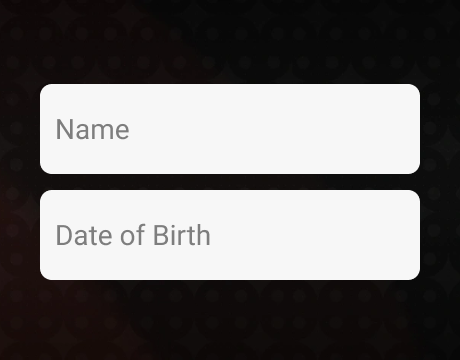
Enter your first name, last name, date of birth, and state of residence.
Complete the optional referral field when another player invited you.

Select Next to open the Terms of Service page.

Read the Terms of Service and Privacy Policy, then select the confirmation checkbox.

Press Play Now to create the account.

Open the verification email from PlayFame and follow the activation link.

Return to the app and claim the welcome bonus.
Casino Games Available in the App
The PlayFame mobile lobby gives players access to slots, table games, live dealer titles, and arcade-style releases. Filters for category, provider, popularity, and new games make the extensive catalog easy to navigate on an iPhone, iPad, or Android browser without limiting the platform’s main features.
Slot Games
The PlayFame slot lobby features a broad mix of classic titles, Hold and Win games, Megaways releases, cascading reels, feature-rich slots, and exclusive content. Popular PlayFame slot titles include:
- Bonanza Billion;
- Dragon’s Gold 100;
- Sweet Rush Megaways;
- Coin Quest 2;
- Mad Hit Diamonds;
- 4 Pots Riches Hold and Win.




Table Games
The PlayFame table games section features blackjack and video poker titles adapted for mobile play. Popular options include:
- Blackjack Bonus Wheel 1000;
- Blackjack Suited;
- Deuces Wild Powerpoker;
- Nines or Better Triple Win Powerpoker;
- Jacks or Better 4000 Powerpoker.




Live Dealer Games
The PlayFame live casino lobby delivers real-time games with professional dealers. Featured titles include:
- Gravity Blackjack;
- Speed Blackjack;
- Grand Bonus Baccarat;
- Live Roulette;
- Gravity Roulette;
- PlayFame Iconic Roulette.





Specialised Games
PlayFame offers a varied selection of specialised titles, including arcade games, crash releases, and live game shows. Available titles include:
- Gravity Plinko;
- Winter Fishing Club;
- Spin a Win;
- Fashion TV Mega Party;
- Adventures Beyond Wonderland;
- Crash Live.
Bonuses You Can Access in the PlayFame Casino App
PlayFame gives new users 7,500 Gold Coins and 2.5 Sweepstakes Coins after registration. Daily login rewards add GC and SC, with larger prizes on later days. A welcome purchase offer adds bonus coins and free SC spins to selected packages, including 50,000 GC with 25 SC and 25 spins for $9.99. The app also runs online promotions, tournaments, jackpots, creator giveaways, and Fame Club rewards. Each promotion includes clear claim conditions and expiry details. No purchase is required to register or collect free rewards.
Deposits & Withdrawals via the PlayFame Casino App
PlayFame separates Gold Coin purchases from prize redemptions. Players buy coin packages using cards, bank payments, or cryptocurrency, while eligible Sweepstakes Coins can be exchanged for gift cards or cash prizes.
| Account Action | Minimum Amount | Processing Time |
|---|---|---|
| Gold Coin purchase by credit or debit card | $1.99 | Added after payment approval |
| Gold Coin purchase with cryptocurrency | Depends on selected currency | Added after blockchain confirmation |
| Gift card redemption with Sweepstakes Coins | SC 10.00 | Up to 48 hours |
| Cash prize redemption to a verified bank account | SC 75.00 | 3 to 5 business days |
Security Features of the PlayFame Mobile App
PlayFame secures personal and account data with encryption, pseudonymization, password protection, electronic safeguards, and limited server access. The platform maintains data confidentiality, system stability, recovery procedures, and regular security testing. Location verification, identity checks, and payment ownership controls help block unauthorized activity, while players must protect their passwords and keep their login details private.
Mobile Experience in the PlayFame Casino App
The PlayFame casino app provides convenient access to the complete mobile lobby on iPhone and iPad, while Android players use the responsive browser version. Clear navigation keeps games, rewards, balances, settings, creator streams, and support tools easy to reach. HTML5 technology supports smooth switching between slots, live dealer tables, and specialised games. Players can also follow creators, enter giveaways, collect daily coins, and monitor their Fame Club progress through the same synchronized account.
FAQs About the PlayFame Casino App
Is the PlayFame Casino App available in my state or country?
PlayFame is available to eligible US residents aged 21 or older, except in Washington, Idaho, Indiana, Nevada, Kentucky, Montana, Michigan, Louisiana, Delaware, New Jersey, New York, West Virginia, Maryland, Connecticut, and Tennessee.
How do I download the PlayFame Casino App on iOS?
Open the Apple App Store on your iPhone or iPad, search for PlayFame, select the official app, tap Get, and complete the installation.
What games can I play in the PlayFame Casino App?
The PlayFame Casino App includes slots, blackjack, roulette, baccarat, live dealer tables, game shows, arcade titles, jackpots, tournaments, and exclusive PlayFame releases.
How do I update the PlayFame Casino App to the latest version?
Open the Apple App Store, search for PlayFame, and tap Update if a newer version is available. Enabling automatic app updates keeps the iOS application current. Android users automatically access the latest version through their browser.
What should I do if the PlayFame Casino App is not working?
Check your internet connection, restart the app, confirm that location access is enabled, and install any available update from the Apple App Store. Reinstall the application or contact 24/7 support if the problem continues.
How do I remove the PlayFame Casino App from my iPhone?
Press and hold the PlayFame app icon, select Remove App, then tap Delete App to confirm. Uninstalling the application does not delete your account, balance, or saved profile information.

 PokerListings




Log in to leave a comment
Takes a minute. Your rating counts toward the score.