EN
EN  DE
DE 
LeoVegas Casino Mobile App Review
For many players, the biggest mobile pain point is simple: finding a casino app that is easy to install, stable on a phone, and practical enough for real-money play without forcing them onto a desktop. LeoVegas positions itself as a mobile-first brand, with dedicated iOS and Android options, browser play, and a library of more than 4,000 real-money slots and table games.
That makes the LeoVegas app a relevant option for players who want quick access to casino games, account tools, and payments from one place. This review explains how to download the LeoVegas Casino app on Android and iOS, what to expect during setup, and which install options are available for each platform.
Download LeoVegas Casino App for Android
Android gives players three practical ways to get started: Google Play, the APK from the official site, or a Progressive Web App. Access to the LeoVegas mobile casino app is flexible, which is useful if one install route is not available on a specific device. The sign-up and login buttons are easy to find, and the setup does not take long once the app is installed. That makes the guide below useful for players who want the fastest route from download to real-money play.
How to download the app on Android:
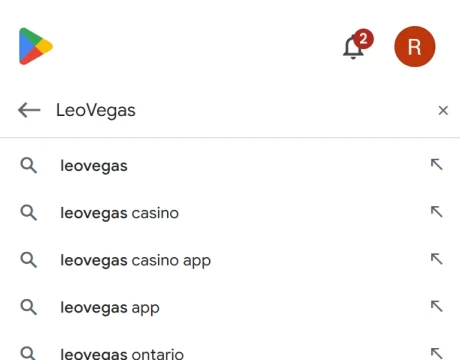
Open Google Play and search for LeoVegas. If the app is listed for your device, tap download and install it.
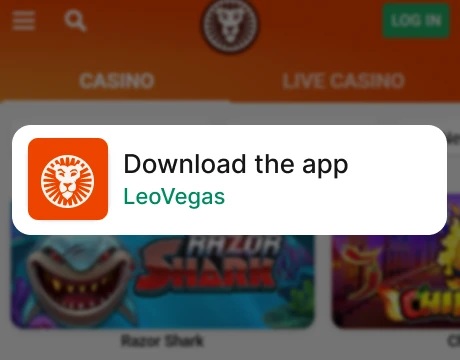
If Google Play does not show the app, visit the official LeoVegas site on your phone and choose the Android download option.
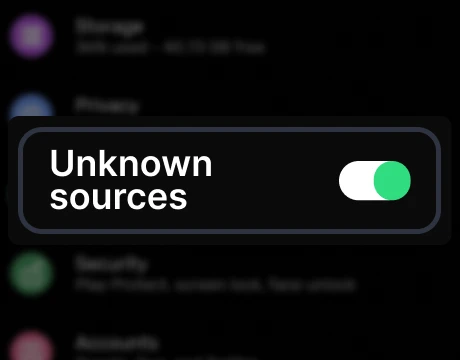
If you are downloading the APK, allow installs from unknown sources in your phone’s security settings when prompted.
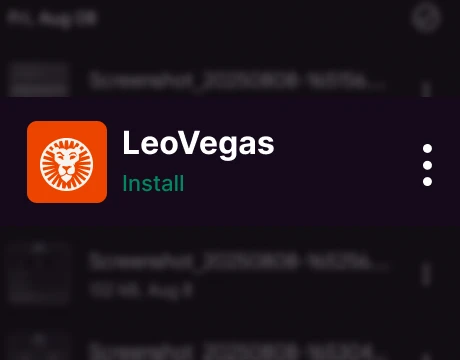
Open the downloaded file and confirm installation.
Launch the app and sign up or log in.
How to install the PWA on Android:
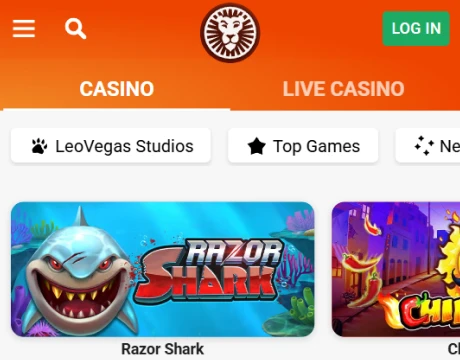
Open the LeoVegas website in Chrome.
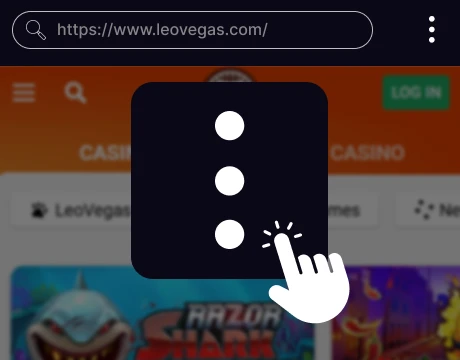
Tap the browser menu in the top-right corner.
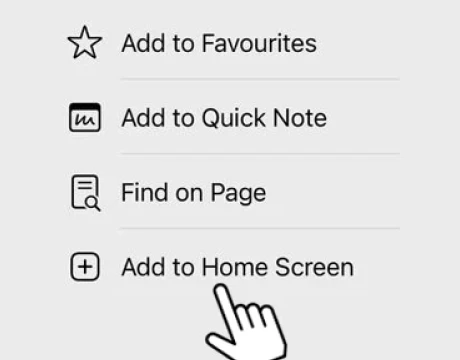
Select Add to Home screen.
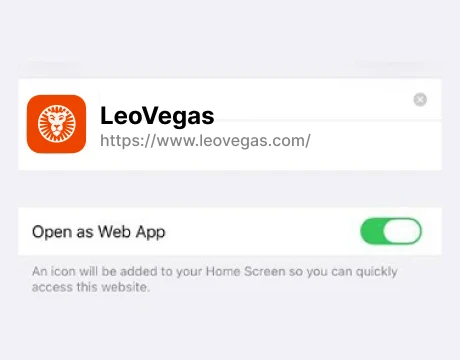
Confirm the action.
The shortcut will appear on your home screen and open like a regular mobile app.
Download LeoVegas Casino App for iOS
iPhone and iPad users can access LeoVegas through the App Store or by adding the mobile site to the home screen. LeoVegas Casino mobile is simpler to set up on iOS because there are fewer permission steps than on Android.
How to download the app on iOS:
Open the App Store on your iPhone or iPad.
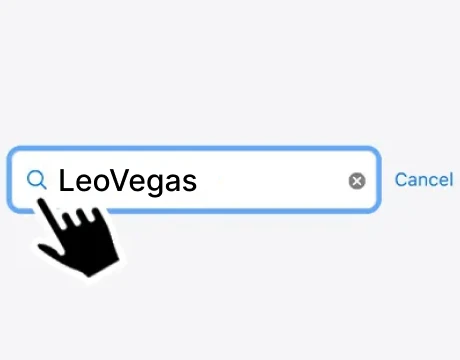
Search for LeoVegas and open the official listing.
Tap download and wait for the installation to finish.
Open the app from your home screen.
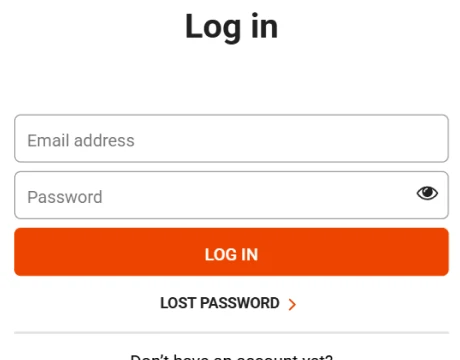
Sign up for a new account or log in to an existing one.
How to install the PWA on iOS:
Open the LeoVegas website in Safari.
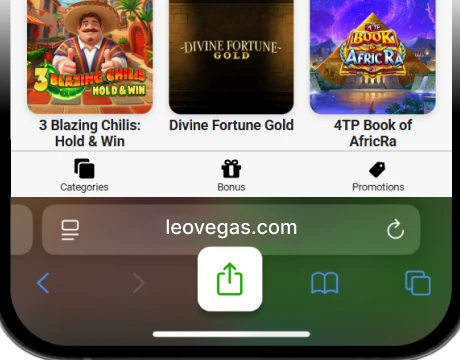
Tap the Share button at the bottom of the screen.
Scroll down and tap Add to Home Screen.
Confirm the name of the shortcut.
Tap Add. The site will then appear on your home screen for quick access.
iPhone and iPad users can access LeoVegas through the App Store or by adding the mobile site to the home screen. LeoVegas Casino mobile is simpler to set up on iOS because there are fewer permission steps than on Android.
Leo Vegas App System Requirements
The LeoVegas app does not need high-end hardware, but it does run best on a current smartphone or tablet with an updated operating system, enough free storage, and a stable internet connection. That matters because game loading, account access, and payment tools can all slow down on older devices. The table below covers the general requirements players should check before installing or using the app:
| Requirement | Android | iOS |
|---|---|---|
| Operating system | Android 10.0 or later | iOS 14.0 or later |
| Device type | Smartphone or tablet | iPhone or iPad |
| Free storage space | At least 150 MB | At least 150 MB |
| RAM | 2 GB minimum | 2 GB minimum |
| Internet connection | 4G, 5G, or stable Wi-Fi | 4G, 5G, or stable Wi-Fi |
| Browser support for PWA | Latest Chrome or similar | Latest Safari |
How to Update the LeoVegas Casino App
Updating the LeoVegas Casino app is simple, and our team recommends doing it as soon as a new version appears. Regular updates help fix bugs, improve speed, and keep the latest games and account features available. LeoVegas iOS and Android apps are available through the standard app channels, so most players can update them in the usual way:
- Open Google Play or the App Store on your device.
- Search for LeoVegas.
- Open the app page.
- If an update is available, tap Update.
- Wait for the installation to finish, then reopen the app.
If you use the Android APK version, download the latest file from the LeoVegas site and install it over the existing version. If you use the PWA version, open LeoVegas in your browser, refresh the page, and relaunch it from your home screen. If the new version does not load right away, remove the shortcut and add it again.
Registration Process via LeoVegas Casino App
Creating an account in the LeoVegas app is straightforward because the form is split into clear stages. The step-by-step outline below shows what to expect before the first deposit:

Tap Sign Up on the app home screen.
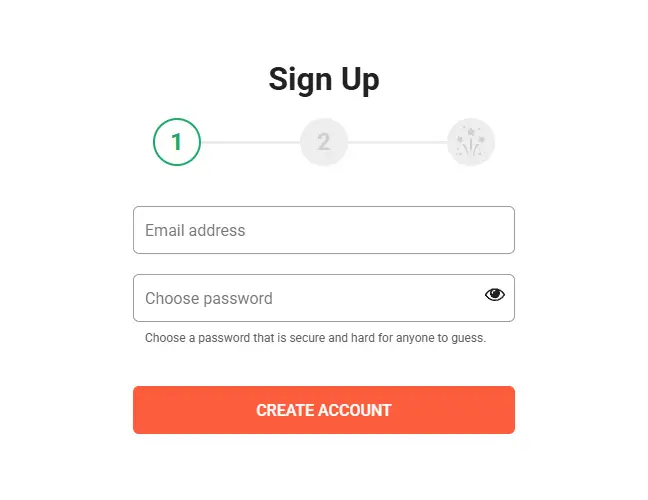
Enter an email address and password, then create the account.
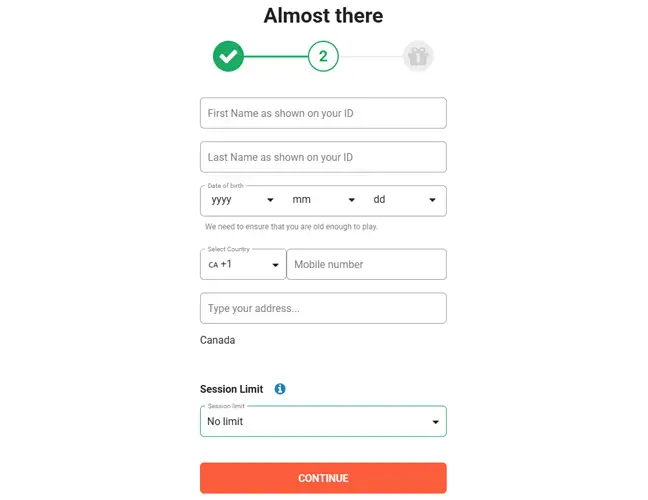
Move to the next step and fill in personal details, including title, first name, last name, date of birth, and phone number.
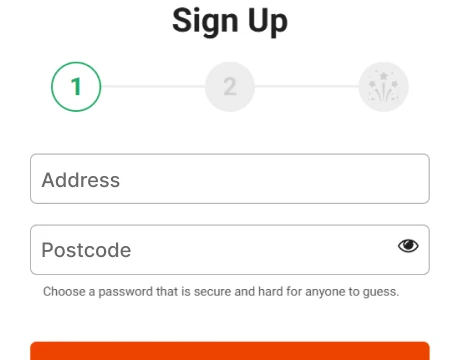
Add address details. The form includes a street or postcode search field to speed this part up.
Choose a spend limit period. Options include daily, weekly, monthly, or no limit.

Review the marketing preferences screen and select how you want to receive promotions and other updates.
Accept the Terms and Conditions and Privacy Policy.
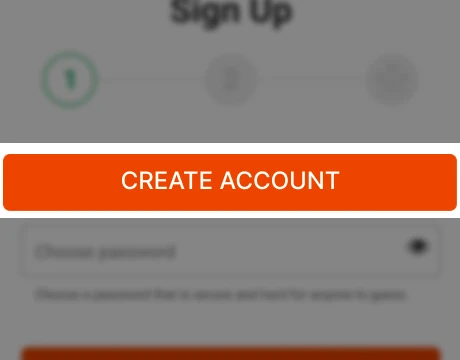
Finish registration and continue to the cashier.
Casino Games Available in the App
LeoVegas lists more than 4,000 casino titles in its mobile lobby, so the game menu goes far beyond a basic slots section. On LeoVegas mobile, players can switch between reel games, classic table titles, live dealer rooms, and niche categories that add more variety to shorter sessions.
The sections below break down the main game types available in the app:
- Slots
- Table games
- Live dealer games
- Specialized games, including bingo, Slingo, crash titles, keno, mines, and Plinko

Slots Games
Online slots are reel-based casino games where wins come from matching symbols across paylines, ways-to-win grids, or bonus features. LeoVegas has the deepest selection in this category, with classic slots, video slots, Megaways releases, themed titles, exclusive games, and progressive jackpot options. Players can also choose from low-, medium-, and high-volatility releases depending on budget and risk level. Popular examples include Big Bass Splash, Legacy of Dead, and Book of Dead.

Table Games
Table games are casino staples built around fixed rules, steady pacing, and more direct betting choices than slots. In the LeoVegas app, this section includes digital RNG and first-person formats across roulette, blackjack, baccarat, poker, and sic bo. These options give players quick rounds, a less distracting experience, and a stronger sense of control over betting decisions. Popular options in this category include European Roulette, Classic Blackjack, and Baccarat tables.

Live Dealer Games
Live dealer games stream real tables with professional dealers, which gives them a closer casino-floor feel than standard digital versions. LeoVegas has a strong live lineup with roulette, blackjack, baccarat, poker, VIP tables, branded exclusives, and live show titles. The app also features dedicated live categories such as Live From Las Vegas and LeoVegas Exclusive. Strong examples here include Exclusive Live Roulette, Exclusive Blackjack, and Crazy Time Live.

Specialized Games
Specialized games cover formats that sit outside standard slots and table games. These titles are usually faster, simpler, or built around hybrid mechanics such as bingo draws, crash multipliers, keno boards, mines, Plinko paths, or Slingo cards. LeoVegas offers a broad mix in this part of the lobby, which helps players rotate between different play styles without leaving the app. Good examples include Big Bass Bingo, Slingo DaVinci Diamonds, and Spaceman.
Bonuses You Can Access in the Leo Vegas Casino App
The promotions area in the LeoVegas Casino app features more than nine bonuses. That gives players more than a basic welcome bonus, with a mix of deposit deals, weekend free spins, cashback, and jackpot-style rewards. The core offers worth the most attention are:
- Casino Welcome Offer: New players can claim up to $1,500 cash and 100 free spins across the first three deposits. The deposit reward is matched at 100%, the wagering requirement is 25x on eligible casino games, and the offer must be claimed within 7 days of registration.
- Live Casino Welcome Offer: This live casino package gives up to $1,000 cash plus 10 Golden Chips worth $5 each. It uses a 40x wagering requirement on eligible live casino games and must also be claimed within 7 days.
- Megaways Weekends: Players who deposit at least $20 during the weekend promo window can unlock 5 to 45 free spins on selected Megaways slots. The listed wagering requirement is 3x.
- 10% Weekly Cashback: This weekly promotion returns 10% of eligible live casino losses, with cashback credited within 36 hours after the promo ends.
- LeoJackpot: This ongoing jackpot feature is available across eligible casino and live casino games, with the Mega tier starting at $500,000. It works as an opt-in progressive jackpot rather than a standard deposit bonus.
The LeoVegas app does a good job of mixing long-term value with short weekly promos, so players are not limited to one welcome bonus and little else.
Deposits & Withdrawals via the Leo Vegas Casino App
The cashier in the LeoVegas Casino app covers the main payment routes most mobile players expect, including cards, e-wallets, instant banking, and prepaid vouchers. The table below shows the key limits, timing, and fee points that matter most before making a deposit or choosing a withdrawal method:
| Method | Deposit min | Deposit max | Withdrawal min | Withdrawal max | Deposit time | Withdrawal time | Fees |
|---|---|---|---|---|---|---|---|
 Visa
Visa
|
$20 | $2,000 | Not available | Not available | Instant | Not available | None |
 Apple-pay
|
$20 | $2,000 | Not available | Not available | Instant | Not available | None |
 Muchbetter
|
$10 | $2,000 | $10 | $5,000 | Instant | 1 to 3 business days | None |
|
Interac-e-transfer
|
$10 | $3,000 | Not available | Not available | Instant | Not available | None |
 Neosurf
|
$10 | $1,000 | Not available | Not available | Instant | Not available | From $1.49 per voucher |
Security Features of the LeoVegas Casino Mobile App
Security in the LeoVegas Casino mobile app starts with formal regulation and encrypted data handling. LeoVegas Gaming plc operates under Malta Gaming Authority licence MGA/CRP/237/2013, which gives players a clear licensing reference for real-money play on mobile.
The app also protects user data through SSL encryption during account and payment activity. That matters most when players use the cashier, enter personal details, or manage account information inside the app. The registration flow also collects and structures identity and contact data in a controlled way, which supports account verification and helps keep access to sensitive account functions more secure.
Mobile Experience in the LeoVegas Casino App
The mobile experience in the LeoVegas app is one of its strongest points. The app feels built for phone play first, with a clean layout, quick menu access, and clear paths to games, the cashier, and account settings. During our review, moving between the lobby, promotions page, and profile area felt smooth, and the interface stayed easy to read without making the screen feel crowded.
Compatibility is also strong across modern Android and iOS devices, which makes the app practical for both short sessions and longer play. Game categories are clearly organized, loading is fast on a stable connection, and the overall design keeps important tools close at hand. For players who want convenience, speed, and a polished mobile setup, LeoVegas delivers a very solid app experience.
FAQs About the LeoVegas Casino App
Is the LeoVegas Casino App available in my country?
The Leo Vegas mobile app is available in many markets, but access depends on local licensing and store availability. If the native app is unavailable, players may still be able to use the browser-based Progressive Web App.
Where can I download the LeoVegas Casino App for iOS or Android?
Players can complete LeoVegas Casino app download via the App Store on iOS, via Google Play on Android, via the official Android APK route, or by adding the mobile site as a Progressive Web App.
What games can I play in the LeoVegas Casino App?
The LeoVegas Casino app includes slots, table games, live dealer titles, and specialized games such as bingo, Slingo, crash games, keno, mines, and Plinko, with more than 4,000 games available in total.
How to update the LeoVegas Casino App?
To update the LeoVegas Casino mobile app, use the App Store or Google Play if you installed the native app. APK users need the latest file manually, while Progressive Web App users should refresh the site or reinstall the shortcut.
What should I do if the LeoVegas Casino App doesn’t work?
If the Leo Vegas Android or iOS app stops working, restart the app, check your connection, and install updates. If you use the Progressive Web App, refresh the page, clear browser data, or add it again.
How to uninstall the LeoVegas Casino App?
To remove the LeoVegas mobile app, press and hold the native app icon and choose uninstall. If you use the Progressive Web App, delete the home screen shortcut from your device.

 PokerListings