
 EN
EN  DE
DE 
Lavish Luck Casino App: Download for iOS & Play on Android 2026
The Lavish Luck Casino app makes it easy to enjoy your favorite social casino games wherever you are. This Lavish Luck casino app review explains how iPhone and iPad users can download the iOS app for a smooth, optimized experience, while Android players can install Lavish Luck Slots through Google Play or access the casino through the mobile browser version. All mobile access options deliver fast loading speeds, intuitive navigation, and full access to the casino’s features, including Gold Coin (GC) and Sweeps Coin (SC) gameplay, promotions, daily rewards, and account management.
Download Lavish Luck Casino App for iOS
The Lavish Luck Casino app is available for iPhone and iPad, giving players quick access to their favorite social casino games from any compatible Apple device.
Open the App Store on your iPhone or iPad.
Search for Lavish Luck Casino.

Select the official app from the search results.
Tap Get to begin the download.
Complete Face ID, Touch ID, or Apple ID verification.

Wait for the installation to finish automatically.
Open the app from your Home Screen.

Sign in with your existing account or create a new one to start playing immediately.
How to Play Lavish Luck Casino on Android
For players searching for the Lavish Luck Casino app for Android, Lavish Luck is available through Google Play by installing Lavish Luck Slots. Android users can also open the mobile browser version without installing the app, giving them two direct ways to access the Lavish Luck gaming experience.
Open Google Play on your Android device.
Search for Lavish Luck Slots.
Tap Install and wait for the Lavish Luck casino app download to finish.
Open the app from your Android home screen.
Create a new account or log in with your existing details.

Claim the available daily rewards or in-game bonuses.
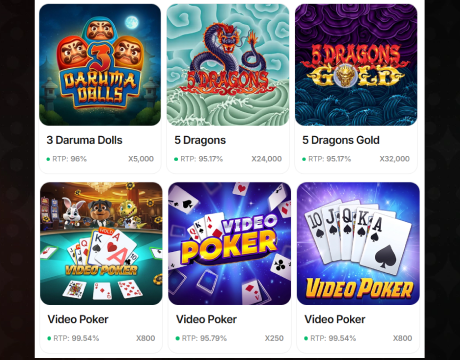
Browse the slot lobby and choose a game.
Select your preferred coin balance where available.
Start spinning and manage your gameplay directly from the app.
Players who prefer not to install the app can open Lavish Luck in a mobile browser, log in to their account, and access games, rewards, coin balances, and promotions from the same mobile interface.
Lavish Luck App System Requirements
The Lavish Luck app runs on modern iOS and Android devices, giving players seamless access to slot-style gameplay, rewards, account features, and mobile entertainment. Here are the system requirements your device must meet for a smooth experience.
| Requirement | iOS App | Android App |
|---|---|---|
| App name | Lavish Luck Casino | Lavish Luck Slots |
| Device type | iPhone, iPad, iPod touch | Android phone or tablet |
| Operating system | iOS 15.0 or later | Android 6.0 or later |
| App size | 30.4 MB | 12.2 MB |
| Internet connection | Constant connection | Constant connection |
| Store access | Apple App Store | Google Play |
How to Update Lavish Luck Casino on Mobile
Keeping the Lavish Luck Casino app updated gives players the latest version of the mobile experience, including smoother performance, improved stability, fresh features, and access to current rewards.
Step-by-step guide to updating Lavish Luck Casino on iOS:
- Open the App Store on your iPhone or iPad.
- Tap your profile icon in the top-right corner.
- Scroll down to the list of available app updates.
- Find Lavish Luck Casino.
- Tap Update next to the app name.
- Wait for the update to finish installing.
- Open the app and log in to your account.
- Check your rewards, balance, and game lobby after the update is complete.
Step-by-step guide to updating Lavish Luck Slots on Android:
- Open Google Play on your Android device.
- Tap the profile icon in the top-right corner.
- Select Manage apps & devices.
- Open the Updates available section.
- Find Lavish Luck Slots.
- Tap Update.
- Wait for Google Play to install the latest version.
- Launch the app and continue playing from your account.
Registration Process via Lavish Luck Casino App
The Lavish Luck Casino app registration process is quick and built for mobile users who want direct access to casino-style games, rewards, and account features.
Complete the Lavish Luck Casino app download on iOS or install Lavish Luck Slots on Android.
Download the Lavish Luck Casino app on iOS or install Lavish Luck Slots on Android.
Open the app after installation.
On the welcome screen, find and tap the registration button.

Enter the required personal details, including your name, email address, password, and location information.

Confirm that you meet the age requirement and accept the terms of use.
Submit the registration form.

Check your email inbox for a confirmation message.
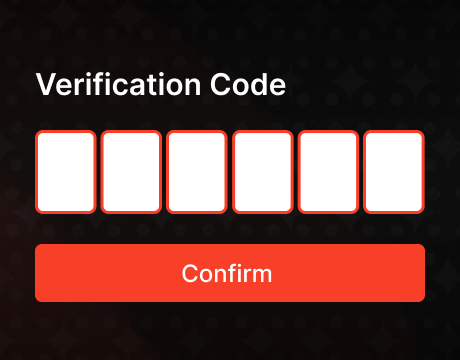
Verify your email address if the app requests confirmation.
Log in with your new account details.
Casino Games Available in the App
The Lavish Luck Casino app focuses on fast, colorful, casino-style entertainment built for mobile play. The game lobby gives players access to hundreds of slot machines, classic video slots, jackpot titles, premium prize games, exclusive in-house releases, and selected table-style options.
Slot Games
Slots are the main game category in the Lavish Luck app. The library includes classic fruit machines, 777-style slots, Vegas-style titles, 3D slots, jackpot slots, Hold and Win releases, video slots, and themed machines from major providers. Players find titles with ancient worlds, fantasy settings, festive themes, treasure mechanics, animal characters, and adventure layouts. Popular examples include Big Fortune, 3 Hot Chillies, and Super Hot Teapots.




Table Games
Lavish Luck also includes table-style casino games for players who want a break from reels and themed slot machines. This category adds a more traditional casino feel to the mobile lobby, with titles built around familiar card and table mechanics. Poker-style games are the clearest part of this section, with Oasis Poker Classic listed among the available titles. These games give the app more variety and help balance the slot-heavy catalog with slower, decision-based gameplay.




Specialised games
Specialised games in the Lavish Luck app include premium prize games, exclusive in-house titles, jackpot events, Hold and Win releases, and feature-rich slots with bonus mechanics. These games stand out from standard reel play because they focus on extra rewards, limited-time events, unique themes, and stronger mobile engagement. Players find titles with free spins, wild symbols, multipliers, random prizes, jackpot pools, and weekly content updates. The app also highlights special rewards, daily login bonuses, weekly challenges, and promotional events that connect directly with gameplay.
Bonuses You Can Access in the Lavish Luck Casino App
The Lavish Luck Casino app gives players a clear bonus system built around daily rewards, free spins, Gold Coins, and Sweeps Coins. The daily bonus calendar rewards consistent logins across seven days, starting with 2,000 GC + 0.50 SC on Day 1 and increasing through larger coin drops. Players receive 8 free spins on Day 2, 6,000 GC + 0.80 SC on Day 3, 7,000 GC + 0.80 SC on Day 4, 10,000 GC + 1.50 SC on Day 5, and 14,000 GC + 0.80 SC on Day 6. Day 7 delivers the strongest reward with 20,000 GC + 3.00 SC. The app also includes welcome rewards, purchase bonuses, promotional coin offers, and seasonal slot events.
Deposits & Withdrawals via the Lavish Luck Casino App
Lavish Luck Casino uses a sweepstakes-style coin system, so mobile players purchase Gold Coin packs instead of traditional casino deposits. To request a prize redemption, players must have 100 Sweeps Coins, pass verification, and use an approved payment method.
| Package | Gold Coins | Bonus Sweeps Coins | Price |
|---|---|---|---|
| Starter Pack | 22K GC | 2 SC | $1.99 |
| Small Pack | 46K GC | 4 SC | $3.99 |
| Value Pack | 60K GC | 5 SC | $4.99 |
| Standard Pack | 130K GC | 10 SC | $9.99 |
| Plus Pack | 300K GC | 20 SC | $19.99 |
| Premium Pack | 850K GC | 50 SC | $49.99 |
| Mega Pack | 2M GC | 100 SC | $99.99 |
| VIP Pack | 4.4M GC | 200 SC | $199.99 |
Users can purchase packages using Visa, Mastercard, Maestro, Discover, American Express, PayPal, Instant Transfer, Cash App, and ACH Network. Players can redeem eligible prizes via bank transfer, e-wallets, and other approved redemption methods.
Security Features of the Lavish Luck Mobile App
The Lavish Luck mobile app protects players with secure account access, encrypted payment handling, verified redemption checks, and controlled login activity. Users create a personal account with protected credentials, while purchases and prize redemptions move through approved payment channels. The app also separates Gold Coin gameplay from Sweeps Coin prize activity, keeping entertainment play and redeemable rewards clearly organized. Before cash prize redemptions, players complete identity verification, which helps protect accounts from unauthorized redemptions and fraudulent activity.
Mobile Experience in the Lavish Luck Casino App
The Lavish Luck Casino app delivers a smooth mobile experience built around quick loading, simple navigation, and instant access to games. Players can move between the lobby, coin balances, daily rewards, promotions, and account settings without leaving the app. Slot games open quickly, touch controls feel natural, and the layout fits both short sessions and longer play. The app keeps Gold Coin and Sweeps Coin balances clear, making it easy to track gameplay and rewards.
FAQs About the Lavish Luck Casino App
Is the Lavish Luck Casino App available in my state?
Lavish Luck Casino is available in approved U.S. jurisdictions, including FL, AL, AK, AZ, AR, CO, GA, HI, KS, MD, MA, MN, MS, MO, NE, NH, NM, NC, ND, OH, OR, PA, RI, SC, SD, TX, VT, VA, Washington, DC, WV, WI, and WY. The app verifies your region during registration, login, purchases, and prize claims before granting full account access or allowing prize redemption.
How do I download the Lavish Luck Casino App on iOS?
Open the App Store, search for Lavish Luck Casino, select the app, tap Get, confirm the installation, then open it and sign in or create your account.
What games can I play in the Lavish Luck Casino App?
Players can enjoy slot games, jackpot titles, Hold and Win releases, premium prize games, poker-style options, and daily bonus games, along with free spins and special promotional casino-style content.
How do I update the Lavish Luck Casino App to the latest version?
Open the App Store, tap your profile icon, find Lavish Luck Casino in available updates, press Update, wait for installation, then reopen the app and log in.
What should I do if the Lavish Luck Casino App is not working?
Restart the app, check your internet connection, update to the latest version, clear background apps, restart your device, and reinstall Lavish Luck Casino if the issue continues.
How do I remove the Lavish Luck Casino App from my iPhone?
Press and hold the Lavish Luck Casino app icon, tap Remove App, choose Delete App, and confirm. This removes the app from your iPhone immediately.

 PokerListings




Log in to leave a comment
Takes a minute. Your rating counts toward the score.