
 EN
 DE

JefeBet Casino Registration and Login Process
Once you’ve decided to join JefeBet Casino, the next step is setting up your account. This guide covers registration on desktop and mobile, account verification, and logging in. We also explain welcome bonus requirements, cover the available games, and answer common sign-up questions, giving you a clear route from registration to your first casino session.
How to Sign Up to Play at JefeBet Casino
Email sign-up is the most complex option on the platform, but it is useful if you prefer to keep your Jefebet Casino login separate from your social accounts and want to save time on adding details later. Here is how it looks:

Navigate to the official site of JefeBet Casino.

Click “Jefebet Sign up” in the top-right corner of the homepage and choose “Sign up with email”.
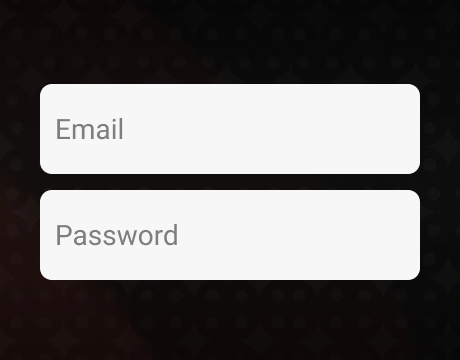
Enter your email address and create a password containing 6–12 characters.
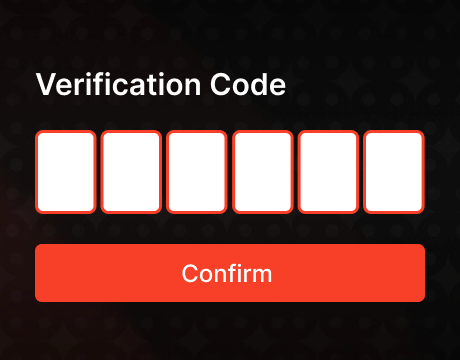
Click “Send Verification Code”, then use the code sent to your inbox to verify your email.
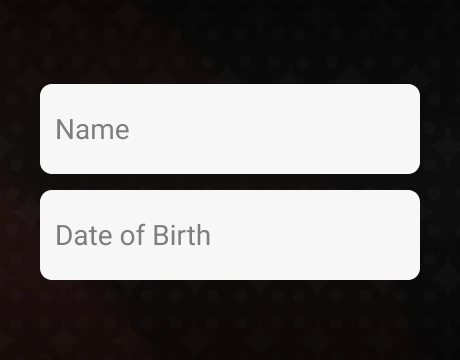
Enter your first name, last name, and date of birth, then select your state.

Read the eligibility conditions and account terms, then check the agreement box. Review the separate marketing consent before clicking “Sign Up”.

At the welcome gift prompt, enter your phone number, click “Send Code”, and complete phone verification to claim the gift (if you want it).
Ways to Create Your JefeBet Casino Account
Using an existing online account can speed up registration and leave you with one fewer password to remember. This option suits you if you’re comfortable linking your casino profile to another service and works as follows:
- Google: Click “Jefebet Sign up” and select “Continue with Google”. Choose the Google account you want to link, or sign in to another account. Review required permissions, then click “Continue” to authorize the connection.
- Facebook: Click “Jefebet Sign up” and select “Continue with Facebook”. Log in to Facebook if needed. Check that you have selected the intended profile, review the requested permissions, and approve the connection.
After signing up through either method, optionally enter your phone number at the welcome gift prompt, click “Send Code”, and enter the SMS code to claim the gift.
Verification of a JefeBet Casino Account
Account verification on JefeBet Casino is mandatory if you want to redeem eligible Sweeps Coins for cash prizes. Completing it early helps avoid redemption delays. Here is how to get verified:
- Log in, open the top-right menu, and select “Profile”, “Verification”, then “Start Verification”.
- Complete the Veriff check with a government-issued photo ID and a selfie.
- Fill in your personal information and upload your ID and proof of address, such as a utility bill.
- Add your banking details and upload a personal bank statement. Address documents and bank statements must be no older than three months.
Make sure names and addresses match your account, use clear document images with all four corners visible, and allow up to 72 hours for review.
How to Log In to JefeBet Casino on Desktop
Logging in gives you access to your JefeBet coin balance, games, and account settings. If you signed up by email, here is how to access your account on desktop:

Open JefeBet in your desktop browser and click “JefeBet login” in the top-right corner of the homepage.
Enter your registered email address.
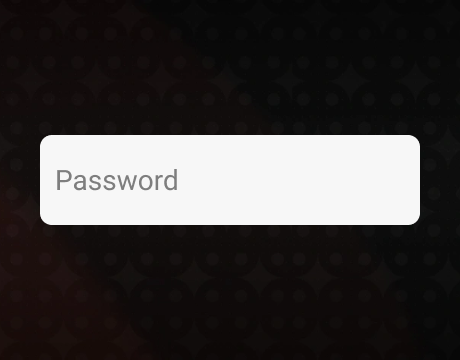
Type your password. Use the eye icon to check for errors.
If you have forgotten your password, use “Forgot password” to reset it before continuing.
Click “LOGIN” to access your account.
If you registered through Google or Facebook, click the corresponding icon beneath the Jefebet Casino login form. Choose the account used during registration and sign in.
Register at JefeBet Casino via Mobile
Mobile registration follows the same basic sequence as desktop sign-up. No app installation is needed:
Visit JefeBet in your phone’s browser, tap “Jefebet Sign up”, and select “Sign up with email”.
Provide an email address you can access and choose a password.
Tap “Send Verification Code”, check your inbox, and enter the code.
Add your first and last names, birth date, and state of residence.
Read the eligibility conditions and terms, check the agreement box, and consider giving marketing consent. Tap “Sign Up”.

For the optional welcome gift, provide your phone number, tap “Send Code”, and confirm the SMS code.
To register through an existing account, tap “Continue with Google” or “Continue with Facebook” in the sign-up window. Sign in to your chosen service, review the permissions, and approve the connection. Use that same account when logging in later.
Available JefeBet Casino Games
JefeBet organizes its lobby into categories, so once you log in, you can go straight to your preferred style of play without scrolling through every title. The main game types available are:
- Slots: Choose from a range of themes and reel layouts, with various bonus mechanics and win potential. Examples include Crazy Money, Koi Trio, and Calavera Fiesta.
- Table games: This category includes roulette, baccarat, and poker. European Roulette offers bets on different parts of a numbered wheel, Baccarat lets you bet on a tie or the player and banker hands, and Casino Hold’em allows you to challenge the dealer under the poker-style rules.
- Arcade games: Coin-toss games, dice games, and Plinko variants offer a change from slot reels and complex table rules. Some of the popular games are Heads and Tails, Dice Clash, and Plinko of Mine.
JefeBet Casino Sign-Up Bonuses and How to Claim Them
Once your JefeBet account is set up, you can claim promotions that add Gold Coins (GC) and Sweeps Coins (SC) to your balance. Here are the main offers:
- Welcome gift: Receive 100,000 GC and 3 SC after creating your account and verifying your phone number.
- First-purchase offer: Buy 1,000,000 GC with 25 free SC for $9.98. This discounted package is available for your first purchase only.
- Recurring bonus: Claim 2,000 GC and 0.2 SC every six hours. Collect each reward manually, then wait for the countdown to finish before claiming again.
Here is how to activate each promotion:
- Welcome gift: Finish registration and enter your phone number at the welcome gift prompt. Click “Send Code”, then enter the SMS code to complete verification and receive your coins. If you already have an account, you can verify your phone and get the bonus in your profile’s settings.
- First purchase: Log in and click “Get Coins”. Select “Buy $9.98”, choose a payment method, enter the required payment details, and click “Pay Now”. The bonus will be credited automatically.
- Recurring bonus: Open “Get Coins”, select “Daily Bonus”, and claim the available reward. Use the displayed timer to see when you can collect the next bonus.
No promo code is needed for these offers. Check your GC and SC balances after claiming to confirm that the reward has arrived.
Tips for Maximizing Bonuses on JefeBet Casino
A bonus is most useful when it fits how you already plan to play. Before buying a package or using promotional coins, keep these tips in mind to get more value from each offer:
- Compare package value: Check how many free SC you get per dollar spent. A bigger SC total does not always mean better value.
- Understand playthrough: Promotional SC must be played at least once before qualifying winnings can be redeemed.
- Try games with GC: Learn the controls and features using recreational coins before spending SC on an unfamiliar game.
- Keep stakes manageable: Smaller SC bets can spread your bonus across more rounds, giving you more time to have fun while still offering a chance to win something you can redeem.
JefeBet Casino Sign-Up FAQs
What steps do I need to complete during registration to unlock my JefeBet welcome bonus?
Complete the registration form and email verification, or sign up through Google or Facebook. At the welcome gift prompt, enter your phone number, click “Send Code”, and confirm the SMS code to unlock the bonus.
Do I need to verify my phone number as part of the sign-up process on JefeBet?
Only if you want to claim the welcome gift. Otherwise, you can create your account without phone verification.
Which types of games are available at JefeBet after I create an account?
Once you register and complete the JefeBet login process, you can play slots, table games, and arcade games. Table options include roulette, baccarat, and Casino Hold’em, while arcade choices cover coin-toss games, dice games, and Plinko variants.
Is the JefeBet Casino site available in Spanish during registration?
Yes. Use the site’s language selector to switch to Spanish before opening registration. You will be asked to provide the same account details and complete the same verification steps as in English.
Do I need a promo code to claim my sign-up bonus at JefeBet?
No. You can claim the standard welcome gift without a promo code. After creating your account, verify your phone number using the SMS code to activate the reward.
What should I do if I don’t receive my welcome bonus after registering on JefeBet?
Confirm that phone verification is complete, then refresh your balance. If the bonus is still missing, email [email protected] from your registered address and include a screenshot of the offer and a description of the issue.
Can I switch between English and Spanish after creating my account on JefeBet?
Yes. You can switch between English and Spanish after creating your account by using the site’s language selector.
What should I check if my JefeBet login isn’t working on mobile?
Double-check your email and password. If both are correct, disable any VPN, confirm your connection is stable, and clear the site’s cookies and cache. Use “Forgot password” if you need to reset your password.

 PokerListings




Log in to leave a comment
Takes a minute. Your rating counts toward the score.