EN
EN  DE
DE 
Funrize Casino App: Download for iOS & Android 2026
Funrize Casino has become a recognizable name among online social casinos thanks to its varied game options, rich promotions, and flexible coin-based format. The Funrize Casino app brings that entertainment to Android and iPhone users in 2026, moving the casino experience beyond desktop play.
On-the-go access is part of Funrize Casino’s appeal. This review reveals what players get from the Funrize app download: casino games, rewards, account controls, and a setup built for regular phone use.
Funrize Casino App Download and Setup
The Funrize Casino app download process differs from that of native apps, as the platform offers a Progressive Web App. It still offers the same social casino features and services, and, as a bonus, doesn’t require much in terms of free space.
Download Funrize Casino App for Android
The Funrize casino app download for Android does not require an APK file. Players set it up from the official Funrize Casino website, keeping Funrize ready on their phone without third-party download pages.
Set up Funrize from the website:

Open a mobile browser and go to the Funrize Casino website.
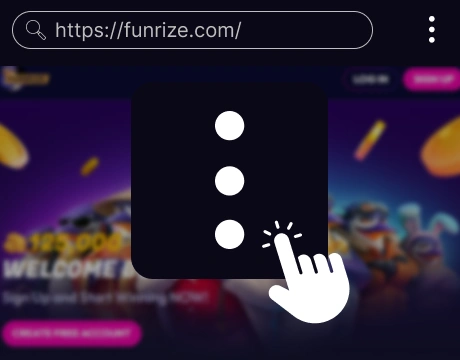
Tap the three-dot menu next to the address bar.
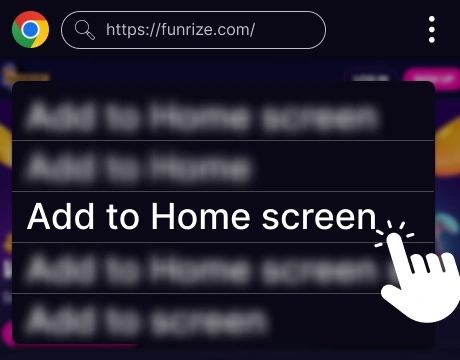
Select Add to Home screen.
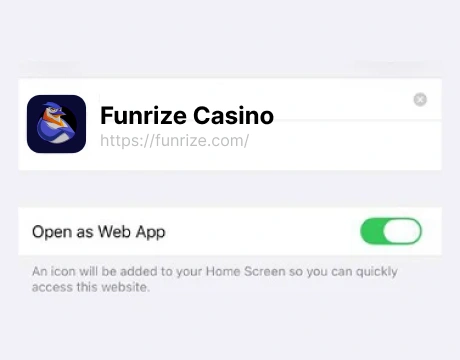
Tap Add to create the shortcut.
Open Funrize from the home screen and sign in or register.
Download Funrize Casino App for iOS
The Funrize Casino app is not installed from a separate App Store listing. The setup gives iPhone casino users one-tap access to Funrize, so they can return to the casino without searching for the site again.
Set up one-tap access:
Open Safari on the iPhone and go to the Funrize Casino website.
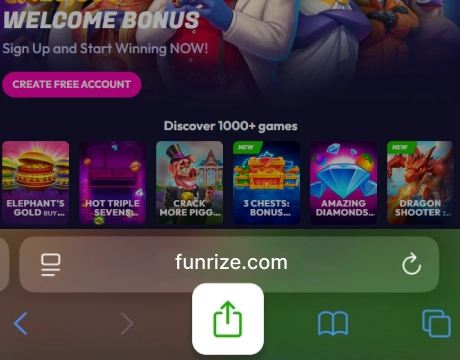
Tap the Share icon at the bottom of the screen.
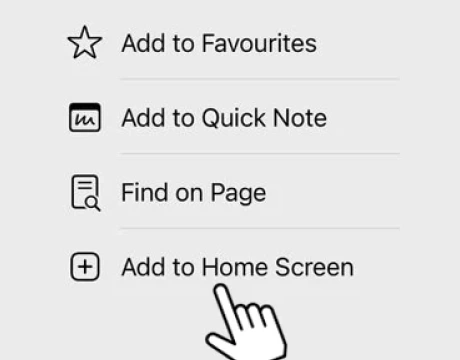
Scroll through the Share menu and select Add to Home Screen.
Tap Add to confirm the home screen shortcut.
Open Funrize from the iPhone home screen and sign in or register.
Funrize App System Requirements
Players looking for the Funrize Casino app download free option still need a device that can handle animated casino games, account tools, and secure payments.
Check the basic system requirements below:
| Requirement | Android | iOS / iPhone |
|---|---|---|
| Operating system | Android 10 or newer | iOS 14 or newer |
| Device type | Smartphone or tablet | iPhone or iPad |
| Free storage | 20 MB+ | 20 MB+ |
| RAM | 2 GB+ | 2 GB+ |
| Internet connection | 4G, 5G, or stable Wi-Fi | 4G, 5G, or stable Wi-Fi |
| Screen size | 5 inches or larger | 5 inches or larger |
How to Update the Funrize Casino App
The Funrize app updates through the live website, so players do not need to install new files manually. Refreshing the browser or re-adding the shortcut fixes common mobile loading issues.
Use these quick fixes on mobile:
Launch Funrize from the home screen icon.
Refresh the page from the browser menu.
Close the Funrize tab and open the site again.
Clear the browser cache if games, rewards, or login pages still load incorrectly.
Remove the old home screen icon and add Funrize again if the shortcut no longer opens the site correctly.
Registration Process via Funrize Casino App
The Funrize Casino app makes mobile registration convenient for players joining from a phone. The process is short and adapted to smaller screens.
Use this process to register through the Funrize app:

Open Funrize from the mobile home screen or browser.

Tap Sign up on the main page.

Choose email or phone number as the registration method.

Enter the selected contact detail.

Create a password for the new account.

Confirm that you are at least 21 years old.
Accept the Terms and Conditions, Privacy Policy, Sweepstakes Rules, and Fraud Policy.

Tap Start playing to create the account.

Complete the confirmation sent to the email address or phone number used during registration.
Casino Games Available in the App
The Funrize Casino app gives mobile players access to the main game categories from the desktop version. Slots, live dealer tables, themed casino titles, and special feature areas are adapted for phone screens with touch controls and clear browsing.
Slot Games
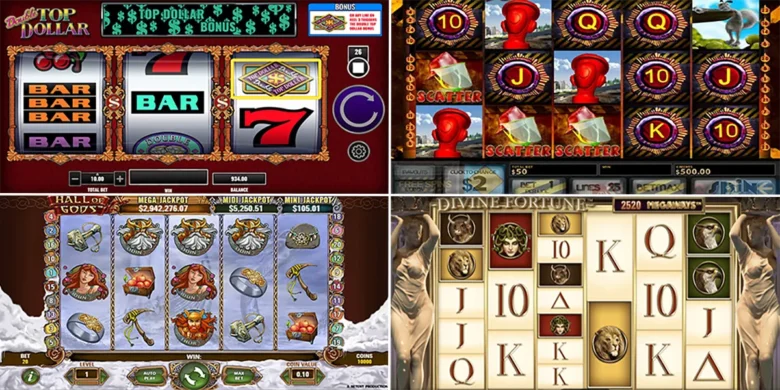
Slots are the strongest part of the Funrize Casino app, and the variety is genuinely broad for mobile play. The lobby includes classic reels, Megaways titles, cascading games, Hold and Spin formats, Bonus Buy-style releases, and bright feature-heavy slots with jackpots, coin prizes, and extra rounds.
Notable slot titles include:
- Blazing Apple: Hold ’N’ Link
- Wild Buffalo Megaways
- Diamond Chest: Hold ’N’ Link
- Funrize Riches Bonus Combo
- Moonlight Wolf: Power Coins
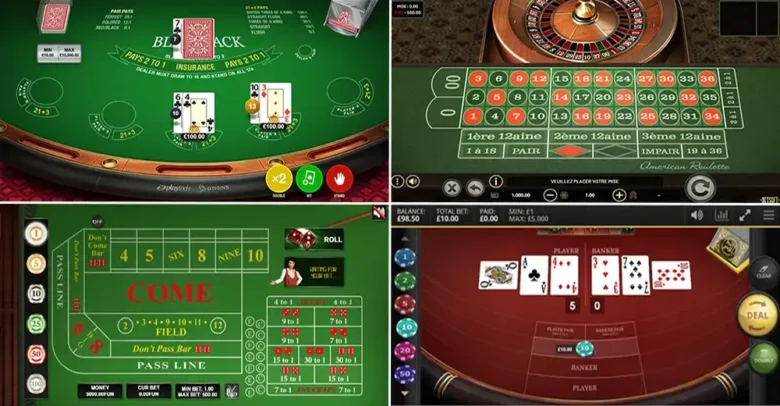
Table Games
Table-style games are also available in the Funrize Casino app, with a smaller but still useful selection for players who want card games, poker, roulette, or blackjack on mobile. These titles add a more familiar casino rhythm to the game lobby and work well as a break from slots or special feature games.
Players can start with these picks:
- Baccarat 777
- Oasis Poker Classic
- American Roulette 3D
- Texas Hold’em Poker 3D
- Blackjack Lucky Sevens
Live Dealer Games
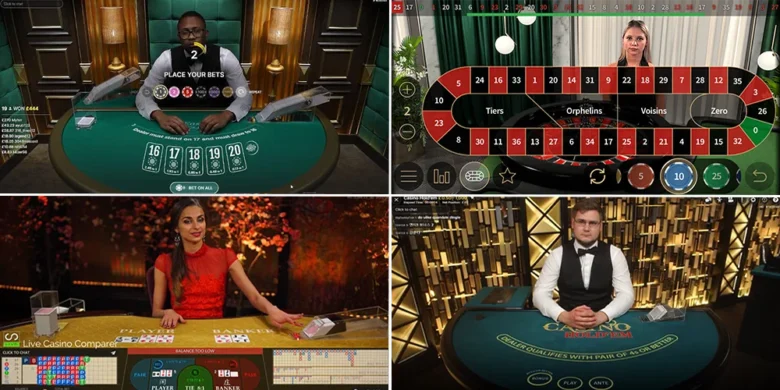
Live dealer games add more movement and personality to the Funrize Casino app, especially for players who want something closer to a real table session. The games are adapted well for mobile screens, with clear video, simple touch controls, and quick access from the lobby.
These titles are worth checking:
- Prime Blackjack 1
- Dragon Tiger
- Royal Roulette
- Grand Bonus Baccarat
- Turbo Roulette
Specialized Games
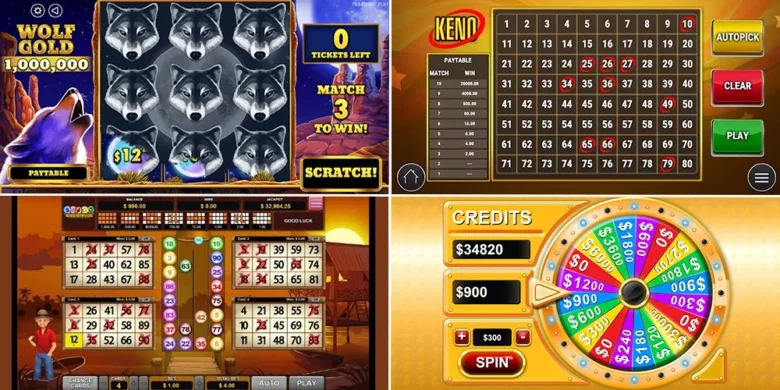
Players who want a break from standard reels and tables can try other formats in the Funrize Casino app. These games add variety to the mobile lobby without feeling detached from the main casino experience. They also suit players who prefer quick, visual rounds with a lighter arcade-style feel.
Examples include:
- Ice & Fire Fishing
- Ocean Hunter
- Dragon Shooter: Shoot & Win
- Dice Bonanza
- Dice Million
Bonuses You Can Access in the Funrize Casino App
The Funrize Casino app is generous with bonuses, giving mobile users something to claim from registration onward. New members start with a 125,000-Coin Welcome Bonus after creating a free account. Completing the initial account tasks adds up to 50,000 extra Coins, which makes the mobile setup more valuable than a simple login.
Daily offers give users more to claim after the first login. They can collect regular login prizes, spin the Funrize Wheel for up to 220,000 Coins and 4.00 Promotional Entries, and use Daily PlayBack for a 5% cashback-style return of up to 10,000 Coins and 10.00 Promotional Entries.
Funrize also runs races, Invite Friends campaigns, Game of the Week offers, Adventure Map, FunGalaxy, and personal coin packages.
Instead of a standard deposit bonus, select coin packages include Promotional Entries, so to make the most of them, users should check each package for its price, the number of included Promotional Entries, and whether a promo code is needed before buying.
Deposits & Withdrawals via the Funrize Casino App
Funrize uses coin package purchases rather than standard casino deposits, while prize redemptions replace standard withdrawals after account verification. Players should check purchase rules and redemption conditions before using the mobile cashier.
Here is what you can expect to see in the app:
| Category | Options | Minimum | Timing |
|---|---|---|---|
| Coin package purchases | Gift cards, credit/debit cards, PayPal, Apple Pay | Minimum depends on current offers | Instant after purchase approval |
| Gift card redemption | Gift cards | Minimum redemption: 25.00 Promotional Entries | Instant after approval |
| Card redemption | Credit/debit cards | Minimum redemption: 100.00 Promotional Entries | Push-to-card up to 3 business days |
| PayPal redemption | PayPal account or PayPal card | Minimum redemption: 100.00 Promotional Entries | Up to 7 business days |
| Bank redemption | Bank account | Minimum redemption: 100.00 Promotional Entries | Bank transfer up to 10 business days |
Security Features of the Funrize Mobile App
The Funrize Casino app protects account access through password login, two-factor authentication, email and phone confirmation, and location checks for mobile eligibility. These layers help keep account access tied to the verified user during regular play.
Financial activity has a separate verification layer. Funrize uses ID review, liveness checks, purchase-card checks, and redemption-card verification to protect coin package purchases and prize redemptions. Responsible play tools add another level of control in the Funrize app, including purchase limits, access restrictions, and activity reminders.
Mobile Experience in the Funrize Casino App
The Funrize Casino app feels well organized on mobile, with clear access to games, rewards, coin packages, profile tools, and responsible play settings. The main sections stay within quick reach, so users can move between play, bonuses, and account features without losing their place.
Game browsing also works smoothly on smaller screens. Categories, featured titles, live games, jackpots, and special promotions are arranged in a way that makes the lobby easy to scan, while games load cleanly from the mobile interface.
FAQs About the Funrize Casino App
Is the Funrize Casino App available in my country?
Funrize is available in the United States, except in Connecticut, Wyoming, Montana, Nevada, Rhode Island, New Jersey, New York, and Tennessee. Players should check access from their own location before creating an account.
Where can I download the Funrize Casino App for iOS or Android?
The Funrize Casino app for Android is added through the official website, not downloaded as an APK. On iPhone, players add Funrize through Safari instead of installing it from the App Store.
What games can I play in the Funrize Casino App?
The Funrize Casino app includes slots, live dealer games, table-style titles, fishing games, dice-style games, jackpots, races, and special feature areas.
How to update the Funrize Casino App?
Funrize updates through the live mobile website, so there is no manual app update. Refresh the page, reopen Funrize from the home screen, or add the shortcut again if the old icon stops working correctly.
What should I do if the Funrize Casino App doesn’t work?
Refresh the page, check the internet connection, and reopen Funrize from Chrome or Safari. If the issue continues, clear the browser cache or add the home screen shortcut again.
How to uninstall the Funrize Casino App?
Remove the Funrize icon from the Android or iPhone home screen. This deletes the mobile shortcut, not the Funrize account.

 PokerListings