EN
EN  DE
DE Jurojin Poker: Essential Software for Multi-Tabling
Jurojin Poker can do what other programs cannot: unify table designs, automatically arrange tables from different rooms across the entire screen, set unified bet sizes for all rooms at once, assign hotkeys for all rooms at once, and more!

This is truly essential software for players who play multiple rooms at the same time. This is not a joke: when casinos push major updates, players are holding their breath until Jurojin is ready to go everywhere again.
Which Rooms Jurojin Poker Supports
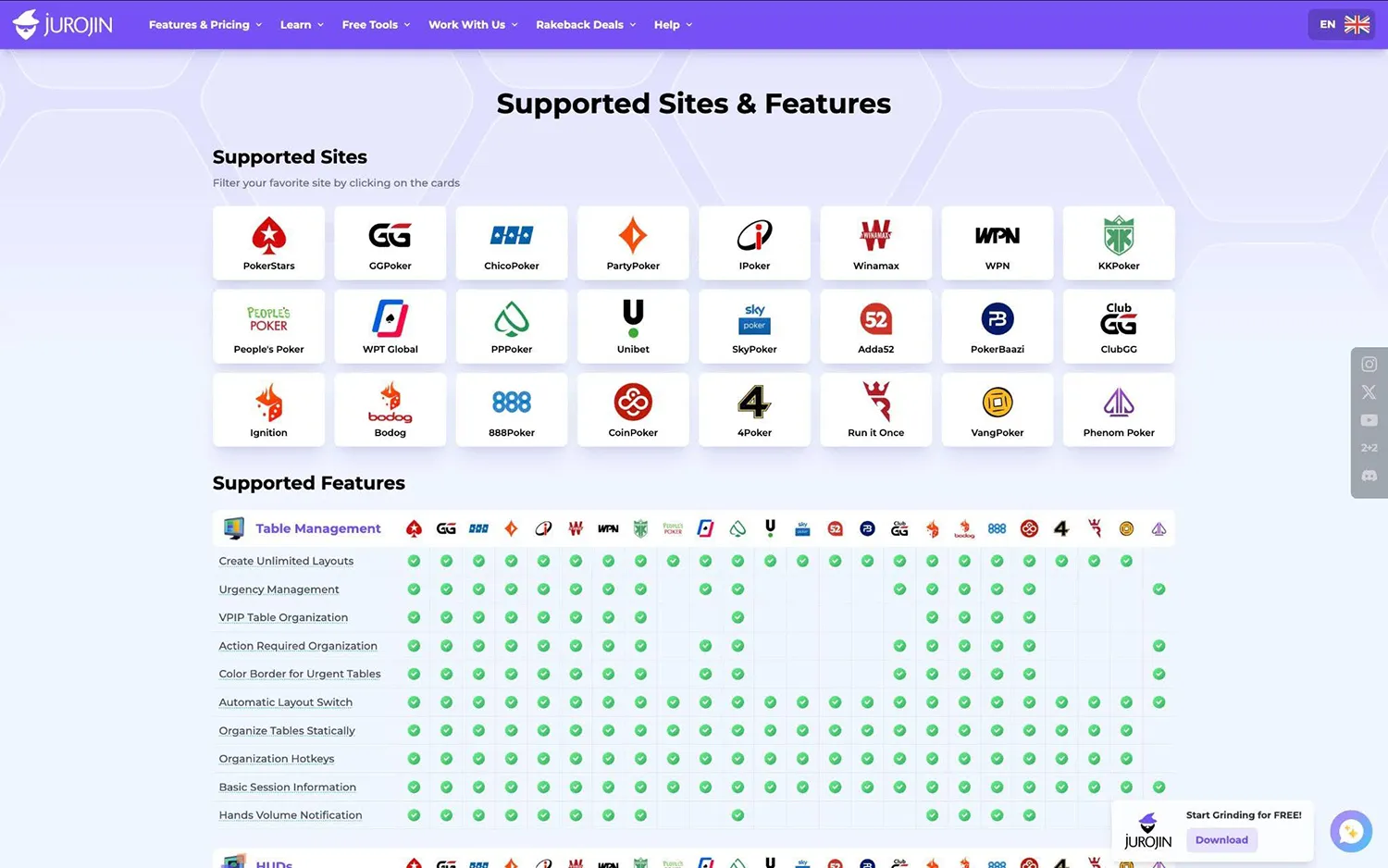
Jurojin Poker supports all available rooms, including PokerStars, GGPoker, Chico Poker Network, Winning Poker Network, among others. Information about the rooms is available on the official website.
Is it legal to use Jurojin Poker?
Yes, poker rooms do allow the use of Jurojin Poker. The main reason is that it’s a table-assistance program, meaning its primary function is to help organize multi-tabling.
Jurojin Poker is designed to make gameplay as convenient as possible, but it doesn’t make decisions for you like Real-Time Assistance (RTA), which is prohibited in all poker rooms. Therefore, you can safely and completely legally use Jurojin Poker, and you won’t get banned for it.
Main Features of Jurojin Poker
Jurojin Poker has many different features, but there are three main ones.
Tiling
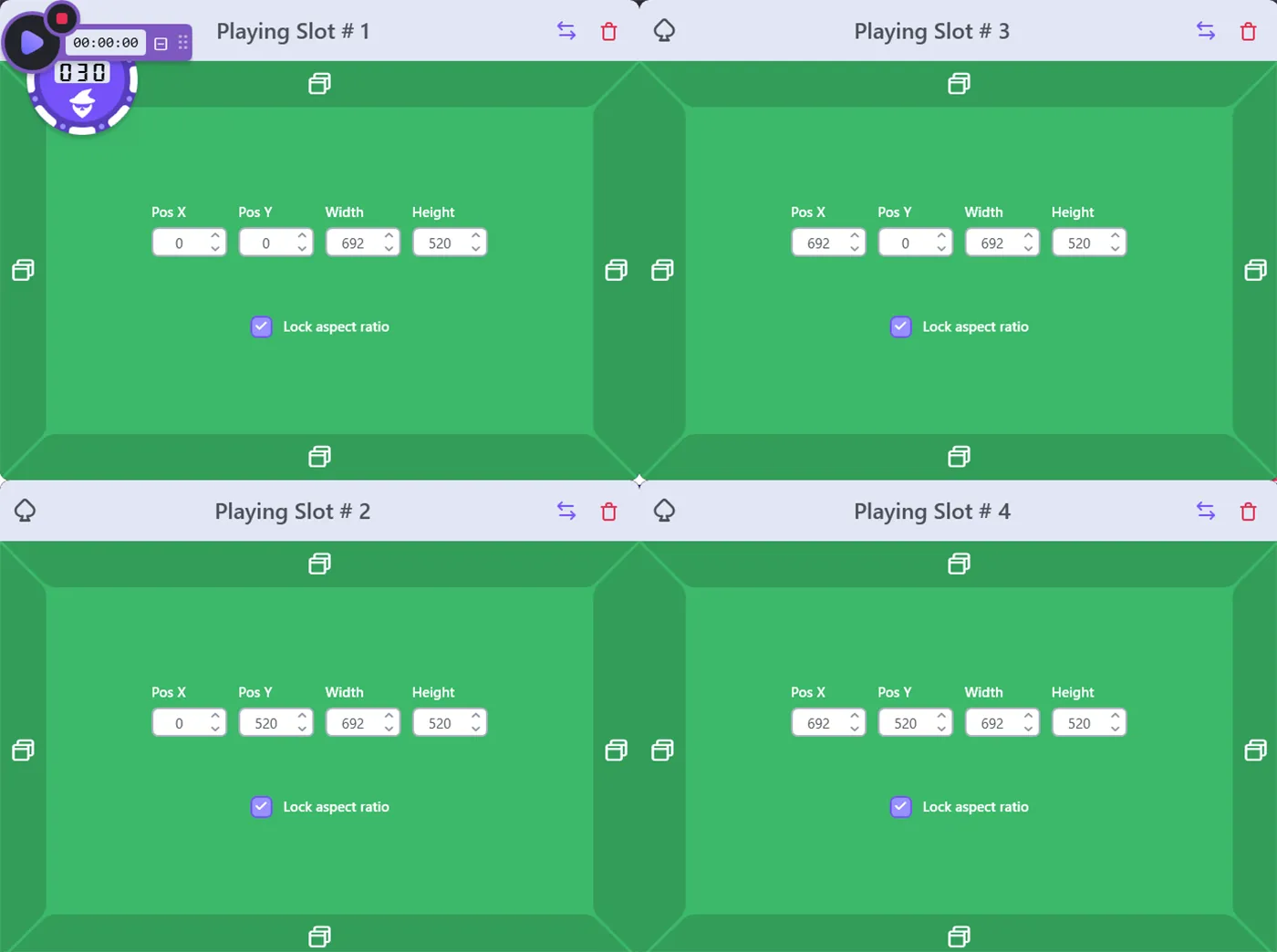
Jurojin creates an organized space where your tables and lobbies will open. Go to the Layout Configuration tab, select Create AUTOMATICALLY, choose your monitor, choose the table size — Jurojin will tell you how many tables can fit on the screen. In the Jurojin settings, you can add a slot for a playing table, a slot for the replayer, and a slot for the lobby.
Now, when you open a room and launch a table, it will automatically take its place according to the table size and layout set in Jurojin Poker.
Overlays
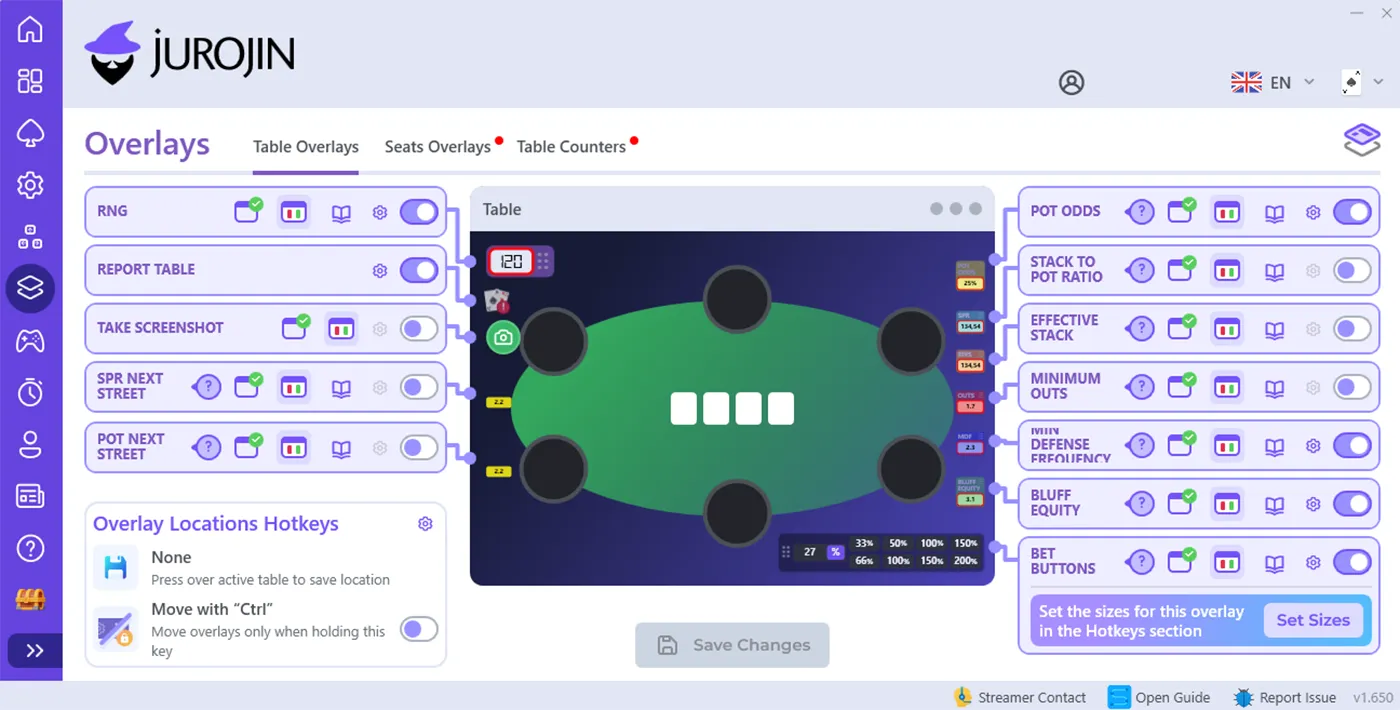
This is additional information displayed on the table that gives you an advantage over your opponents. In Jurojin Overlays, you can display RNG (randomizer), SPR Next Street, Pot Next Street, Pot Odds, SPR, Effective Stacks, Minimum Outs, MDF, Bluff Equity, and Bet Buttons.
Also, in the Overlays section, you can display Action History: this overlay will show, street by street, what action took place at the table. This is convenient when playing multiple tables at once and you don’t have enough attention to remember what opponents did before your action.
Hotkeys
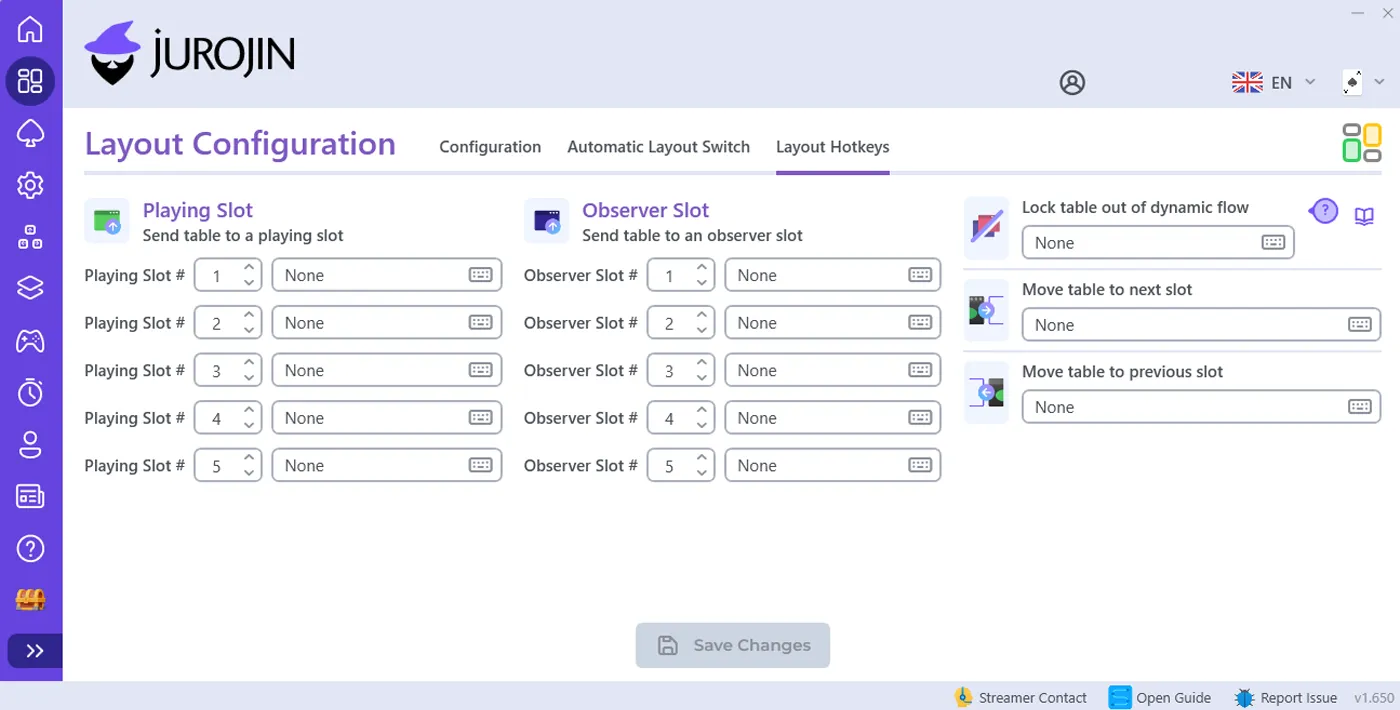
You can assign hotkeys for different actions. For example, you can assign Fold to the mouse wheel click. You can also set up to 16 bet sizing options.
You can set button sizings depending on the action before you. For example, if no one has opened, you can set a standard raise size of 3 bb. If there was an open before you, you can set a different sizing. For example, 3x the raise. That is, if an opponent opened to 3 bb before you, the hotkey will set a re-raise size of 9 bb.
Also, in the Hot Keys settings, you can set Instantly Bet Chips. As a general rule, when you enter a bet, you need to input the amount and click the “Bet” button. With the “When Using a Bet-Size Button on the Betting HUD” function enabled, you just need to select the button with the desired bet sizing, press it — and the bet will be placed instantly (no need to press the Bet button again).
Benefits of using Jurojin
Quick recap, here’s all the benefits you get from the tool:
- Unifies table layouts across different poker rooms for a consistent playing experience
- Automatically arranges and manages multiple tables on your screen
- Enables efficient multi-tabling across several poker rooms at the same time
- Allows you to set universal bet sizes and hotkeys for all rooms simultaneously
- Provides advanced overlays with real-time game data
- Helps you make faster decisions by reducing manual actions through hotkeys
- Improves focus and workflow when playing many tables at once
- Saves time and effort with automation of repetitive tasks
- Fully compliant with poker room rules (no risk of bans when used correctly)
Jurojin Poker Pricing
For micro stakes (NL10 | MTTS $5 | Spins $2), Jurojin is provided for free, but with limitations in functionality. For example, only 1 Layout can be used, Focus Management Features & Dynamic Slots are blocked, all overlays and hotkeys work on only 1 table, etc.
- Full Access Low Stakes (Up to: NL50 | MTT $22 | Spins $10): $7.5/month.
- Full Access All Stakes: $25/month.
You can purchase individual Jurojin Poker features. For example, Overlays, Hotkeys, Tiling — each of these features separately costs $12.5/month.
Moreover, all new players are given a free 1-month trial version of the program. To do this, you just need to enter your email address on the Jurojin website — and access will be granted.
Jurojin Conclusion — Is It Worth Using?
Yes, Jurojin Poker is worth using. This softwareis an essential tool that makes multi-tabling less chaotic and more comfortable.
Instead of constantly moving tables around, adjusting sizes, and clicking the same things over and over, everything is already set up and works the way you need, so you can focus on the hands and not get distracted by arranging your tables. It’s also completely legal to use in poker rooms. Thousands of players rely on Jurojin to make their grind smoother and more efficient.
Jurojin Poker FAQ
Does Jurojin Poker work on macOS?
No, unfortunately, Jurojin Poker only works on Windows. If you have Windows 10 or 11, you’re good to go! If you’re using a Mac, keep an eye out for support in the future.
On how many devices can I use Jurojin Poker?
You can use Jurojin Poker on as many devices as you like. However, simultaneous use on multiple devices is not supported, so you can only be logged in and actively use Jurojin on one device at a time.