
 EN
EN  DE
DE DriveHUD 3 Review
DriveHUD 3 is the updated version of DriveHUD 2 poker tracking software, featuring improved design, performance, and functionality. DriveHUD 3 is even more powerful, faster, and more intuitive than its predecessor. In this review, we’ll take a look at what has changed, which features remain, and how much the subscription now costs.

What’s New in DriveHUD 3
Updated Design. The client now features a purple color scheme, making it look cleaner and more modern. The main tabs are now located in a separate panel — the Navigation Bar on the left. It includes Cash, Tournament, R&D, MDA, Leaks, Design HUD, Marketplace, and Tools.
DriveHUD is more intuitive. For example, in Dashboard Hand History, Hero’s actions are now highlighted, and the action is divided by streets: preflop, preflop actions, flop, flop actions, turn, turn actions, river, and river actions. In DriveHUD 2, the board was not divided into streets, and Hero’s actions were not highlighted.
100x to 200x Faster Report Loading. You can choose from ready-made filters or create your own custom ones. Thanks to improved caching, filters now work in just a few seconds.
Updated Report Builder. Create reports with charts for any data point you want to analyze.
Built-in GTO Calculator and GTO Trainer. Work on your game directly inside DriveHUD 3.
MDA Exploit Report (Mass Data Analysis). Analyze field tendencies and identify leaks.
Session Leak Overview. See your most costly mistakes from each session.
Rebuilt Filters & Faster Performance. You can choose from ready-made filters or create your own custom ones. Thanks to improved caching, filters now work in just a few seconds.
Report Builder. Creating reports is now similar to working with a Poker HUD. The new builder lets you create reports that look like interactive dashboards. Place stats wherever you want them to appear visually.
AI Analysis. You can choose OpenAI, Anthropic, Google.
What Poker Rooms Does DriveHUD 3 Support
DriveHUD 3 works with 17+ poker sites and skins, including (incomplete list):
- PokerStars
- All iPoker skins
- All Winning Poker skins (ACR Poker)
- All Chico skins (BetOnline)
- 888poker
- WSOP .net
- Winamax .fr
- Bovada
- Bodog
- partypoker (without Poker HUD, hand analysis only)
DriveHUD 3 also supports Indian poker sites (Pocket52, PokerBaazi, Adda52, The Spartan Poker, and others).
In addition, DriveHUD 3, together with Asian Hand Converter, works with PokerBros, PPPoker, ClubGG (desktop and emulator), WPT Global (only with DH2), Pokerrr2, Suprema Poker, Upoker HUD, X-Poker, Poker King HUD, Red Dragon, Bingo Poker, and PokerTime.
DriveHUD 3 Getting Started
All DriveHUD 3 users get a free 14-day trial. The installation and setup process takes less than 5 minutes.
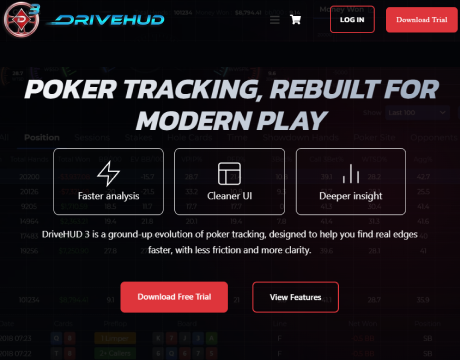
Download and install DriveHUD 3.
In your poker room settings, enable hand history and tournament result saving.

Done. DriveHUD 3 will appear while you play.
An additional feature: if a required setting is disabled, DriveHUD 3 will display an error notification (for example, if hand history or tournament result saving is not enabled).
If the poker HUD does not appear on the screen, check the hand history save directory. To configure it, go to Import → Import from directory in the top-right corner and select the correct folder. You can find where a specific poker room stores hand histories in the room’s settings.
DriveHUD 3 supports 27 languages, including Arabic, Chinese, Dutch, English, French, German, Gujarati, Hindi, Indonesian, Italian, Japanese, Kannada, Korean, Malay, Marathi, Persian, Portuguese, Punjabi, Russian, Spanish, Swahili, Tamil, Telugu, Thai, Turkish, Urdu, and Vietnamese.
DriveHUD 3 Dashboard
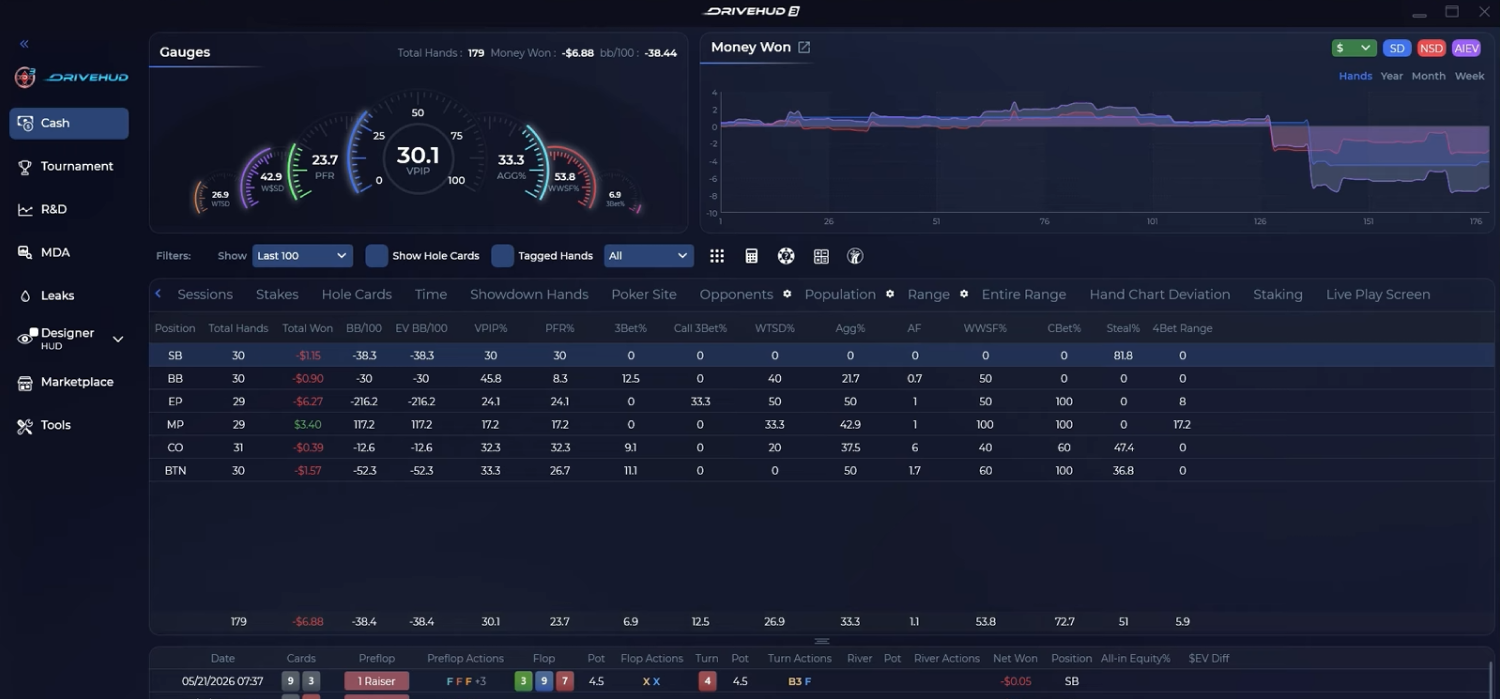
This is the main tab, where your stats (VPIP, PFR, AGG, 3Bet, WWSF, WTSD, W$SD), session reports, hand history, and win graph are displayed. Every window can be customized by simply dragging its borders.
In the Session Report section, you can choose a stat, such as VPIP%, and see which starting hands made you the most money and which were the least profitable. You can click directly on a hand and view the specific hand in the replayer. The DriveHUD 3 Dashboard allows you to analyze played hands as quickly as possible.
The “Population” tab collects basic research on the player field. Explore which players, with what stats, and how many hands were played in favor or against.
Hands are also uploaded to this tab in real time during your session, so you can review them while playing. Based on played hands, DriveHUD 3 automatically assigns Fish & Whale notes to your opponents, making it easier to identify them at the tables. Using this tool in spectator mode, you can determine whether a table is worth joining.
GTO Tools, Hand Chart Deviation, Custom Reports
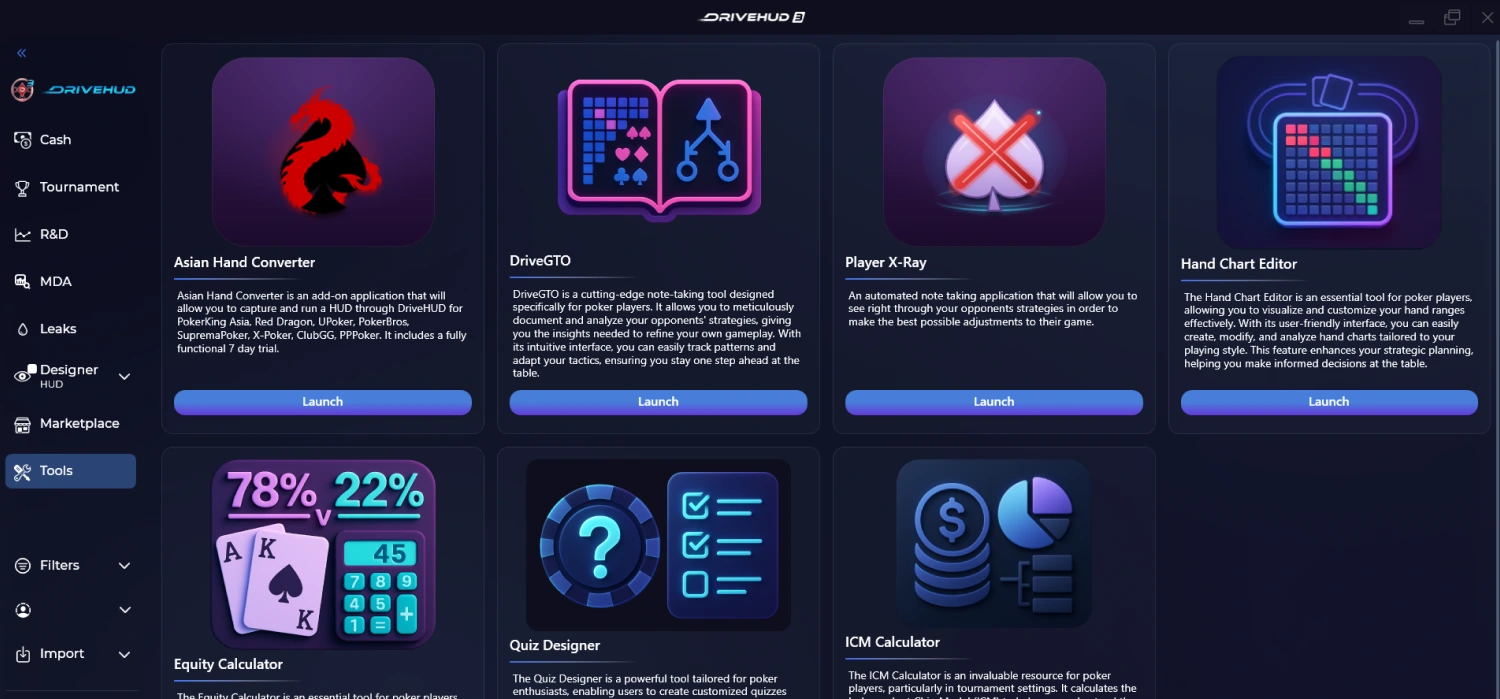
DriveHUD 3 includes a tool that allows you to analyze played hands according to GTO depending on table type, position, and selected ranges. Click the square with 9 dots on the Dashboard tab.
Hand Chart Deviation works after a played session. You can define a situation, such as a 3-bet pot, and based on your played hands receive a report showing how often you deviated from the optimal strategy. These reports can be saved for further study.
Click on Report Header and choose one of 100+ situations to create a Custom Report.
Tournament Tab
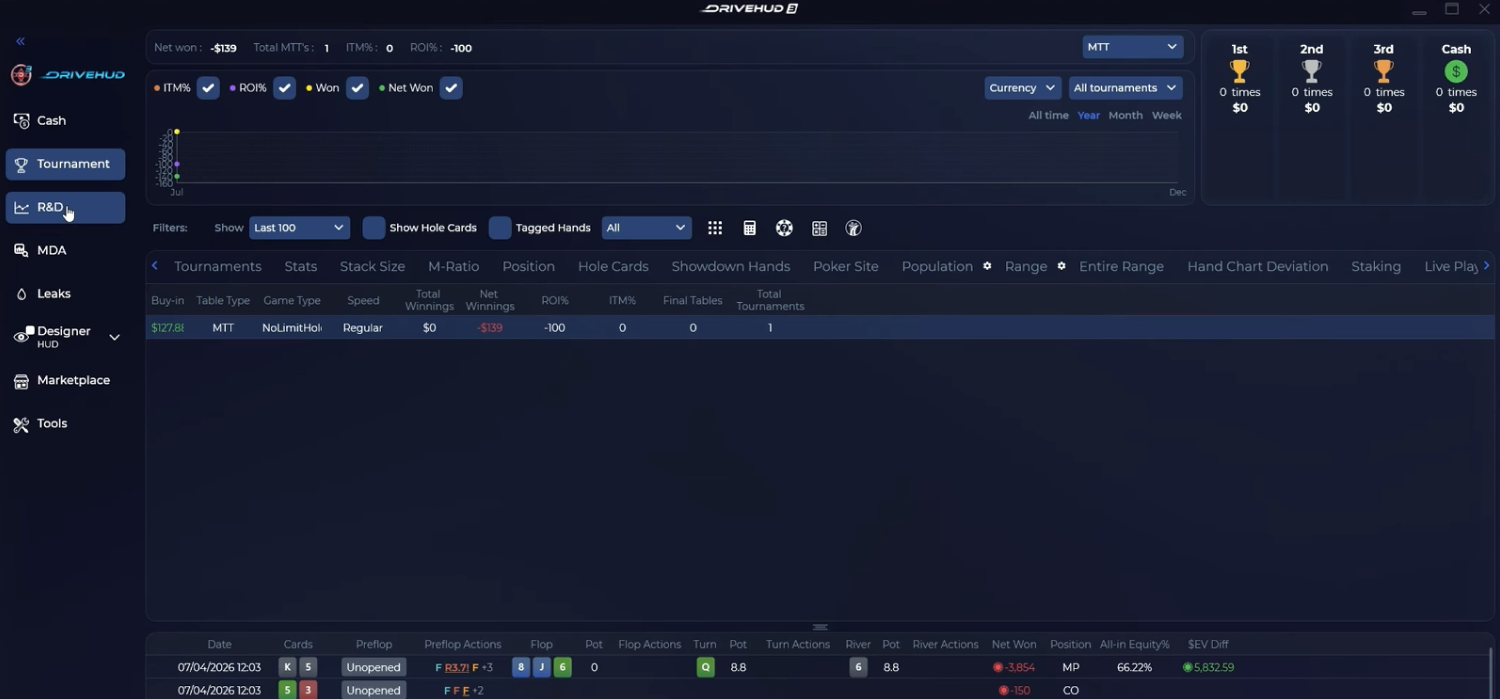
This tab displays information about your played tournaments. Here, you can also analyze your stats, review hand histories, build graphs and reports. The tab also includes a built-in ICM calculator for analyzing different game situations.
R&D Tab
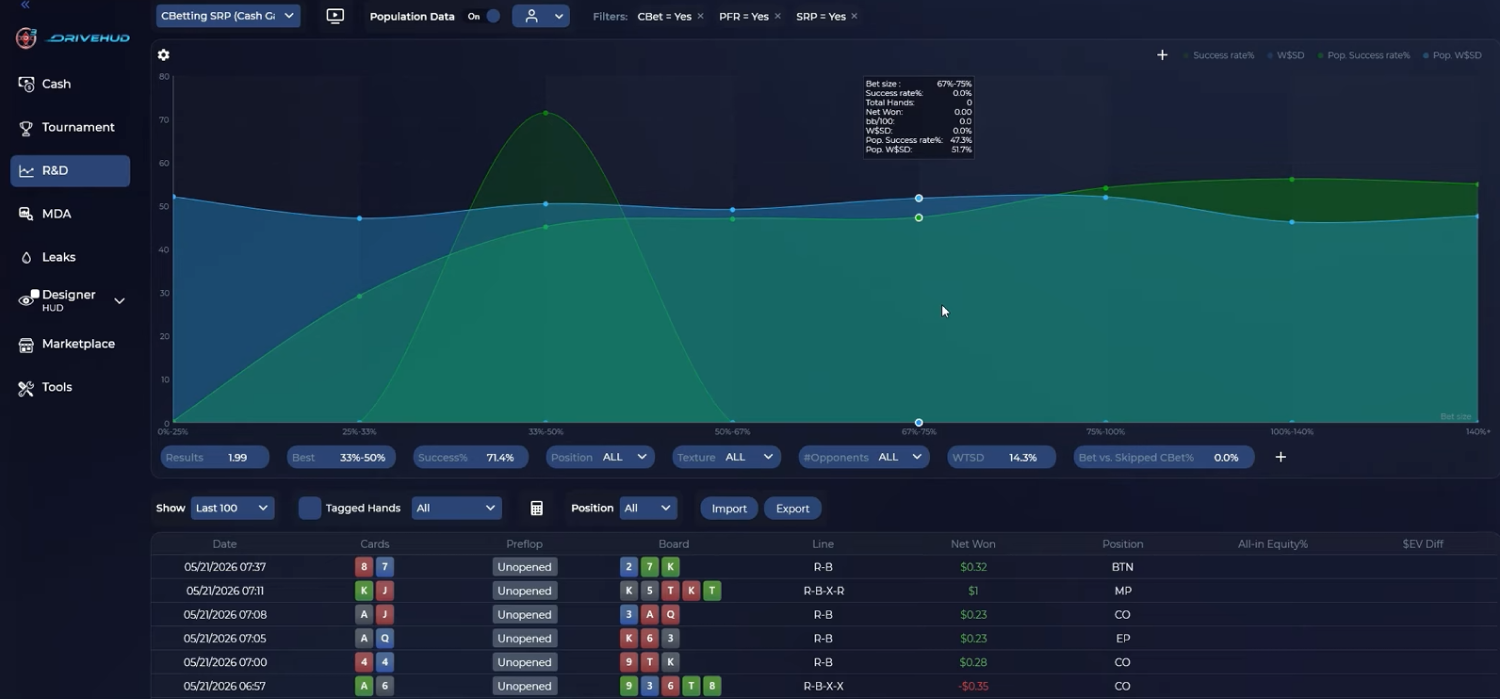
One of the key DriveHUD 3 tabs for analyzing your game.
Here, you can create reports for specific game situations (C-Betting SRP, C-Betting 3-Bet, C-Betting 4-Bet, 3-Betting, 4-Betting, Turn Bet, etc.) and analyze how often your lines worked or failed against the population in percentage terms. You can determine which hand combinations generated profit and which did not.
This can be analyzed depending on bet sizing, board texture, position, number of players in the hand, and much more. R&D is essentially an unlimited tool for analyzing your played sessions. You can also define your own parameters and create unique R&D reports.
MDA Tab
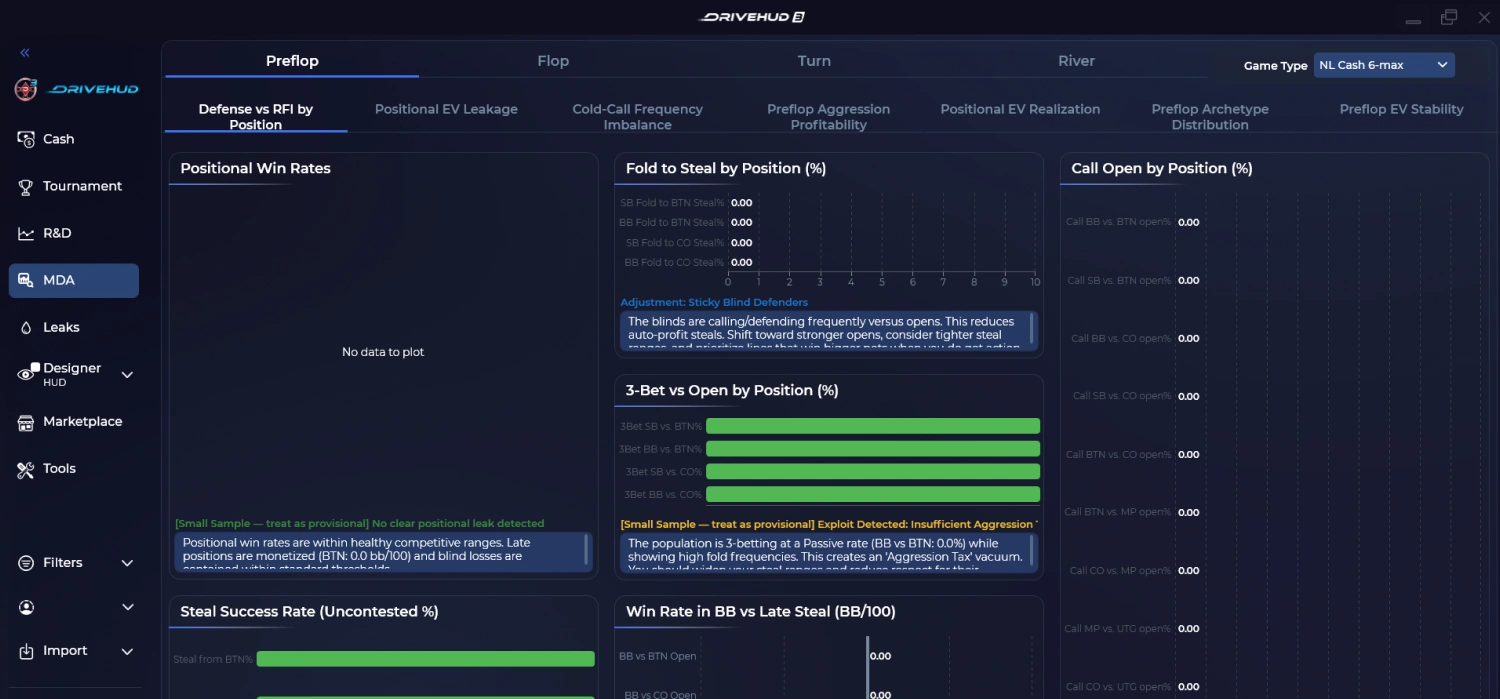
Mass Data Analysis now puts simplicity and clarity first. The new reports make it easy to spot population tendencies and identify the most important leaks at a glance. You can quickly see where the field deviates from expected patterns and compare your own play with baseline trends, helping you focus on the areas that have the biggest impact on your results.
Leaks
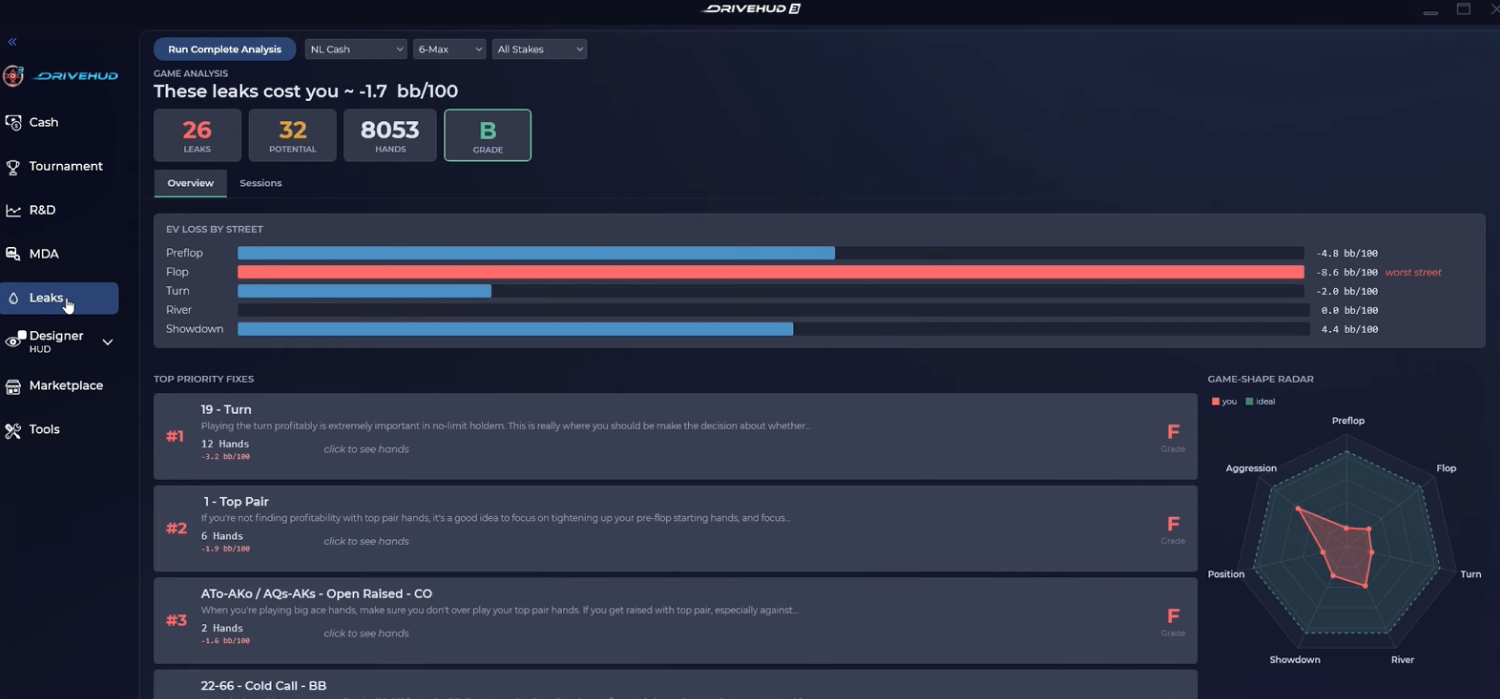
Built-in Leak Buster. It analyzes your hands and points out preflop and postflop mistakes. You can analyze hands by session or all at once. The tab displays a typical error; by clicking on it, you can see the hands in which you made this error.
HUD Design
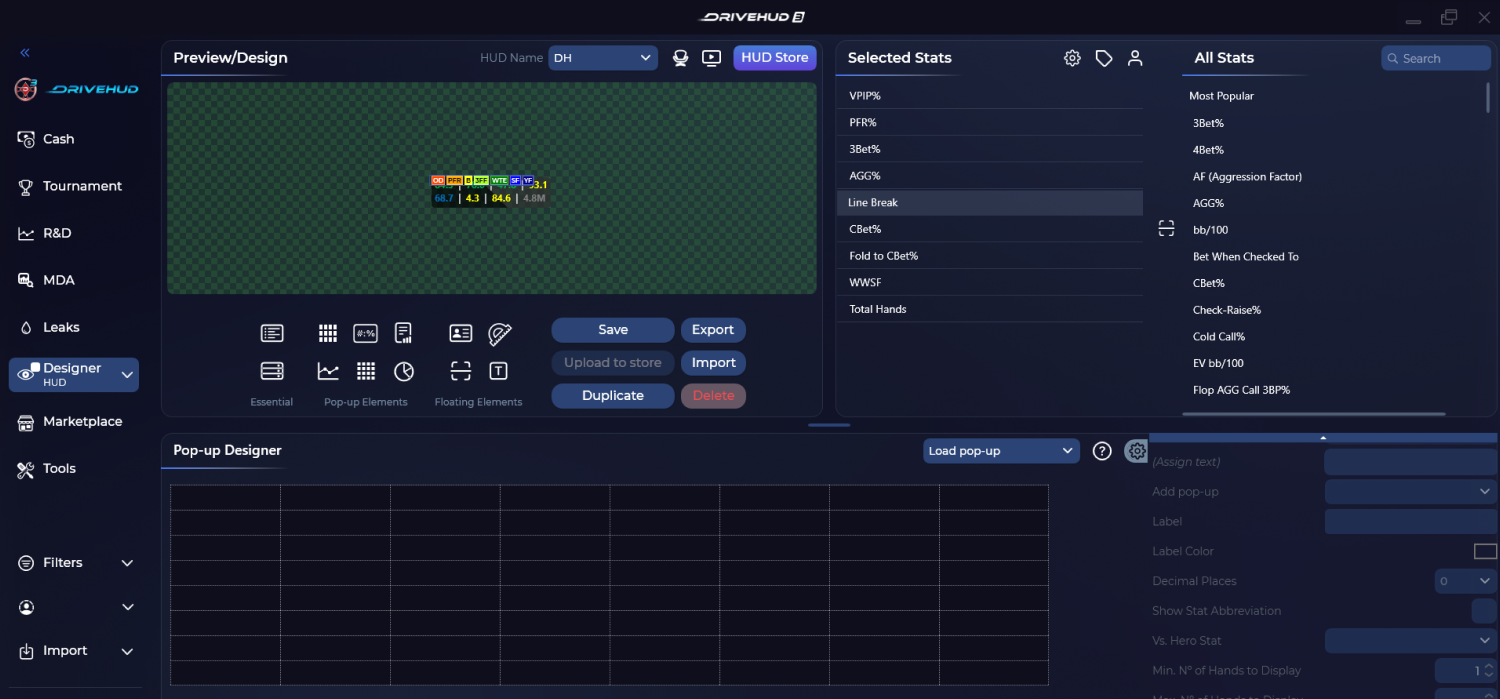
Create your own poker HUD and Popup layouts. Customize any Popup table structure with only the parameters you personally need.
Important! Some DriveHUD 3 features may not work in certain poker rooms due to their game policies.
DriveHUD 3 Pricing
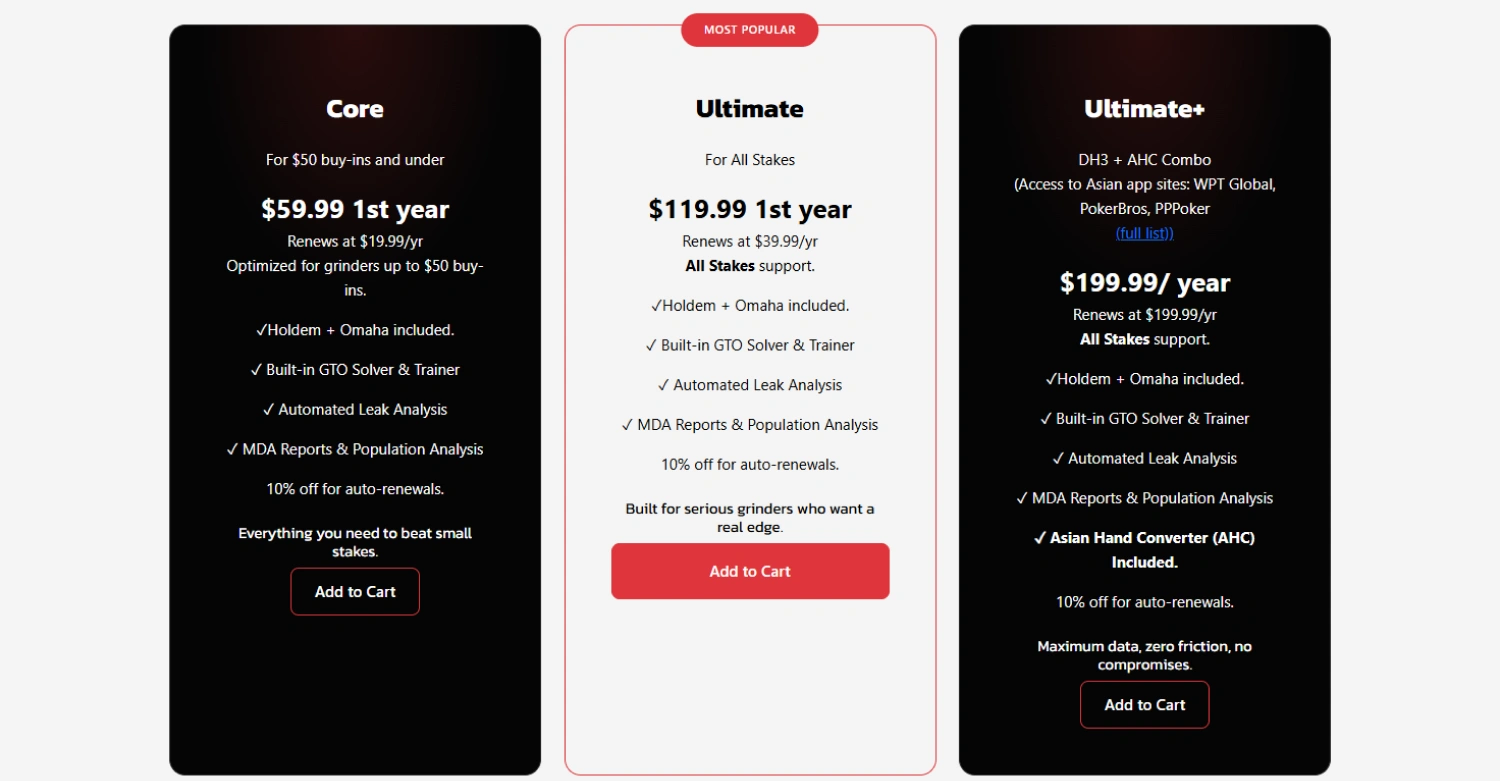
A DriveHUD 3 subscription is purchased for 1 year. Each subscription includes Hold’em + Omaha. The subscription price depends on the limits you play.
| Core | Ultimate | Ultimate+ | |
|---|---|---|---|
| 1st year Price | $59.99 | $119.99 | $199.99 |
| Renewal per year | $19.99 | $39.99 | $199.99 |
| What Stakes Supports | Optimized for grinders up to $50 buy-ins. | All Stakes support. | DH3 + AHC Combo (Access to Asian app sites: WPT Global, PokerBros, PPPoker |
| What includes | ✓Holdem + Omaha included. ✓ Built-in GTO Solver & Trainer ✓ Automated Leak Analysis ✓ MDA Reports & Population Analysis 10% off for auto-renewals. | ✓Holdem + Omaha included. ✓ Built-in GTO Solver & Trainer ✓ Automated Leak Analysis ✓ MDA Reports & Population Analysis 10% off for auto-renewals. | ✓Holdem + Omaha included. ✓ Built-in GTO Solver & Trainer ✓ Automated Leak Analysis ✓ MDA Reports & Population Analysis ✓ Asian Hand Converter (AHC) Included. 10% off for auto-renewals. |
DriveHUD 3 Upgrade
If you previously purchased DriveHUD 2, you’ll receive a discount on the upgrade to version DriveHUD 3. The discount amount depends on how long ago you purchased DriveHUD 2:
Purchased between 5/8/26 and 6/7/26 — Free upgrade to DriveHUD 3
Purchased between 12/8/25 and 5/7/26 — 50% off coupon to upgrade
Purchased before 12/8/25 — Use today’s 25% off upgrade coupon, offer expires 6/24/26
DriveHUD 3 Verdict
DriveHUD 3 is one of the best poker HUD software. It is a powerful and versatile poker tracking software that combines an intuitive interface with an impressive range of game analysis tools. Its R&D, MDA, Leak Buster, GTO, and ICM features give players plenty of ways to study their own game and identify population tendencies. With support for both Hold’em and Omaha, customizable reports, HUDs, and a 14-day free trial, DriveHUD 3 is a strong choice for both recreational and serious players.
Advantages and Disadvantages of DriveHUD 3
- Powerful R&D and MDA tools for in-depth game and population analysis
- Built-in GTO Solver, Trainer, and ICM Calculator
- Supports both Hold’em and Omaha with every subscription
- Intuitive interface and fast report loading
- Highly customizable HUDs, popups, and reports
- 14-day free trial
- Supports 130+ Poker Sites & Networks
- Regular updates
- Responsive customer support
- Some features may be unavailable on certain poker rooms due to their policies
FAQ About DriveHUD 3
Is DriveHUD 3 suitable for beginners?
DriveHUD 3 is one of the best poker HUD software options for beginners thanks to its intuitive interface and straightforward setup. At the same time, it offers enough advanced tools for experienced and professional players, including detailed reports, population analysis, MDA, and customizable HUDs. This makes DriveHUD 3 a versatile choice for players at different skill levels.
Is DriveHUD 3 available for Windows and MacOS?
DriveHUD 3 works on Windows. On MacOS, it only works on older devices through a Windows emulator.
What are the system requirements for DriveHUD 3 stable performance?
- Windows 10+
- 8GB+ RAM (16GB recommended)
- Windows-based CPU
Is DriveHUD 3 a good PokerTracker 4 alternative?
Yes. DriveHUD 3 can be a strong PokerTracker 4 alternative, especially for players who want more advanced game-analysis tools. It offers customizable HUDs, detailed reports, population analysis, MDA, Leak Buster, built-in GTO and ICM tools, and supports both Hold’em and Omaha. DriveHUD 3 also has a more modern and intuitive interface, making it a good option for players looking for a feature-rich alternative to PokerTracker 4.






Log in to join the discussion
Share your thoughts and see what others have to say.