EN
EN  DE
DE 

Black Chip Poker Mobile App: How To Download for iOS and Android
Black Chip Poker is an online poker room that runs on the Winning Poker Network (WPN), one of the largest offshore poker platforms available to players outside regulated US state markets. The Black Chip poker app gives access to the same tables, tournaments, and cashier features as the desktop client; cash games, Blitz Poker, Jackpot Spinz, and multi-table tournaments all run within a single mobile interface.
This guide covers the Black Chip poker download process for both iOS and Android, system requirements, registration, and common issues players run into. All information is based on our research and direct testing of the application in 2026.
Download Black Chip Poker Mobile App for iOS (Step by Step)
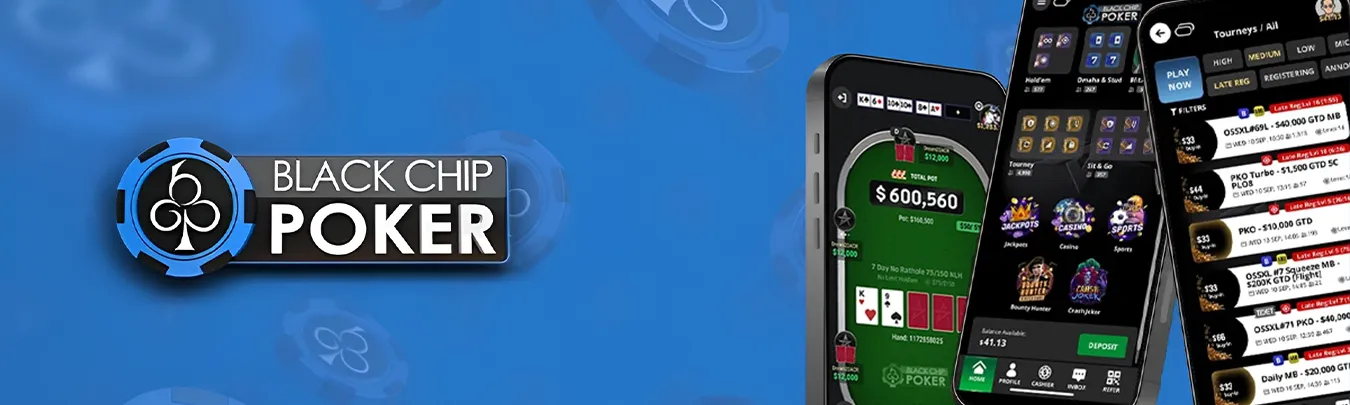
The Black Chip poker iOS app is not available on the Apple App Store. The platform uses Apple’s Enterprise certificate program to distribute the application directly to users. This means you need to request the download link manually and configure your device to trust the developer profile before the app will open.
Based on our own experience, this process takes around 4 to 8 minutes the first time. Here is how it works:
- Go to the official Black Chip Poker site on your iPhone browser.
- Find the iOS download section and submit your email address to receive the installation link.
- Open the email on your iPhone and tap the download link.
- A page resembling the App Store interface will appear. Tap “Install” to trigger an itms-services:// download of the .ipa file.
- When prompted, confirm the installation.
- Before launching the app, go to Settings > General > VPN & Device Management. Find the developer profile and tap “Trust.”
- Return to your home screen and open the Black Chip Poker app.
The app is signed with an Enterprise certificate rather than an individual App Store certificate. Apple does not review or audit this type of software before distribution. If Apple revokes the certificate, which happens periodically, the app will stop opening until a new version with a fresh certificate is installed. In practice, this means you may need to repeat the full installation cycle every few weeks or months.
Download Black Chip Poker APK for Android (Step by Step)
The Black Chip poker Android app is distributed as a standard APK file. Google Play does not carry it, so you download the installer directly from the Black Chip Poker site. Android handles this type of install more predictably than iOS, and updates follow a simpler process.
- Open the site in your Android browser.
- Navigate to the Android App download section.
- Tap the download button for the APK file (BlackChipPoker.apk).
- Your browser will ask for permission to install from unknown sources. Allow it.
- Once the download finishes, open the file from your notifications or Downloads folder.
- Tap “Install” and wait for the process to complete.
- Launch the app and log in or register a new account.
If you already have a Black Chip Poker account from the desktop client, your login credentials work directly in the mobile app, no separate registration is required.
Black Chip Poker App System Requirements
Our research indicates that the following specifications are what you realistically need for stable performance in 2026. Devices that fall short of the recommended figures tend to produce slowdowns during fast-fold formats like Blitz Poker.
| Parameter | Android (APK) | iOS (IPA) |
|---|---|---|
| Operating System | Android 8.0 or higher | iOS 14.0 or higher (iOS 17.0+ may be required depending on the active certificate) |
| Device | Any Android phone or tablet meeting the specs below | iPhone 8 or newer |
| RAM | 2 GB minimum / 4 GB recommended | Not specified; iPhone 8 and later handle it without issues |
| Screen Resolution | 800×480 minimum / 1280×720 recommended | Standard iPhone resolutions supported |
| Free Storage | 500 MB minimum / 1 GB recommended | Approx. 1 GB required |
| Internet Connection | 4G, 5G, or Wi-Fi | 4G, 5G, or Wi-Fi (location services must be enabled) |
One thing worth noting: the iOS version requirement is technically tied to the Enterprise certificate in use at any given time. The listed minimum of iOS 14.0 is nominal; our tests have shown that after a certificate renewal, the effective minimum can shift to iOS 17.0. If your device runs an older OS version and the app fails to install after a certificate revoke, updating iOS is the most reliable fix.
How To Update Black Chip Poker App to the Latest Version
Neither the Android nor the iOS version of Black Chip Poker updates through an app store. Updates have to be handled manually or through in-app prompts.
Updating on Android
When a new version becomes available, the Black Chip poker Android app detects it on launch and offers to download the updated APK automatically. If that prompt does not appear, visit the Black Chip Poker site, download the latest BlackChipPoker.apk, and install it directly over the existing version. Android allows this kind of over-installation without requiring you to remove the old app first.
Updating on iOS
When you launch the app, it checks for available updates automatically. If the update does not involve a new certificate, no reinstall is needed, as the app handles it internally. But when a new certificate is part of the build, the process requires manual steps: delete the existing app, request a fresh download link via email, install the new .ipa file, and reconfirm the developer profile trust in Settings. If Apple has revoked the current certificate entirely, the app stops opening without warning, and the only way back in is a full reinstall using a new build from the developer.
Registration Process via Black Chip Poker App (Step by Step)
Registration takes under two minutes. The form asks for a minimum of details, so no address or phone number is required at this stage.

Open the app and tap “Sign me Up” at the login screen.
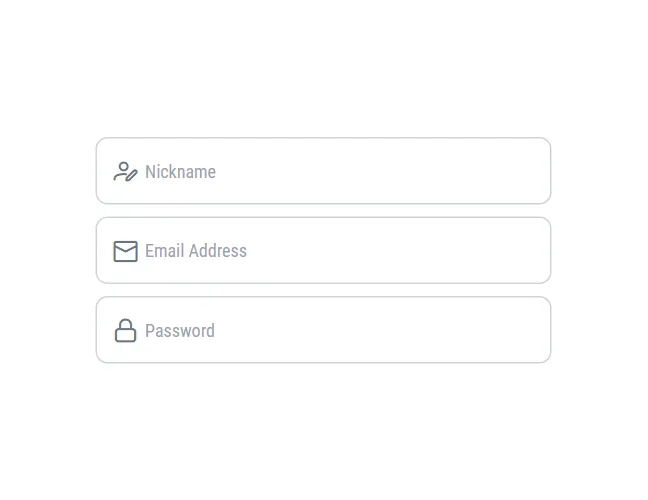
Enter your username, email address, and set a strong password.

Tap the “Send code” button and then enter the verification code sent to your email. The code expires, so use it promptly; a “Resend Code” option is available if needed.
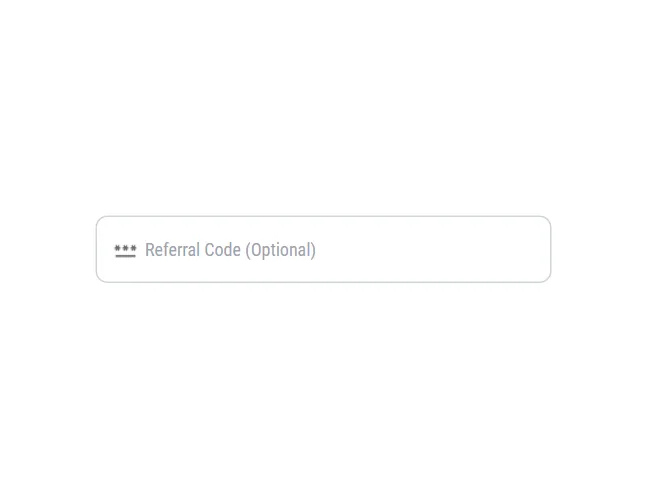
Add a referral code if you have one (optional).

Tap “Sign Up” to complete the process.
Play Black Chip Poker App for Real Money
Black Chip Poker operates under a gaming license issued in Curaçao, offering a poker app for real money for players outside restricted jurisdictions. Which countries and US states can legally use the app is covered in the sections below.
Legal States for Using the Black Chip Poker App
Black Chip Poker operates offshore and does not hold a license inside the United States. Certain states have passed their own laws prohibiting online poker, and the room blocks players from those locations at the registration and download stage. The table below covers all restricted regions.
| Region Type | Restricted Locations |
|---|---|
| US States (blocked) | Washington, Kentucky, Maryland, New Jersey, Delaware, Nevada, Louisiana, Mississippi, Michigan |
| Countries (blocked) | Australia, Netherlands, Germany, Slovakia, Belgium, Estonia, France and French Territories, Israel, Italy, North Korea, South Korea, Spain, Sweden, Turkey, Australian Territories, Netherlands Territories |
Players outside these regions can access the room and fund their accounts; cryptocurrency is the most reliable deposit method where traditional banking options are limited.
Black Chip Poker App in the United Kingdom
UK players have full access to Black Chip Poker. The site is available, the app installs without restrictions, and real money play is supported. Deposits work through the standard cashier; cryptocurrency is the fastest option, though credit cards are available as well. The registration process follows the same steps as for any other region.
Benefits of the Black Chip Poker Mobile App
Based on our in-depth experience with the platform, the dedicated software covers essential use cases without compromising the core gameplay. The application provides several distinct advantages for players who prefer not to be tied to a desktop setup.
- Poker in Your Pocket: The poker app delivers a complete playing environment directly to your smartphone. The cashier section is fully functional, meaning you can make deposits and withdrawals without switching to a desktop browser.
- Blitz Efficiency: Playing on a smaller screen requires a streamlined approach, and the Black Chip poker mobile client includes the Blitz Poker format. This fast-fold variant instantly transports you to a new table the moment you fold your hand, allowing you to play a high volume of hands efficiently while on the move.
Black Chip Poker Mobile App Overview
The app carries the full feature set of the desktop client, meaning the same tables, same tournaments, and the same cashier. Nothing is cut down for the mobile version, which is not something every poker room gets right. Cash games, Blitz, Sit & Gos, and tournament lobbies all run exactly as you would expect from the desktop, just from your phone.
In practice, the Black Chip poker mobile app works best as a substitute when you are away from home. It covers everything you would normally do at a desk; check schedules, register for tournaments, play a cash game session, or process a withdrawal. Both Android and iOS deliver a consistent experience that holds up as a genuine alternative to the desktop client, not just a stripped-down companion.
FAQs About Black Chip Poker App
Is it safe to use the Black Chip Poker app to play poker?
The WPN network uses a Random Number Generator certified by iTech Labs, and the security team reviews hand histories for collusion. For real money poker players, identity verification is required before withdrawals. The Android APK comes directly from the official Black Chip Poker site. The iOS version uses an Enterprise certificate that bypasses Apple’s app review process, which means it has not been independently audited for code security. Whether that level of risk is acceptable is a personal decision.
Can I download the poker app for free?
Yes. The Black Chip poker download is free on both Android and iOS. You pay nothing to install the app or create an account. Real money play requires a deposit, which starts at $10.
Are all Black Chip Poker bonuses available for mobile players?
Bonuses and promotions are tied to your account, not to the client you use to access it. Any offer available via the desktop version is accessible on mobile as well, including the welcome bonus, rakeback, freerolls, and tournament tickets. The terms and conditions for each bonus apply regardless of platform.
Do I need to register for the Black Chip Poker app separately?
No. If you already have a Black Chip Poker account, log in with your existing credentials. If you are new, you can register directly inside the app without visiting the desktop site first. Keep in mind that one account per player is enforced across each individual network skin.
Do I need to update the Black Chip Poker app to the latest version?
Yes. On iOS, if a new feature requires an updated API, the app physically blocks launching on older system versions. If Apple revokes a certificate, the app stops working until you install the latest version.
Can I play with friends on the Black Chip Poker app?
While it is not explicitly forbidden to join the same tables as acquaintances, the network strongly recommends against it to avoid collusion concerns. However, playing from the same IP address is strictly prohibited, and the system will actively prevent you from sitting together. Any detected fraudulent partnerships will result in immediate account termination and seized funds.
What should I do if the Black Chip Poker app doesn’t work?
If the Black Chip poker iOS app displays “Unable to Verify App” (an integrity check error), the corporate certificate has been revoked by Apple. The only recovery method is a complete reinstallation of a new version with a valid certificate.
How to delete (uninstall) the Black Chip Poker app?
Android: Long-press the app icon on your home screen or app drawer, then tap “Uninstall.” Alternatively, go to Settings – Apps – Black Chip Poker – Uninstall. iOS: Long-press the app icon until the edit mode activates, tap the minus icon, then confirm deletion. On iOS, also go to Settings – General – VPN & Device Management and remove the developer profile if you do not intend to reinstall.
How to create a club in the Black Chip Poker app?
The application does not include a club creation feature. You cannot build private clubs or host exclusive home games through the mobile platform.

 PokerListings