EN
EN  DE
DE 

Americas Cardroom Registration and Login Process
Creating an Americas Cardroom account is the first step to playing safe and competitive online poker. The registration process is simple, quick, and designed to provide players with immediate access to cash games, tournaments, and promotions. By completing the registration process correctly, you’ll ensure seamless deposits, withdrawals, and account verification in the future.
A registered account also allows you to manage bonuses, track your gameplay, and contact support if needed. Understanding how the registration and ACR login poker process works will help you avoid common mistakes and begin playing confidently in a safe and regulated poker environment.
How to Register a New Account at Americas Cardroom
Creating a new account at Americas Cardroom is quick and convenient. The registration process takes just a few minutes, and once completed, you can download the poker client, log in, and start playing cash games or tournaments. To avoid verification issues, it’s important to enter accurate personal information during registration. Follow the step-by-step instructions below to successfully create your account.

Go to the Americas Cardroom homepage and click the “Log in” button, then “Create New Account”.
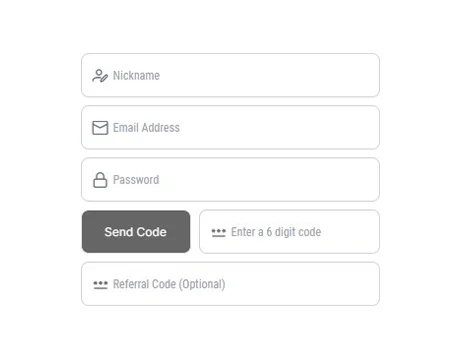
Enter the required details, including:
- Choose a unique nickname (this will be your poker screen name).
- Provide a valid email address.
- Create a strong and secure password.
- Enter the verification code sent to your email.
- Add a referral or bonus code.

Click the “Sign Up” button to complete the process. You should receive a confirmation message once your account is successfully created.
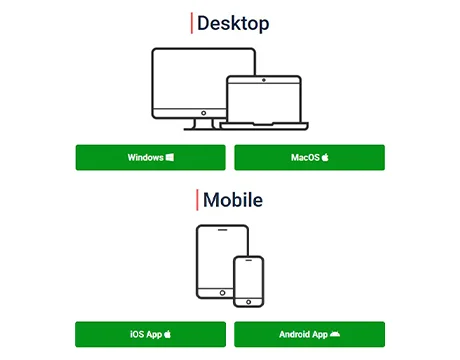
After registration, download the Americas Cardroom client on your preferred device:
- Windows or macOS (Desktop)
- iOS or Android (Mobile app)
Login to Your Account
Accessing your Americas Cardroom account is simple and only takes a few seconds. Once registered, you can log in through the website or the downloadable poker client. Logging in allows you to manage your balance, claim bonuses, join cash games and tournaments, and handle deposits or withdrawals securely. Make sure you use the same credentials created during registration and keep your Americas Cardroom login details private to protect your account.
Go to the Americas Cardroom homepage or launch the installed software on your device.
Type the email address you used during registration.
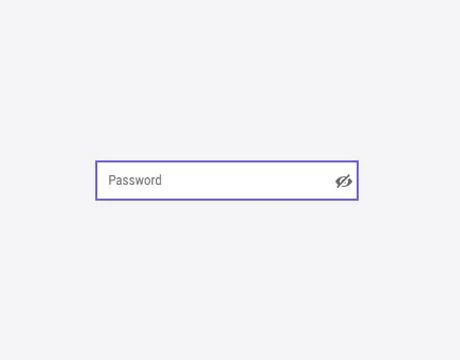
Input your secure password carefully. Use the “show password” option if needed to avoid typing errors.
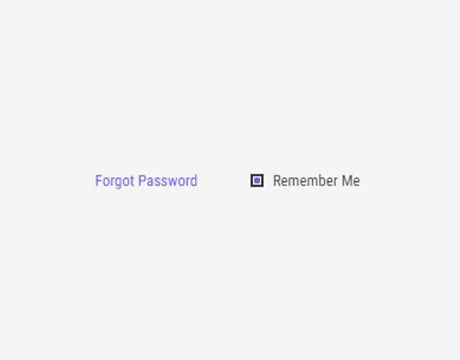
Check this box if you’re using a private device and want quicker access in the future.

Press the green “Log In” button to access your account.
If you forget your password, click “Forgot Password” to reset it securely via email.
Account Verification
Account verification at Americas Cardroom is an important step for security, fraud prevention, and regulatory compliance. While you can quickly register and start using the platform, verification is required before withdrawal requests can be processed. Players will be asked to provide a valid government-issued photo ID, proof of address, and proof of payment method.
The Americas Cardroom verification process helps protect your funds and verify your identity. To avoid delays, ensure all documents provided are clear, current, and match the information you provided during registration. Once approved, your account will be fully verified, allowing for seamless withdrawals and uninterrupted access to all features.
Register an Account at Americas Cardroom via Mobile App
The Americas Cardroom mobile app is available for both Android and iOS users, making it easy to play poker on the go. Registering an Americas Cardroom account via the mobile app is quick and convenient, allowing you to start playing online poker directly from your smartphone or tablet. The mobile registration process is designed to be convenient, secure, and optimized for smaller screens. Once you create an account, you’ll be able to access cash games, tournaments, bonuses, and manage deposits and withdrawals, all from your mobile device.
Visit the official Americas Cardroom website from your mobile browser and download the app compatible with your device (Android or iOS).

Launch the installed application and tap the “Log in” button, then “Create New Account”.
Fill out the registration form with:
- A unique nickname (your poker screen name)
- A valid email address
- A strong password
- Any required verification code will be sent to your email
- Optional referral or bonus code
Tap “Sign Up” to complete the process. You’ll receive confirmation once your account is successfully created.
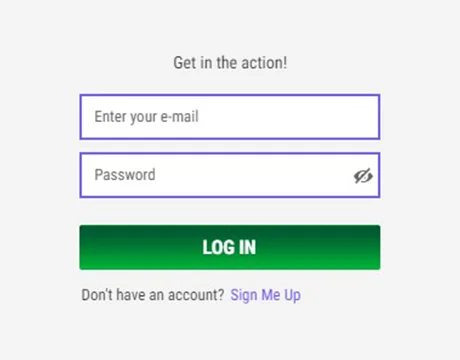
Use your credentials to log in, make a deposit, and begin playing online poker from your mobile device.
The platform operates as a real money poker room app, giving players the opportunity to join real-money games in jurisdictions where such play is legally permitted.
Americas Cardroom Sign-Up Bonuses and How to Claim Them
Americas Cardroom offers a sign-up bonus and numerous ongoing promotions designed to reward both new and returning players. New users can receive a 100% welcome bonus up to $2,000, providing additional value in their gaming account after their first qualifying deposit. Beyond the initial offer, ACR also offers reload bonuses, special promotions, and leaderboard competitions to reward consistent play throughout the year.
Understanding how to properly claim and activate your ACR poker bonus will ensure you don’t miss out on additional funds for your game:
- Account Registration: Create your Americas Cardroom account through the official website or poker client.
- Enter Bonus Code: During registration or before making a deposit, enter the appropriate welcome bonus code.
- Make your first deposit: Go to the Cashier and make a deposit that meets the minimum requirements.
- Claim your bonus: Bonus funds will be credited automatically or in installments, depending on the promotional terms.
- Meet Wagering Requirements: Clear your bonus funds by playing cash games or real money tournaments according to the promotional rules.
Always review the specific terms and conditions to understand wagering requirements, expiration dates, and eligibility criteria.
Tips for New Players After Registering at Americas Cardroom
After completing your registration at Americas Cardroom, it’s important to take a few smart steps before jumping into poker games for real money. Starting with a clear strategy and understanding how the platform works can help you protect your bankroll, maximize bonuses, and improve your overall poker experience. New players who prepare properly often enjoy smoother gameplay and better long-term results.
- Complete Account Verification Early: Submit your documents in advance to avoid withdrawal delays later.
- Claim the Welcome Bonus: Check available promotions and enter any bonus codes during your first deposit.
- Start with Lower Stakes: Begin with micro-stakes cash games or small tournaments to build confidence and experience.
- Learn the Software Features: Explore the lobby filters, hand history tools, and table settings to optimize gameplay.
- Manage Your Bankroll Wisely: Only play with funds you can afford to lose and avoid risking your entire balance in one session.
- Use Responsible Gaming Tools: Set limits if needed and take breaks to maintain control over your play.
- Practice Game Selection: Choose tables that match your skill level and avoid jumping into high-competition games too early.
FAQs About Americas Cardroom Sign Up Process
Is it legal to create an account at Americas Cardroom in the USA?
Americas Cardroom accepts players from many U.S. states; however, online poker regulations vary by state. It is your responsibility to check local laws before registering. Always review the platform’s terms and conditions to confirm eligibility based on your location.
Can I register at Americas Cardroom if I am under 18?
No. You must be at least 18 years old to register and play at Americas Cardroom. Underage accounts are strictly prohibited and may be permanently closed if detected.
What types of poker games does ACR offer?
Americas Cardroom offers Texas Hold’em, Omaha, Omaha Hi-Lo, and various tournament formats, including Sit & Go’s and large guaranteed events. Cash games and progressive knockout tournaments are also available for different bankroll levels.
How to install the Americas Cardroom software or mobile app?
Visit the official website, create an account, and download the poker client for Windows or macOS. Mobile users can access the platform via Android installation files or supported mobile options directly from the website.
Is Americas Cardroom available in my country?
Americas Cardroom is available in many countries, but some regions may be restricted. Availability depends on local gambling regulations. Check the site’s terms or contact customer support to confirm whether registration is permitted in your country.
What should I do if I forget my ACR poker login details?
Click the “Forgot Password” link on the ACR poker login page and follow the instructions to reset your credentials via email. If you no longer have access to your email, contact customer support for identity verification assistance.
How do I delete my Americas Cardroom account?
To close your account, contact Americas Cardroom customer support directly. They may request identity verification before processing the request. Once closed, access to the account and remaining promotions may be permanently removed.

 PokerListings