EN
EN  DE
DE 
PokerStars Casino App: Download for iOS & Android
The PokerStars casino app lets players enjoy casino entertainment directly from their smartphones. Whether you prefer Android or iOS, the app provides quick access to a wide range of online games, secure payments, and convenient account management in one place.
In this guide, you’ll learn how to download the latest version of the Poker Stars app for Android and iOS in 2026 and start playing in just a few steps. You can also discover the basic requirements, available features, and what you can expect from the mobile experience. Follow our step-by-step instructions to download the app and explore casino games anytime, wherever you are.
PokerStars Casino Mobile App Review
The PokerStars casino app allows players to access a full range of mobile casino features in one place. After installing the app, users can browse games, manage their account, and participate in promotions directly from their device. The interface is designed specifically for smartphones, making navigation between different sections simple and convenient.
Since the application is available for both major mobile operating systems, the installation process differs slightly depending on your device. The guides below explain how to download and install the app on Android and iOS step by step:
Download PokerStars Casino App for Android
Downloading the PokerStars Android app through the Google Play Store is a quick process that lets you start playing casino games on your smartphone within minutes. Follow the steps below to complete the PokerStars download Android process without delays:
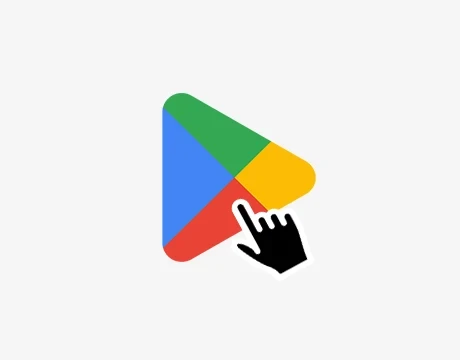
Launch the Play Store on your Android device and use the search bar to find the PokerStars application.
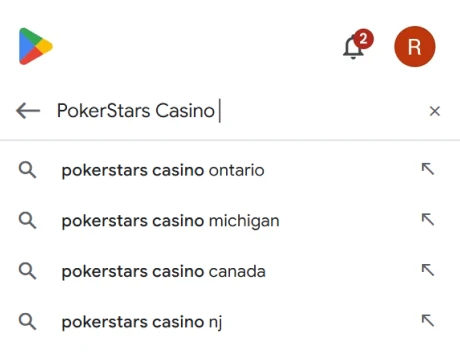
Type “PokerStars Casino” and select the official PokerStars casino app from the results list.
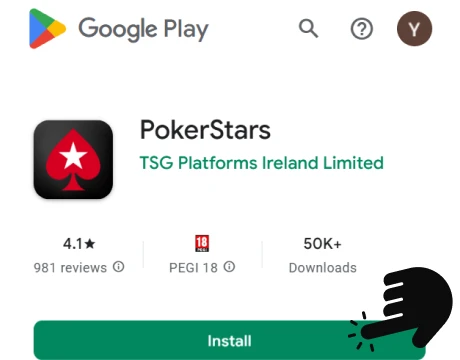
Tap the Install button to begin the PokerStars app download on your device.
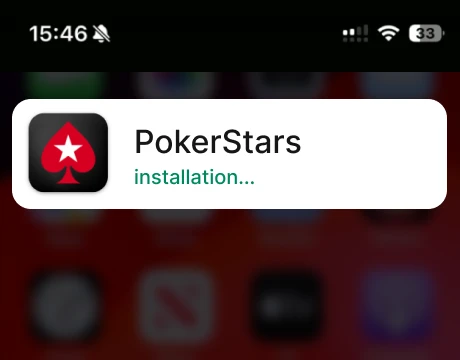
The system will automatically download and install the PokerStars app Android.
After installation, launch the PokerStars app, log in to your account, or create a new one.
The Android version installs directly through the Play Store, making the setup quick and secure while ensuring the app updates are smooth when new versions are released.
Download PokerStars Casino App for iOS
iPhone and iPad users can install the PokerStars app iOS version directly from the Apple App Store. The PokerStars download process is simple and only takes a few steps:
Launch the App Store on your iPhone or iPad.
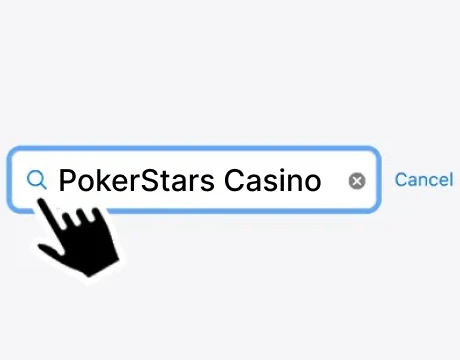
Enter “PokerStars Casino” in the search bar to find the official PokerStars app.
Tap the Get button to begin the PokerStars download on your device.
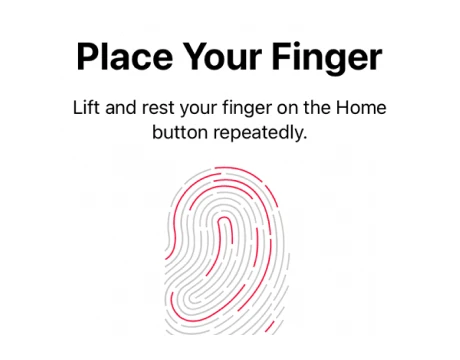
Use Face ID, Touch ID, or your Apple ID password to confirm the download.
Once installed, open the PokerStars mobile app and log in or register to start playing.
Installing the iOS version through the App Store provides a reliable and secure installation process. It also ensures the application receives official updates, helping maintain stable performance and access to the newest improvements.
Poker Stars App System Requirements
Before installing the PokerStars mobile app, it’s important to check whether your device supports the application. The Poker Stars app is optimized for both Android and iOS smartphones.
While most modern smartphones support the PokerStars casino app, the exact requirements depend on the operating system and device model. The table below shows the key system requirements for Android and iOS versions:
| Requirement | Android | iOS |
|---|---|---|
| Operating System | Android 8.0 or later | iOS 14.0 or later |
| App Size | ~140-160 MB | ~287 MB |
| Device Compatibility | Android smartphones and tablets | iPhone, iPad |
| Download Source | Google Play Store | Apple App Store |
Meeting these requirements ensures that the PokerStars app download process runs correctly and that the app works smoothly on your device.
How to Update the PokerStars Casino App
Updating the PokerStars casino app ensures that you are using the latest version with improved performance, security updates, and new features. Since the PokerStars mobile app is installed through official stores, updates are delivered directly through the Google Play Store and the App Store:
You can keep the Poker Stars app updated automatically or install updates manually at any time:
- Open the app store on your device. PokerStars Android users should launch the Google Play Store, while iPhone users should open the Apple App Store.
- Access your profile or settings. Tap the profile icon in the store to open your account and application management options.
- Check available updates. Navigate to the section showing apps with available updates.
- Locate the PokerStars app. Find the app PokerStars in the list of installed applications.
- Update the application. Tap Update to install the newest version.
If automatic updates are enabled in your device settings, the PokerStars app will update automatically whenever a new version is released. Once the update is complete, you can open the app and continue playing with the latest improvements and features.
Registration Process via PokerStars Casino App
Creating an account in the PokerStars casino app is straightforward thanks to its mobile-friendly interface and clear navigation. The registration form is easy to find on the login screen, and the process only requires a few basic details. Follow the steps below to set up your account in the PokerStars mobile app:
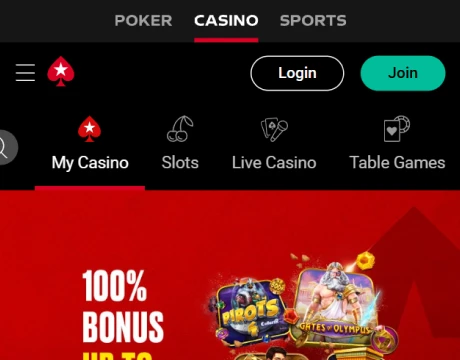
Launch the PokerStars mobile app on your smartphone or tablet.

On the login screen, select “New to PokerStars? Join Now”.
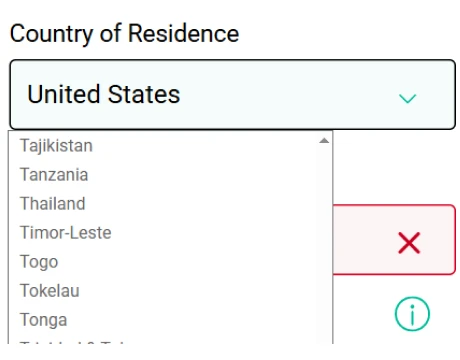
Choose your country of residence from the available list.
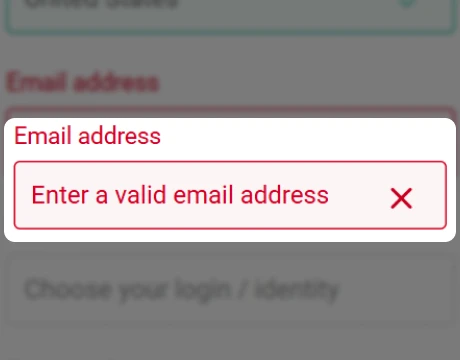
Provide a valid email that will be used for account verification and communication.
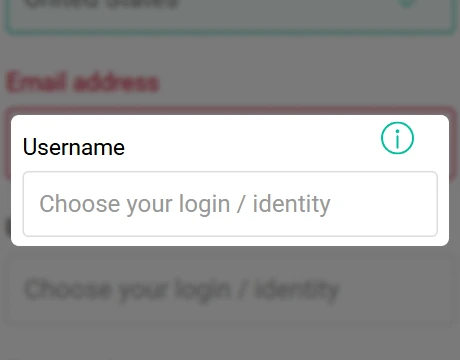
Create a username with at least four characters. This name will be visible to other players and cannot be changed.
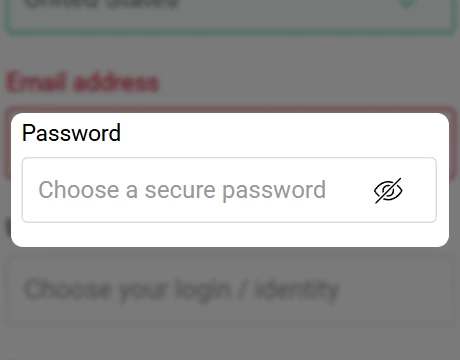
Set a secure password for your account, then submit the form to complete the registration.
If you already have an account, simply enter your existing login details in the Poker Stars app. If you cannot remember your password, tap “Forgot password?” on the login screen and follow the recovery instructions.
Casino Games Available in the App
The PokerStars casino app gives players access to a wide selection of casino games directly from their mobile devices. After completing the Poker Stars download, users can explore hundreds of titles designed for smooth gameplay on smartphones and tablets. The mobile app includes everything from classic slots and table games to live dealer tables and specialized casino experiences.
Games are organized into categories, making it easy to find the type of game you prefer. Below, you can explore the main categories of casino games available in the app:

Slots Games
Slots are one of the largest and most popular game categories available in the PokerStars casino app. These games are designed for simple and engaging gameplay, offering a wide variety of themes, graphics, and bonus features. Players using the PokerStars mobile app can explore classic slots as well as modern video slots with advanced mechanics and interactive bonus rounds.
Slot titles in the Poker Stars app are developed by well-known providers and include features such as Free Spins, multipliers, expanding symbols, and jackpot prizes. The app also offers several different slot types, including classic slots, Megaways™ slots with thousands of potential winning combinations, and progressive jackpot slots where prize pools grow with each bet.
Some of the most popular slot games available in the app include:
- Legacy of Dead.
- Book of Dead.
- Buffalo Rising Megaways™ JPK.
- Cashzuma.
- Big Bass Splash.
This wide selection makes the slot section one of the most frequently used areas of the PokerStars casino app, offering both quick gameplay sessions and feature-rich games for longer play.
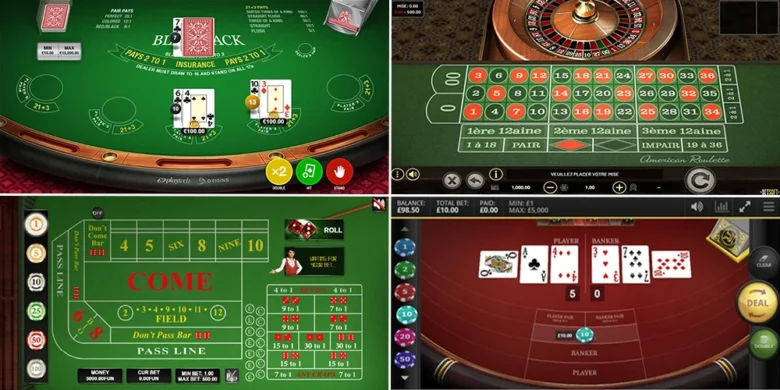
Table Games
Table games are a core part of the casino experience, and the PokerStars casino app offers a variety of classic options designed for mobile play. These games combine simple mechanics with strategic elements, making them popular among both beginners and experienced players.
In the PokerStars mobile app, players can explore well-known casino table games such as:
- Roulette.
- Blackjack.
- Baccarat.
- Poker variants.
Live Dealer Games
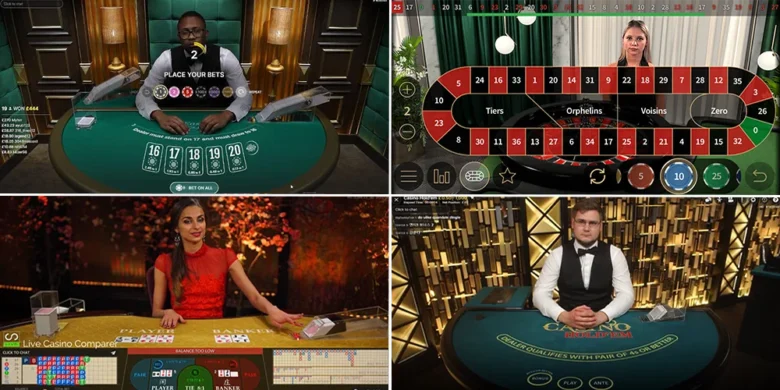
The PokerStars mobile app also features live casino games that recreate the atmosphere of a real casino. These games are streamed in real time and hosted by professional dealers, allowing players to interact with the table while playing from their devices.
Live dealer games available in the PokerStars casino app include:
- Live Roulette.
- Live Blackjack.
- Live Baccarat.
- Live poker variants.
- Game shows such as Money Time and Sweet Bonanza CandyLand.
Players can choose from different tables and stake levels, making it possible to find a game that suits their preferences.

Specialized Games
The PokerStars casino app also includes a category of instant win games. These titles focus on fast gameplay and simple mechanics, allowing players to see results almost instantly after placing a bet. Many of these games are part of the PokerStars Casino Originals collection and are exclusive to the platform.
Here are some popular original instant win games available in the app:
- Mines.
- FlyX.
- Dice.
- Towers.
These games provide a quick and alternative way to play in the PokerStars mobile app, especially for players who prefer short, fast-paced rounds.
Bonuses You Can Access in the PokerStars Casino App
The PokerStars casino app includes promotions that players can activate directly from the mobile platform. After registering, available rewards can be found in the My Rewards section. Some of the most notable bonuses available in the PokerStars mobile app include:
- Welcome offer with a deposit bonus of up to $1100. New players can claim a 100 percent welcome bonus on their first three deposits by using the promo code. Each deposit is matched up to $360, while the overall welcome offer can reach up to $1100.
- Spins Odyssey with up to 100 Free Spins. This promotion rewards players with 20 Free Spins for every $65 wagered on slots. The challenge can be completed up to five times every Sunday, which allows players to earn up to 100 Free Spins during the event.
- Redemption Points Rewards. Players earn redemption points when placing bets on real money casino games. These points are required to qualify for certain promotions and are also used to clear casino bonus rewards.
- Spin of the Day. This daily feature gives players one free spin on a prize wheel with rewards such as instant cash prizes, free spins, or a bonus round where the maximum prize can reach $730.
These bonuses and promotions add extra value to gameplay in the PokerStars casino app, giving players more ways to receive rewards while playing casino games on mobile.
Deposits & Withdrawals via the Poker Stars App
The Poker Stars app allows players to deposit funds and request withdrawals directly through the mobile cashier. Multiple payment options are supported, including bank transfers, cards, e-wallets, and prepaid vouchers. Below are the available payment options and their limits:
| Payment Method | Deposit Limits | Withdrawal Limits |
|---|---|---|
 Visa
Visa
|
$10 to $1500 | $100 to $5000 |
 Mastercard
|
$10 to $1500 | Not available |
 Payz
Payz
|
$10 to $2000 | $10 to $5000 |
 Muchbetter
|
$10 to $2000 | $10 to $5000 |
 Apple-pay
|
$10 to $1000 | Not available |
 Neosurf
|
$10 to $250 | Not available |
 Instant-echecks
|
$10 to $2000 | $10 to $2000 |
 Paysafe
|
$10 to $250 | Not available |
|
Interac-e-transfer
|
$10 to $2500 | $10 to $5000 |
Security Features of the PokerStars Casino Mobile App
The PokerStars casino mobile app uses several security technologies to protect user accounts, personal information, and financial transactions. These measures help ensure that gameplay and payments remain secure while using the PokerStars mobile app.
Key security features include:
- Two-factor authentication (2FA) adds an extra layer of protection during login.
- Biometric login, such as fingerprint or facial recognition, adds extra account protection.
- End-to-end encryption protects sensitive data during transactions.
- Geolocation verification to confirm that players are accessing the platform from permitted regions.
These security systems help maintain a protected environment for players using the Poker Stars app on mobile devices.
Mobile Experience in the PokerStars App
The PokerStars mobile app is optimized for comfortable gameplay on smartphones. The interface is designed for vertical use, making it easy to navigate the lobby and control games with one hand. Key buttons such as bet, spin, or confirm actions are placed within easy reach for faster interaction.
The Poker Stars app also supports cross-platform play, allowing players to switch between desktop and mobile without interrupting their session. Account balance, game progress, and settings are synchronized automatically.
FAQs About the PokerStars Casino App
Is the PokerStars Casino App available in my country?
Open the Google Play Store or Apple App Store and search for the PokerStars casino app. If the app appears and can be installed, it is available in your region.
Where can I download the PokerStars Casino App for iOS or Android?
Android users can download PokerStars mobile app from the Google Play Store, while iPhone users can install it from the Apple App Store.
What games can I play in the PokerStars Casino App?
The PokerStars casino app includes slots, table games such as blackjack and roulette, live dealer games, and instant win titles like Mines, Dice, and Towers.
How to update the PokerStars Casino App?
Open the Google Play Store or App Store, go to your profile, find the PokerStars app, and tap Update if a new version is available. If automatic updates are enabled on your device, the PokerStars casino app will update automatically when a new version is released.
What should I do if the PokerStars Casino App doesn’t work?
Restart the app, check your internet connection, and update the PokerStars mobile app.
How to uninstall the PokerStars Casino App?
To remove the PokerStars casino app from your device, press and hold the app icon. On Android, select Uninstall or go through Settings > Apps > PokerStars > Uninstall. On iOS, tap Remove App and confirm the deletion. This will completely remove the app and free up storage on your device.

 PokerListings