EN
EN  DE
DE 
Melbet Casino Mobile App Review
A well-built casino application gives players quick access to games, simple account management, and steady performance on smaller screens. The Melbet Casino app stands out for its broad gaming catalog, user-friendly design, and smooth navigation that supports play on the go.
In this review, our team examines the Melbet app from a player-focused perspective, looking at installation, usability, game variety, payments, bonuses, and overall mobile performance. The goal is to help readers understand how the app works in everyday use and what they can expect before downloading it to their device.
Download Melbet Casino App for Android
Android users can access the platform in two convenient ways: by installing the Melbet APK file or by saving the site as a Progressive Web App. Both options are simple, quick, and easy to use even for first-time users. The step-by-step guide below helps readers choose the right setup method and complete the download without unnecessary delays.
Installing via APK:
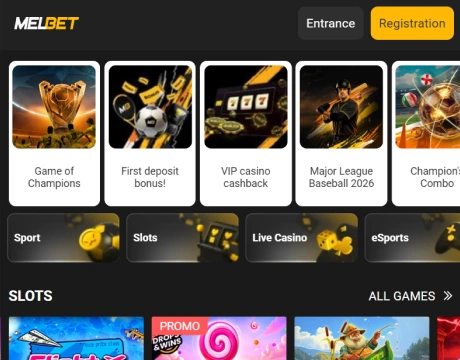
Open the official website on your Android device.
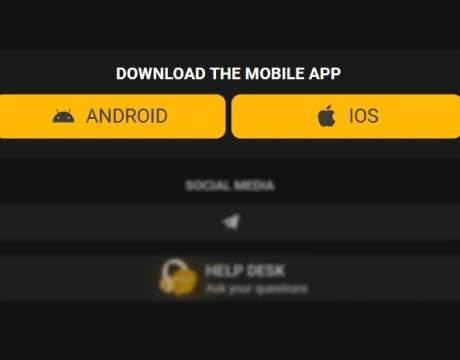
Find the Melbet Casino download option for Android.
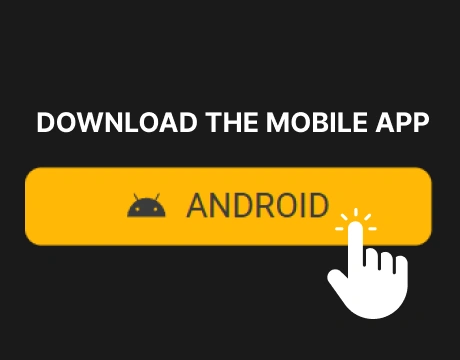
Tap the download button to get the APK file.
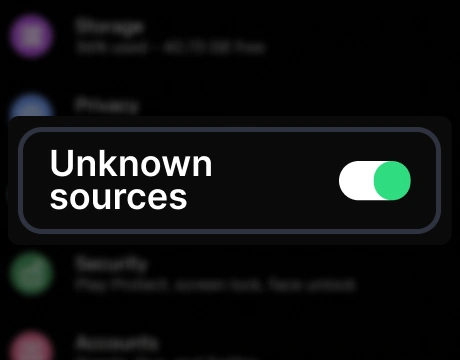
Allow installation from your browser if your device requests permission.

Open the file and complete the installation.
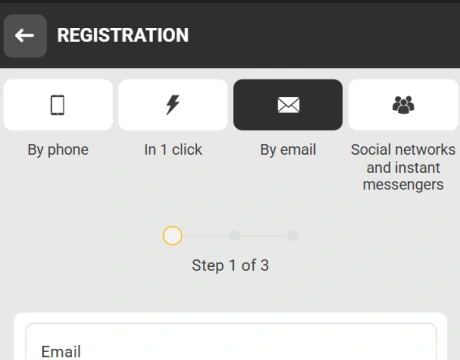
Launch the app and proceed to registration or login.
Installing PWA on Android:
Visit the official website of Melbet in your mobile browser.
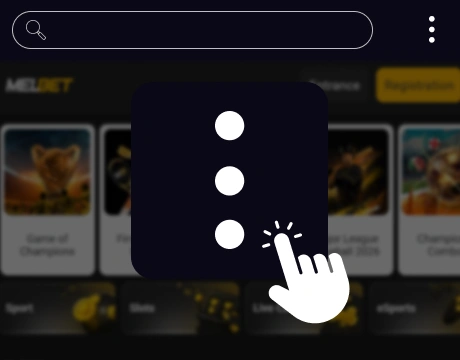
Open the browser menu on your device.
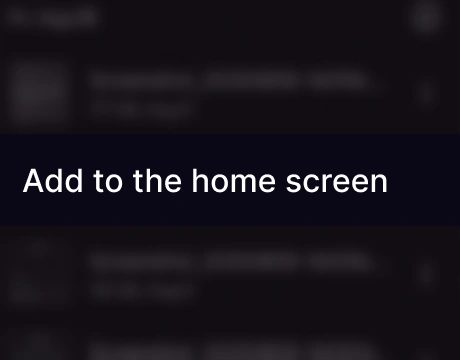
Select the option to add the site to the home screen.
Confirm the action and wait for the shortcut to appear.

Open the saved icon to use the platform like a regular mobile application.
Registration is straightforward, so after installation, players can access the platform quickly.
Download Melbet Casino App for iOS
On iOS, players can access the platform through the App Store or use the PWA version saved to the home screen. On Apple devices, the App Store route can require an extra setup step because app availability depends on the selected account region. That makes the process a bit longer than on Android, so the guide below helps readers complete the app download process correctly and avoid confusion:
Installing via App Store:

Open the App Store on your iPhone or other iOS device.
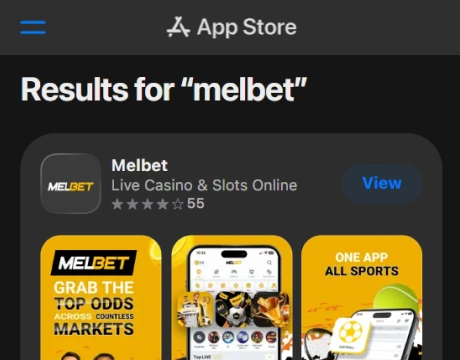
Check whether the app is available in your current region.
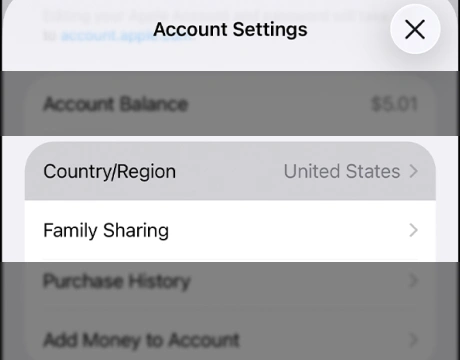
If it does not appear, open your Apple ID settings and go to Country/Region.
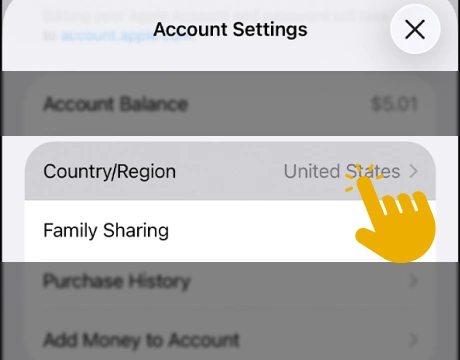
Select the option to change the country or region of your account.
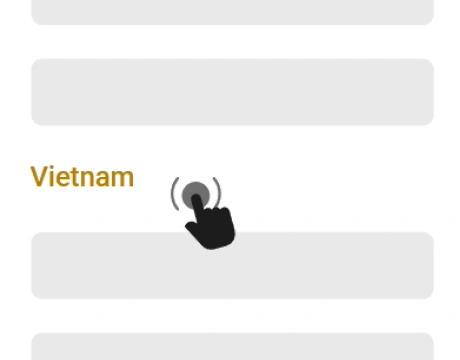
Choose a region where the app is available (you can check the full list of valid regions on the official site of Melbet).
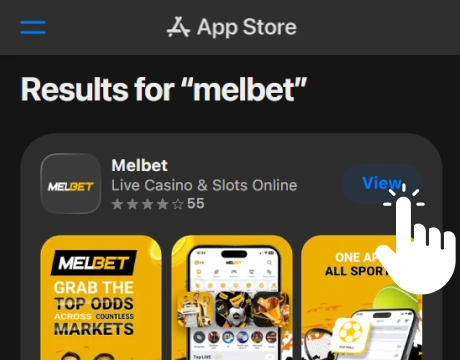
Return to the App Store, find the app Melbet Casino, and complete the installation.
Open it and proceed to registration or login.
Installing PWA on iOS:
Open the official site in Safari.
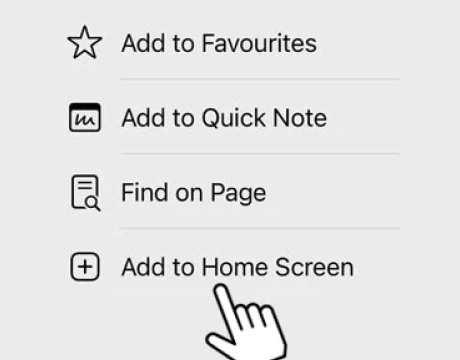
Tap Share and choose Add to Home Screen.
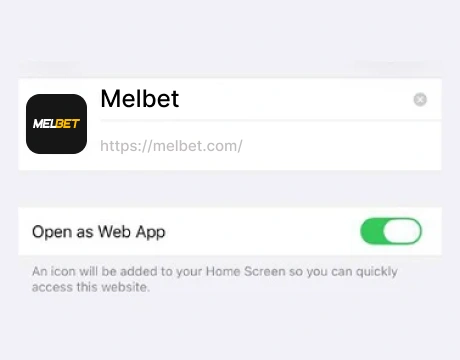
Confirm the shortcut and save it.
Open the new icon to launch Melbet in a fast mobile format.
Open the saved icon to use the platform like a regular mobile application.
This makes the PWA option a more convenient choice for players who want quicker access on iOS.
Melbet App System Requirements
The Melbet Casino mobile platform runs on most modern smartphones, so no advanced hardware is needed for installation. What matters more is basic compatibility and enough device resources for stable daily use.
The table below shows the key requirements in a clearer format, making it easier to compare Android, iOS, and the browser-based version at a glance:
| Version | Device type | Operating system | Free space | RAM |
|---|---|---|---|---|
| Android APK | Smartphone or tablet | Android 5.0 or later | 100 MB | 1 GB minimum |
| iOS app | iPhone or iPad | iOS 15.0 or later | 250 MB | 1 GB minimum |
| PWA version | Any modern mobile device | Up-to-date browser | 5 MB | No strict requirement |
How to Update the Melbet Casino App
Keeping the Melbet Casino app updated is important for stable performance, smoother navigation, and access to the latest features. We find the process easy on all main versions, though the exact steps depend on how the platform was installed.
The guide below gives readers a quick way to update the app correctly and avoid issues with an outdated mobile version:
- Open the installed app and check if an update prompt appears.
- If you use Android APK, visit the official site and download the latest file version.
- If you use iOS, update the app through the App Store when the new version appears.
- If you use the PWA version, reload the platform or reopen it after clearing the browser cache.
Registration Process via Melbet Casino App
The Melbet Casino app supports several registration methods, including phone, email, social accounts, and one-click sign-up. We consider the one-click option the easiest because it reduces the setup to just a few actions and gives players fast access to the platform.
The guide below shows how this method works and why it suits users who want to get started without a long form:

Open the registration window in the app.
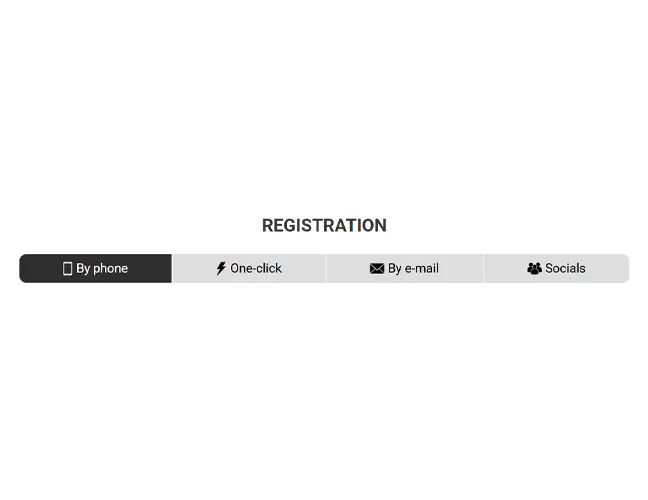
Select the one-click registration tab.
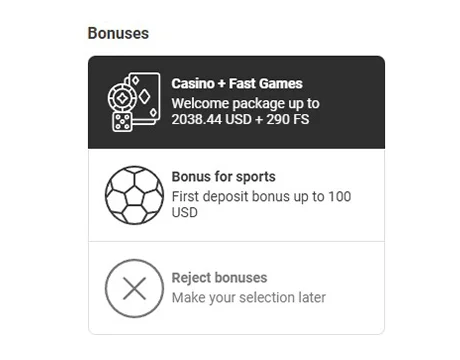
Choose one of the available welcome bonus rewards or continue without a bonus.

Confirm acceptance of the site rules, privacy policy, and age requirements.

Complete the CAPTCHA check.
Submit the form to create the account.
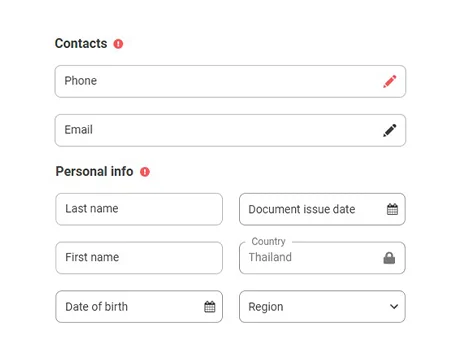
Add your email, phone number, and other profile details in the account settings after registration.
This format is convenient because it lets players enter the platform quickly and complete the remaining account details afterward.
Casino Games Available in the App
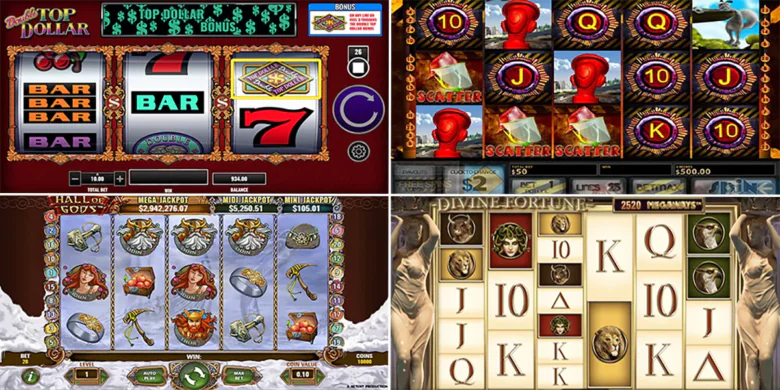
The Melbet Casino mobile lobby covers around 10,000 games, giving players a broad mix of classic casino content and fast specialty formats. Navigation is practical, with category filters that make it easier to sort the catalog by game type, and many titles can be opened in demo mode before real-money play. That matters because players can compare mechanics, pace, and style before choosing what suits them best. The main groups covered in the app include slot games, table games, live dealer games, and specialized games.
Slot Games
Slots make up the largest part of the casino lobby, with thousands of titles spread across several formats and visual styles. In the Melbet Casino app, players can browse Buy Bonus slots, Megaways releases, and 3D slots, along with games built around Hold and Win mechanics, expanding symbols, free spins, and jackpot features. The range of themes is just as broad, covering Egypt, fantasy, animals, money, and adventure.
The lineup includes Sweet Dream Bonanza from the Buy Bonus section, Lady Wolf Moon Megaways from the Megaways category, and Gonzo’s Quest II from the 3D slot selection, with other notable titles such as Buffalo Goes Wild, 3 Frozen Crowns, and All Ways Egypt.
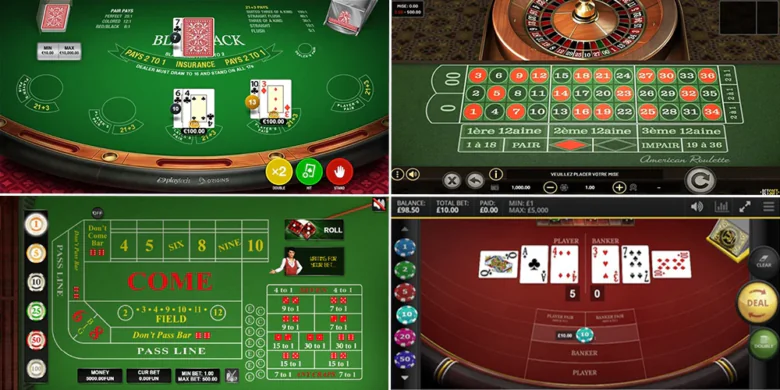
Table Games
The table game lobby in the Melbet Casino app covers a broad mix of classic casino formats and modern variations. Players can choose from multiple online roulette, online blackjack, online baccarat, poker, and sic bo titles, including standard tables, multihand versions, first-person games, and VIP-style options. That gives the section more depth than a basic table game lineup and makes it easier to switch between familiar rules and less common formats. Notable titles include European Roulette, Classic Multihand Blackjack, and Baccarat VIP.

Live Dealer Games
The live dealer lobby in the Melbet Casino mobile section adds real hosts, studio production, and a wider mix of formats than a standard live tab. Players can join live roulette, live blackjack, live baccarat, live poker, regional tables, and live game shows, so the category feels varied rather than repetitive. It includes both classic real-dealer sessions and more entertainment-driven options with faster pacing. Strong examples from the lineup include Immersive Roulette, Casino Hold’em, Korean All-In Baccarat, Blackjack Niagara Falls, and Crazy Time.

Specialized Games
The specialized games section in the Melbet app adds even more variety beyond slots and table titles. Players can switch between crash games, keno, bingo, mines-style releases, skill-based formats, and fishing-themed options, which makes this part of the lobby especially useful for shorter and more casual sessions. The selection feels broad, with both fast rounds and more feature-driven titles available. Popular picks in this part of the app include Aviator, Space XY, Bingo Planets, Fast Keno, Keno Deluxe, Mines, Mines BB, Fishing War, and Bombing Fishing.
Bonuses You Can Access in the Melbet Casino App
The Melbet Casino promotions section includes more than a basic welcome bonus, giving casino players access to sign-up deals, reloads, free spins, and loyalty-based cashback. That makes the bonus lineup useful not only at the start, but also during regular play.
The five key deals worth highlighting here are:
- Welcome package: a 450% deposit bonus plus 250 free spins spread across the first three deposits. It is available to new users who complete registration details and verify their phone number. The cash bonus comes with x40 wagering and a 7-day validity period.
- For Regulars: a Friday reload with a 50% bonus and up to 100 free spins. It is aimed at active users with recent slot and Fast Games activity. The bonus has x35 wagering and stays active for 48 hours.
- Galactic Free Spins: a weekend offer with up to 100 free spins tied to qualifying deposits. Winnings from the spins are subject to x30 wagering and must be cleared within 3 days.
- Faster Takeoff, Faster Win: a JetX-focused free spins promotion that can award up to 100 free spins on qualifying weekday deposits. The reward can be activated within 7 days, while winnings carry x30 wagering within 3 days.
- VIP Casino Cashback: a loyalty-based cashback deal that returns 5% to 11% depending on status level, with separate conditions for VIP players.
Players can also activate a promo code through the dedicated bonus showcase in the app, where available rewards, gifts, and time-limited promotion deals are grouped in one place. This section also helps track bonus stages and remaining validity, since some rewards open progressively and the timer starts from the moment a bonus is issued.
We like this mix because it supports both new and returning users. It also gives the casino section a stronger range of value than a bonus page built around just one introductory offer.
Deposits & Withdrawals via the Melbet Casino App
The payment section in the Melbet Casino mobile casino app covers a broad range of methods, which makes balance management more flexible. Players can use e-wallets, crypto, bank transfers, digital payment services, and card-based withdrawal options, so the payment setup does not feel limited to one transaction format. We rate this setup positively because it combines fast everyday methods with options suited to larger transfers.
The table below highlights some of the most common ways to make a deposit and request a withdrawal. It gives players a quick side-by-side view of limits, timing, and fee details before choosing a suitable payment option.
| Method | Deposit Min | Deposit Max | Withdrawal Min | Withdrawal Max | Transaction Time | Fees | |
|---|---|---|---|---|---|---|---|
 Credit-card
|
– | – | $7 | $6,570 | 1–3 days | – | |
 Google-pay
|
$6 | $25,000 | $600 | – | – | Instant | – |
 Skrill
|
$7 | $65,700 | $7 | $65,700 | up to 24 hours | – | |
 Webmoney
|
$0.60 | $11,400 | $0.60 | $11,400 | up to 24 hours | – | |
 Airtm
Airtm
|
$0.60 | $28,490 | $0.60 | $28,490 | up to 24 hours | – | |
 Neteller
|
$7 | Not specified | – | – | up to 24 hours | – | |
 Bank-transfer
|
$12 | $600 | $12 | $600 | 1–5 days | – | |
 Binance-pay
|
$0.60 | $11,390 | $0.60 | $11,393 | up to 24 hours | – | |
 Tron
Tron
|
$15 | Unlimited | $60 | $414,600 | up to 1 hour | – | |
 Bitcoin-cash
|
$0.80 | Unlimited | $160 | $769,450 | up to 1 hour | – |
The broad payment lineup makes the cashier more practical in daily use. Players can choose between e-wallets, bank transfers, cryptocurrencies, and other convenient solutions depending on their preferred limits and transaction style. This flexibility makes it easier to fund an account and manage cashouts without extra steps.
Security Features of the Melbet Mobile App
Security in the Melbet Casino mobile setup includes the core protections players expect from a modern gambling platform. Melbet operates under a license issued by the Curaçao Gaming Control Board, which adds an important layer of regulatory oversight. The platform also highlights an 18+ age requirement and responsible gambling tools, which improve its overall trustworthiness.
On the user side, account protection includes secure login controls, phone verification, and CAPTCHA checks that help limit unauthorized use. Payment actions are handled through encrypted connections, which is especially important when making a deposit or requesting a withdrawal. Together, these measures create a safer environment for account management, payments, and everyday mobile play.
Mobile Experience in the Melbet Casino App
The Melbet Casino app is built for full mobile compatibility, so players can move through the casino lobby, account section, payments, and bonus pages without switching to desktop. The layout adapts well to smaller screens, with clear menus, large game tiles, and fast access to main categories such as slots, live casino, and specialized games.
Navigation also feels practical in everyday use. Filters help sort large game sections more quickly, while the demo mode available on many titles makes it easier to test games before playing for real money. The app supports both Android and iOS, and the browser-based Mel bet mobile version gives players another convenient way to use the platform on the go.
FAQs about the Melbet Casino App
Is the Melbet Casino App available in my country?
Availability depends on local rules and, on iOS, on App Store region settings. The quickest way to check is to open the site or store page and see if the app is accessible.
Where can I download the Melbet Casino App for iOS or Android?
Android users can install it through the APK file or use the PWA version, while iOS users can use the App Store route or the browser-based version. Both options make it easy to access the platform on mobile.
What games can I play in the Melbet Casino App?
The casino lobby includes slots, table games, live dealer titles, and specialized formats. Players can also use filters, try many games in demo mode, and access a broad online catalog on one platform.
How to update the Melbet Casino App?
The update method depends on how the platform was installed. APK users need the newest file version, iOS owners update through the App Store, and PWA users refresh the saved version in the browser.
What should I do if the Melbet Casino App doesn’t work?
Start by checking your internet connection, restarting the app, and installing the latest version. If the issue continues, clear the cache, try the browser version, or use the Melbet Casino login mobile form to sign in again.
How to uninstall the Melbet Casino App?
On Android or iPhone, remove it the same way as any other mobile application: hold the icon and select delete. The process for PWA removal is the same.

 PokerListings