EN
EN  DE
DE 
LoneStar Casino Registration and Login Process
New players start with the LoneStar Casino sign up form, which creates the profile used across the site. That profile carries balances, bonus status, verification progress, and account access details. LoneStar Casino login starts a new session after signing out or on another device. This overview outlines registration steps, verification checks, desktop login, mobile access, games, and how to claim the welcome bonus.
How to Sign Up to Play at LoneStar Sweepstakes Casino
The LoneStar sign up process starts on the main site and takes a new user through the account form before profile checks begin. From our practical experience, accuracy matters at this stage because later reviews use the same name, contact details, and identity data.
Create the profile in this order:
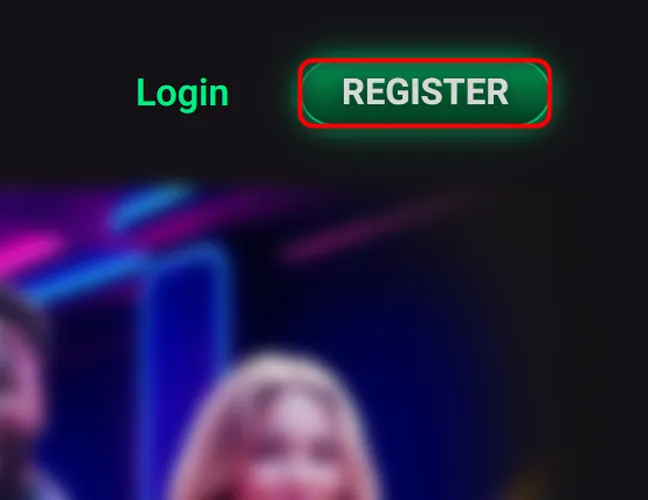
Click the registration button on the homepage.
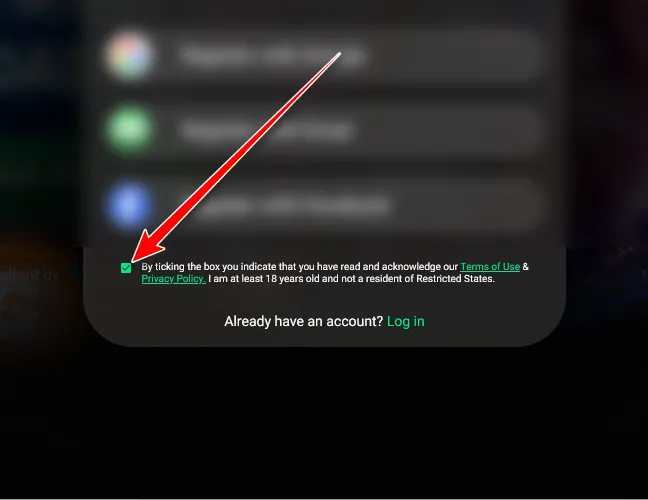
Check the box to confirm that you accept the Terms of Use and Privacy Policy, are 18 or older, and are not a resident of any Restricted State.
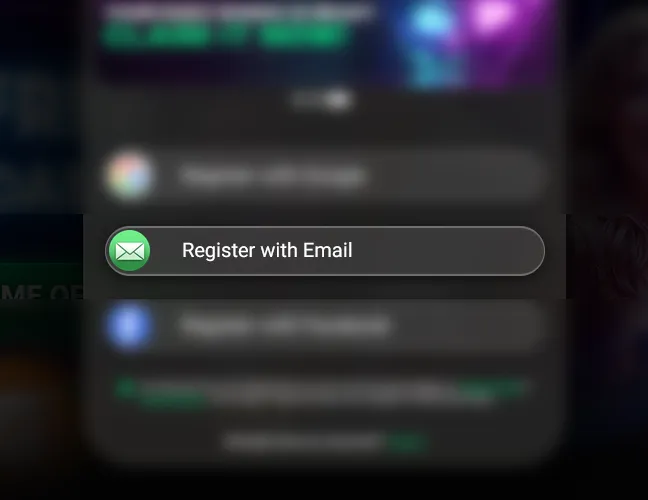
Choose the email registration option.
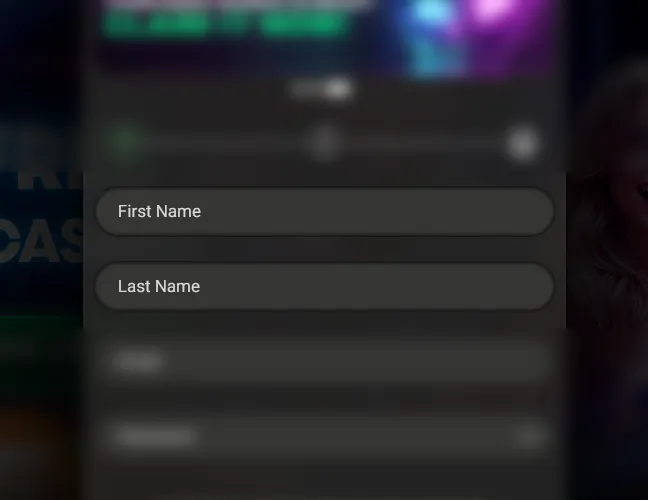
Enter First Name and Last Name.
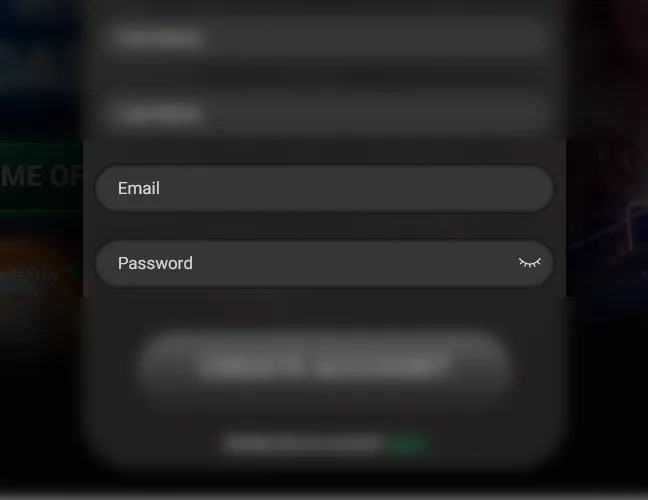
Add an email address, create a strong password, and press Create Account.
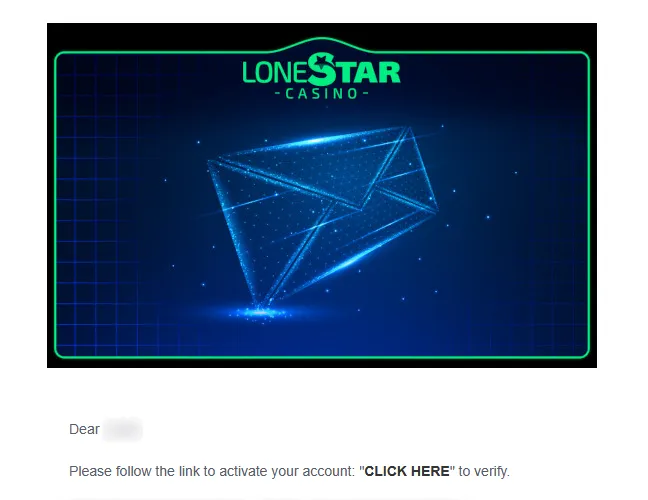
Follow the activation link sent by LoneStar Casino to confirm the email address.
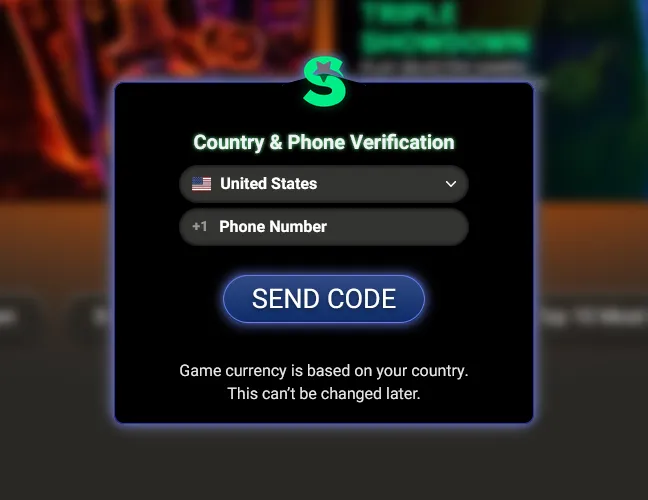
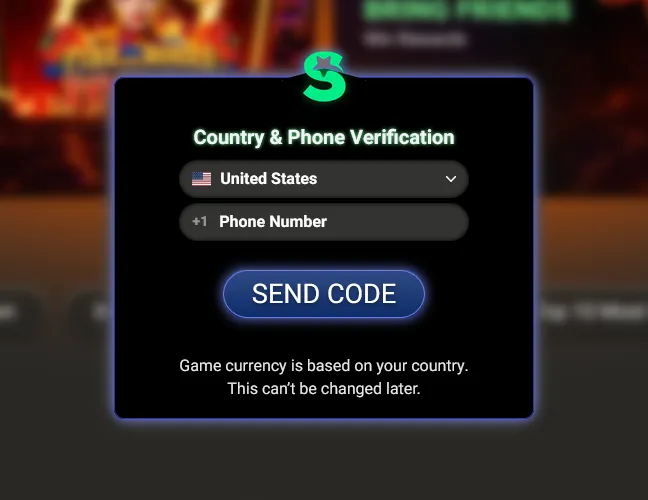
Select the country, enter a valid phone number, and press Send Code.
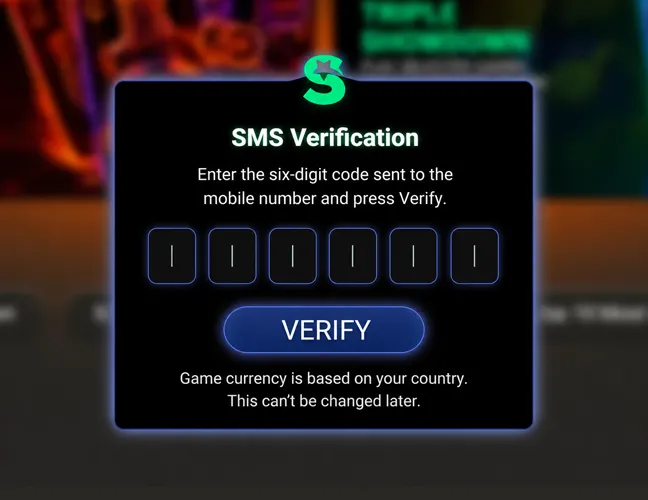
Enter the six-digit code sent to the mobile number and press Verify.
Ways to Create Your LoneStar Social Casino Account
The standard registration path uses the email form, but players can also start with an existing platform or social profile. After choosing one of the quick options, the player signs in through that profile and approves the connection to LoneStar Casino.
Available quick signup options:
- Google;
- Facebook.
Verification of a LoneStar Casino Account
Verification at LoneStar Casino starts with email activation and phone confirmation after signup. These checks connect the profile to working contact details and the selected country.
Further verification checks are tied to registration, Gold Coin purchases, Sweeps Coin use, and redemption requests. LoneStar Casino uses identification checks, credit and background checks, source of funds or source of wealth review, payment instrument checks, and financial crime screening. These checks support account security and confirm that the profile belongs to the person using it.
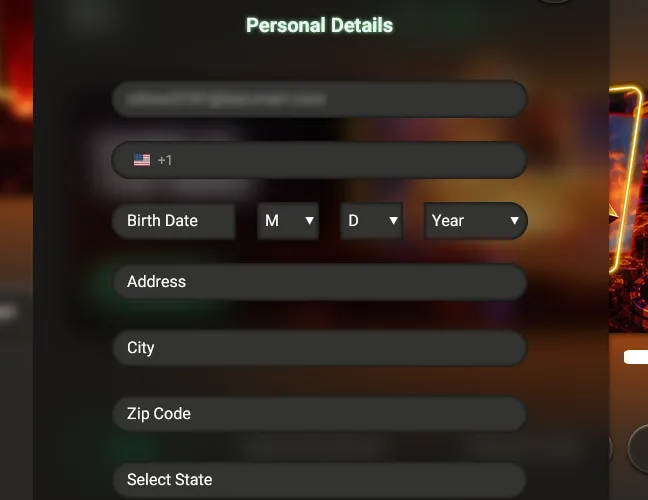
Requested data includes location, residency, a Social Security number, a phone number, a valid email, date of birth, government identifiers, proof of address, a bank statement, a pay stub, or a government-issued ID. The account name needs to match the player’s government-issued ID. False, incomplete, or outdated details create a risk of account restriction or suspension until verification is complete and the requested information is confirmed.
How to Log In to LoneStar Casino on Desktop
The LoneStar Casino login process is for returning players who already have an active profile. It is much shorter than registration because the player only needs the credentials created during account setup.
Desktop access follows this order:
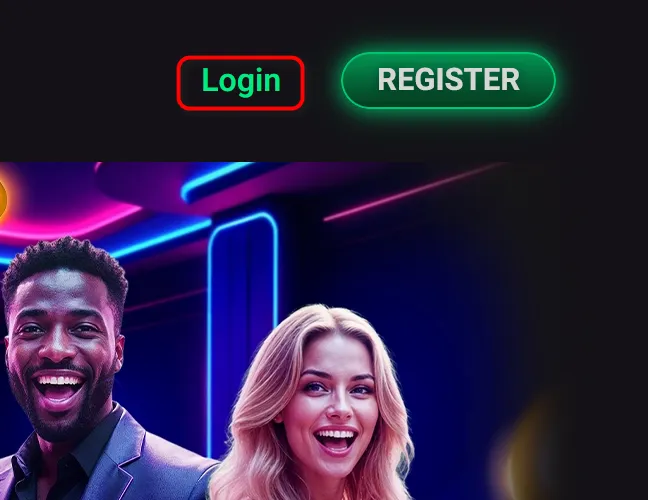
Find the Login button on the homepage and click it.
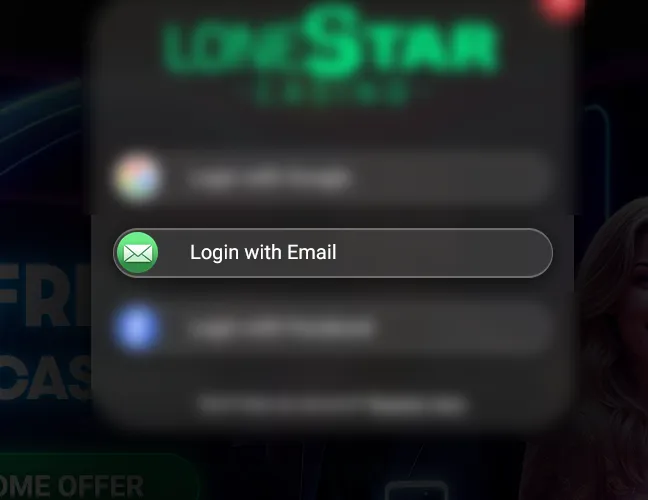
Select Login with Email in the access window.
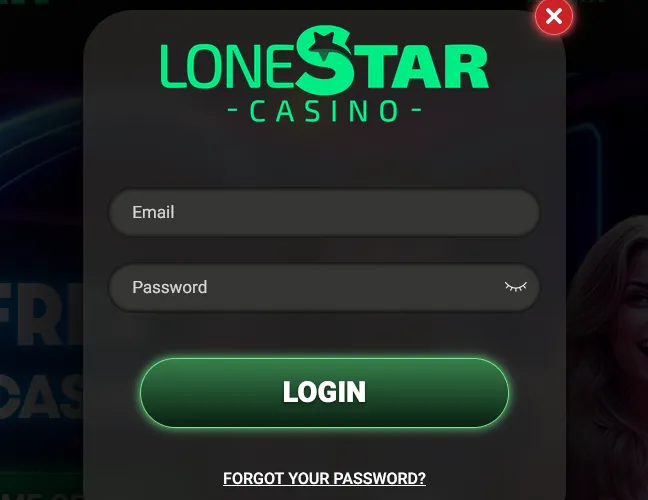
Enter the email address and password.
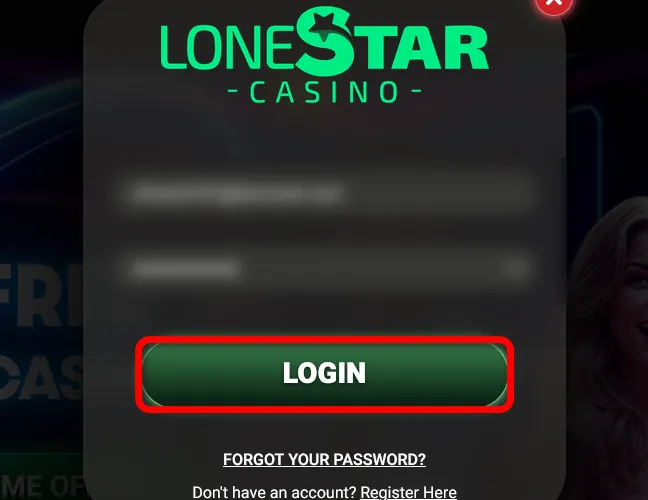
Press Login.
Enter the six-digit login verification code sent to the registered email address.
Complete verification to open the player profile.
The login verification code is for one-time use and expires after 10 minutes. An expired or invalid code message means the player needs to request a new code and enter the latest one sent to the registered email.
Players who used Google or Facebook during signup need to choose the same option in the login window. That route sends them through the connected profile instead of the email-password form. If the password is lost, use the Forgot your password? link, enter the account email, and press Send Email.
Register at LoneStar Casino via Mobile
LoneStar Casino does not have a separate official mobile app, so players use the mobile browser to open the site from a phone or tablet. Mobile registration follows the same signup route as desktop.
Follow these steps to create an account on mobile:
Open the LoneStar Casino website in a mobile browser.
Tap the registration button on the homepage.
Confirm that you accept the Terms of Use and Privacy Policy, are 18 or older, and are not a resident of any Restricted State.
Choose email registration.
Enter First Name and Last Name.
Add an email address, create a password, and press Create Account.
Open the activation link sent by LoneStar Casino to confirm the email address.
Select the country, enter a valid phone number, and press Send Code.
Enter the SMS code and press Verify to complete phone verification.
Google and Facebook signup are also available from the mobile registration window. After choosing either option, the player approves the connection through the external profile and returns to LoneStar Casino.
For later mobile access, LoneStar Casino app login starts from the browser site or a saved shortcut and uses the email, Google, or Facebook option selected during registration.
Available LoneStar Casino Games
The LoneStar Casino catalog covers many game categories. The casino works with well-known providers such as Relax Gaming, Red Tiger, Pragmatic Play, NetEnt, and Kalamba Games. That provider mix gives the lobby varied mechanics, themes, bonus features, and game styles.
After the LoneStar Casino sign up process is complete, players open games with Gold Coins for entertainment play or Sweeps Coins for eligible sweepstakes sessions.
The game selection includes:
- Slots: classic reels, Megaways formats, Hold & Win mechanics, bonus wheels, coin features, and sports themes, with examples such as Blazing Bison Gold Blitz, Piggy Riches Megaways, King’s Gold Hold & Win, and 123 Soccer Link&Mercy.
- Table and live dealer games: blackjack, roulette, craps, and dealer-led formats, with examples such as Football Cup Roulette, Football Cup Gravity Blackjack, Football Cup Blackjack, Craps, and iDealer Blackjack.
- Quick and instant games: crash, plinko, mines, dice, bingo, and rocket-style rounds, with examples such as Chicken Crash, Plinko Cup, Ninja Crash, Magic Dice, Turbo Mines, Limbo Crash, and Bingo Star.
LoneStar Casino Sign-Up Bonuses and How to Claim Them
The LoneStar sign up bonus is tied directly to the first email and phone verification checks. Players who complete these conditions receive 100,000 Gold Coins and 2.5 Sweeps Coins as the welcome reward. No purchase or promo code is required for this bonus.
To claim the welcome bonus:
- Open the activation email and confirm the email address.
- Enter the six-digit SMS code sent to the registered mobile number.
- Return to the lobby after phone verification.
- Check that 100,000 Gold Coins and 2.5 Sweeps Coins have been credited.
Tips for Maximizing Bonuses on LoneStar Casino
Based on our observations, the best bonus value comes from checking daily rewards, free spins, events, raffles, loyalty perks, and Store extras before spending Gold Coins or using Sweeps Coins.
Use these tips:
- Complete the LoneStar login once every 24 hours and claim the daily reward.
- Check events and free spins before buying Gold Coins.
- Compare Store packages based on the extra free Sweeps Coins, not only the Gold Coin amount.
- Read the expiration rules, eligibility requirements, and playthrough terms before using Sweeps Coins.
- Keep one account to avoid bonus loss or verification issues.
LoneStar Sweeps Casino Sign-Up FAQs
Is LoneStar Casino legal in the US?
LoneStar Casino is available to eligible US residents as a sweepstakes casino, except for players located in or residents of Washington, Connecticut, Idaho, Nevada, New York, Michigan, or Montana.
What is the minimum age to register at LoneStar Casino?
Players must be 18 or older to register at LoneStar Casino. If local rules set a stricter minimum, that requirement applies.
What casino games can I play at LoneStar Casino?
LoneStar Casino offers slots, table and live dealer games, plus crash, Plinko, mines, dice, and bingo titles.
How do I claim my welcome bonus after signing up at LoneStar Casino?
After signing up, players claim the welcome bonus by activating the account email and completing phone verification. The reward is added automatically once both checks are finished.
Can I open more than one account at LoneStar Social Casino?
No. LoneStar Casino allows one account per player, including inactive accounts. Duplicate profiles risk suspension, termination, bonus removal, and failed verification.
What steps should I take if I lose access to my LoneStar Casino account?
Click Forgot your password? in the login window, enter the registered email address, and press Send Email. Check the inbox and spam folder, then contact support if the reset message does not arrive.
How do I permanently close my LoneStar Casino account?
To permanently close a LoneStar Casino account, contact Customer Support and request Permanent Account Closure. Include the account email, the closure request, and confirmation that the decision is final.
How can I reach LoneStar Casino support if I have trouble registering?
Use the live chat option on the LoneStar Casino site or contact Customer Support through the help area. Support can help with registration errors, verification issues, missing emails, and account access problems.

 PokerListings