
 EN
EN  DE
DE 
Casino.Click Registration and Login Process
Casino.Click keeps access simple by combining profile creation, identity checks, and returning-player access into one clear process. After registering, players can explore the game lobby, access eligible welcome rewards and promotions, and much more, whether they are using a desktop or mobile device.
This guide explains how to create a profile, confirm your details, log in using the Casino Click login form, and contact support when you need help.
How to Sign Up to Play at Casino Click
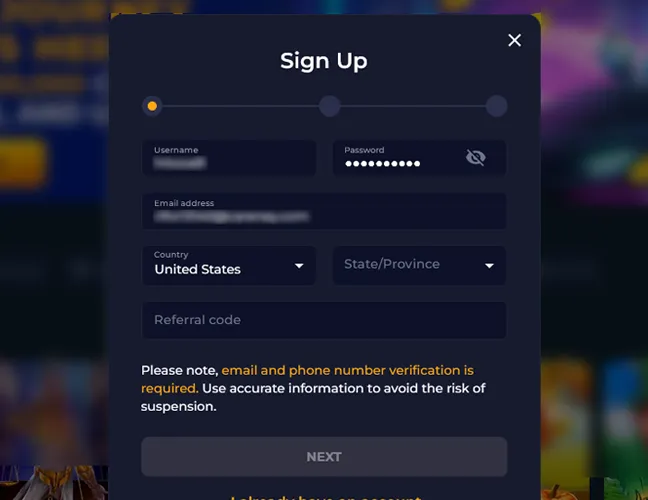
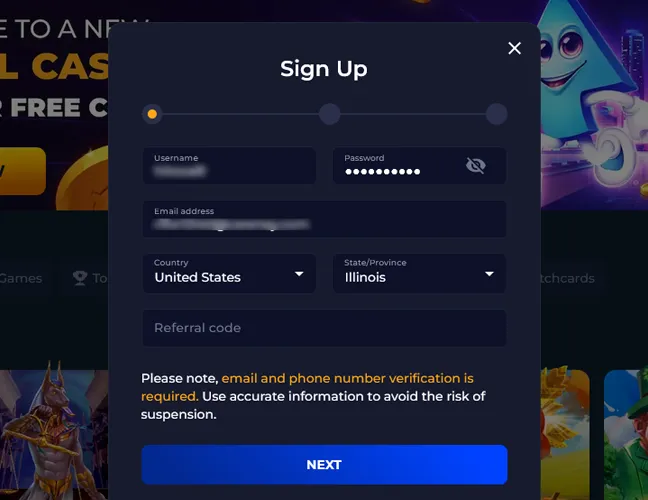
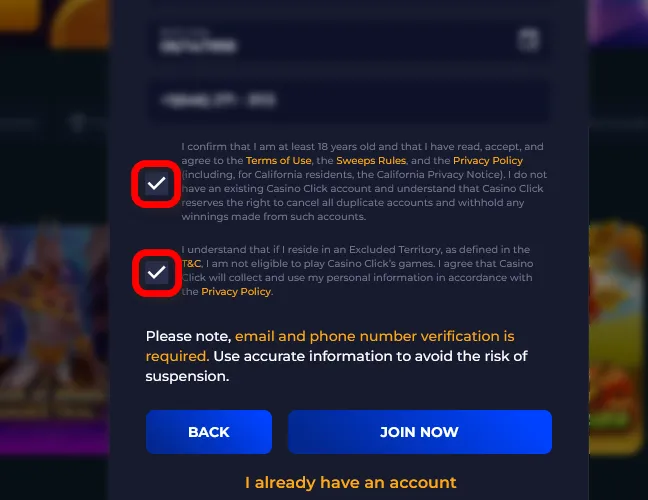
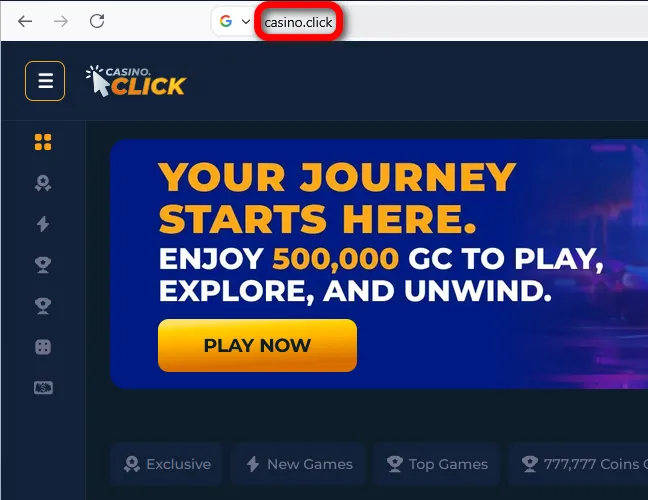
The Click sign up process starts from the main Casino.Click page and takes only a few steps. Players need to provide accurate details because email verification is required for account activation.
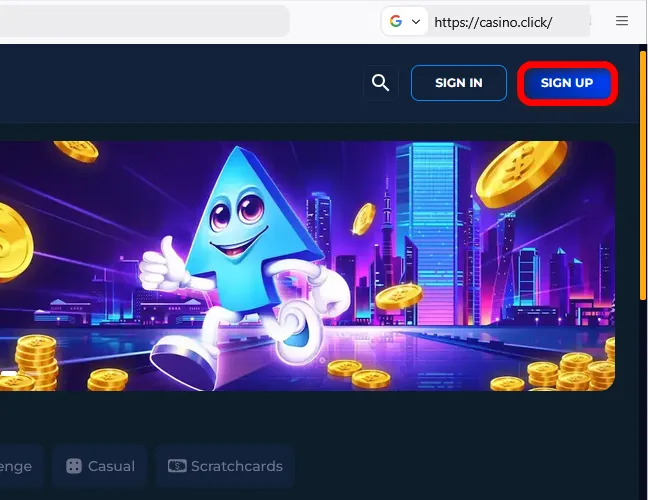
Ways to Create Your Sweepstakes Casino Click Account
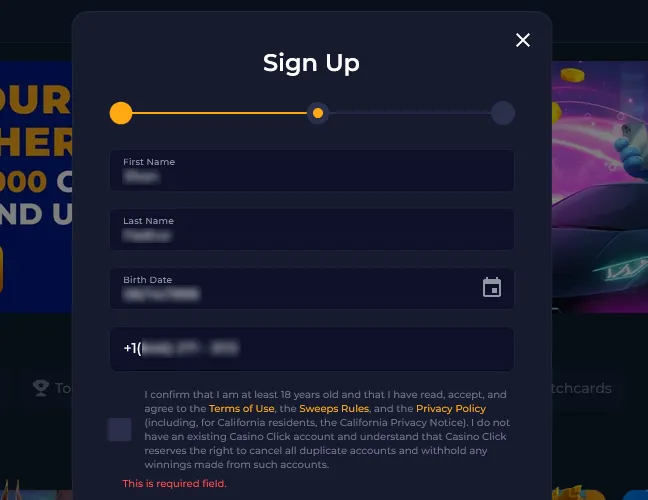
Casino.Click does not support alternative registration through Google accounts, Apple IDs, or other third-party accounts. Every player creates an account through the same form by entering an email address, phone number, personal details, and location information.
- Standard registration. Players complete the regular Sign Up form with a username, password, email address, country, state, first name, last name, birth date, and phone number. This path is used by players who join Casino.Click directly from the main page.
- Referral registration. Players use the same Sign Up form and add a referral code connected to a friend’s invite link. The registration flow stays the same, but the referral code links the new profile to the Refer a Friend program.
Verification of a Social Casino Click Account
Casino.Click uses verification to confirm identity, address details, and eligibility before prize redemption. Players verify identity with a government-issued photo ID, such as a passport or U.S. driver’s license, plus a quick selfie. Address checks require a recent utility bill, bank statement, or another official document showing the player’s full name and billing address and dated within the last 90 days. Prize redemption also requires proof of bank account ownership. Accepted file formats include JPG, PNG, JPEG, and PDF, with a maximum file size of 10 MB.
How to Log In to Casino.Click on Desktop
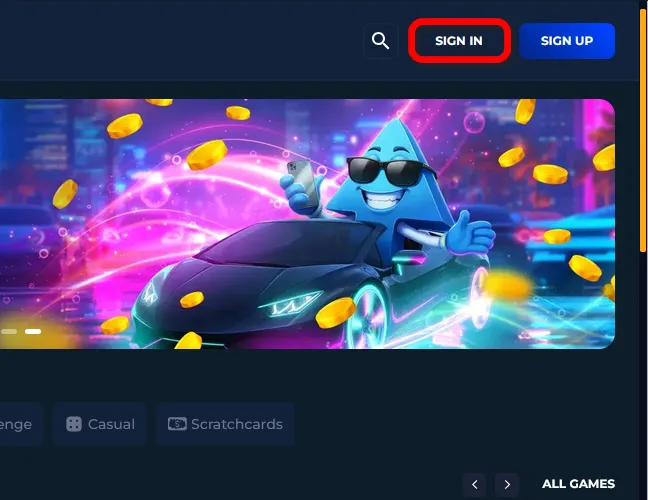
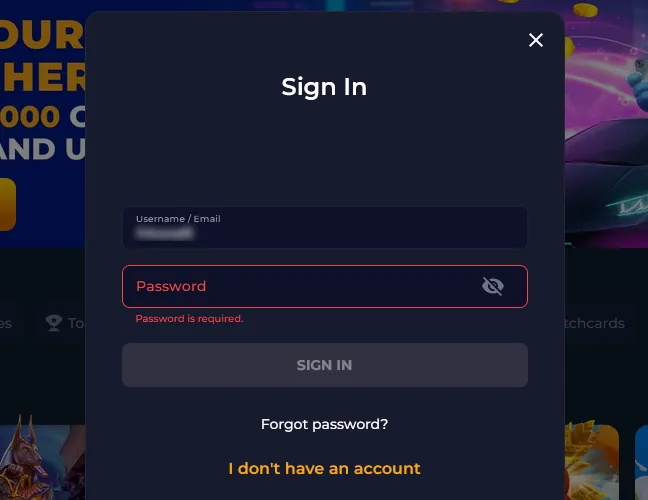
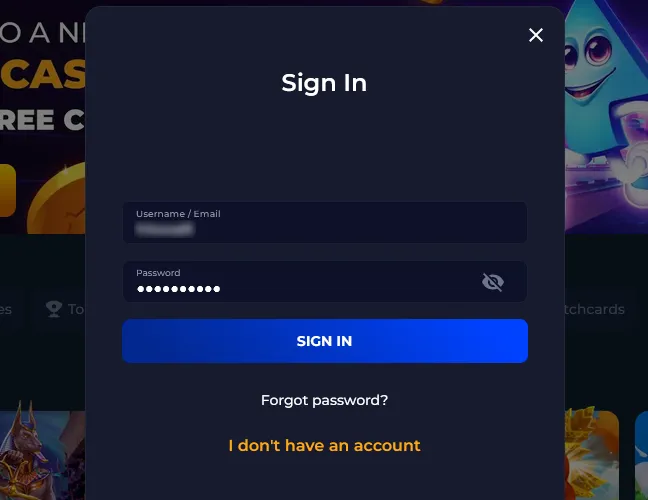
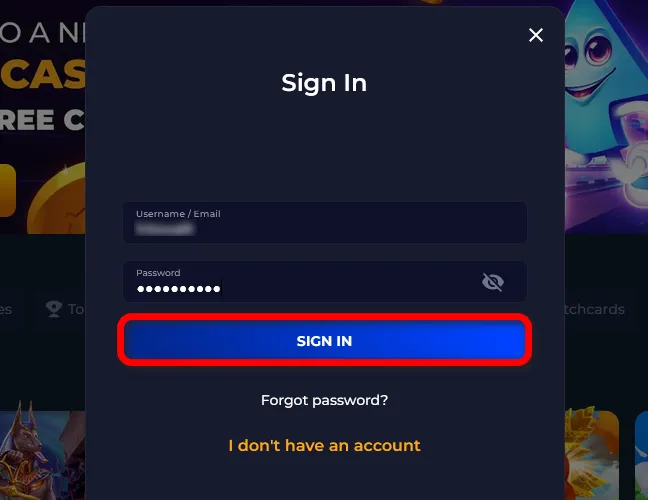
The Casino Click login form opens when players select the Sign In button in the top-right corner of the desktop page. Players are required to use the same login credentials they created during registration.
Register at Casino Click on Mobile
Players register at Casino.Click on mobile through the browser-based platform. Casino Click does not offer a native app; instead, its PWA (Progressive Web App) for Android and iOS provides full website functionality.
Available Sweepstakes Casino Click Games
After registration, players can use Gold Coins for social entertainment and, if eligible, Sweeps Coins for promotional play. The lobby is divided into clear categories, making game selection fast after account activation.
- Slots. This category includes classic and video slots with reels, wilds, scatters, free spins, and reward rounds. Examples: Max Catch, Joxer, Raiders of Atlantis.
- Fast Games. Fast Games are short-session titles with quick rounds and simple mechanics. Examples: Crash Chicken, C Mines, Turbo Mines.
- Live Games. Live Games recreate table-style gameplay with real-time dealer presentation and interactive sessions. Examples: Football Cup Roulette, Football Cup Blackjack, iDealer Blackjack.
- Exclusive Games. Exclusive titles are Casino.Click games that stand apart from the standard slot lobby through unique themes and platform-specific presentation. Examples: Night King, Book of Magic Anubis Trial, Patrick vs Joker.
Casino Click Sign-Up Bonuses and How to Claim Them
The Click sign up reward structure gives every eligible new user a free starting package and a separate first-purchase deal. The welcome offers use Gold Coins for social gameplay and Sweeps Coins for promotional play.
No-deposit welcome reward:
- New players receive 100,000 GC + 2 SC after creating an eligible profile.
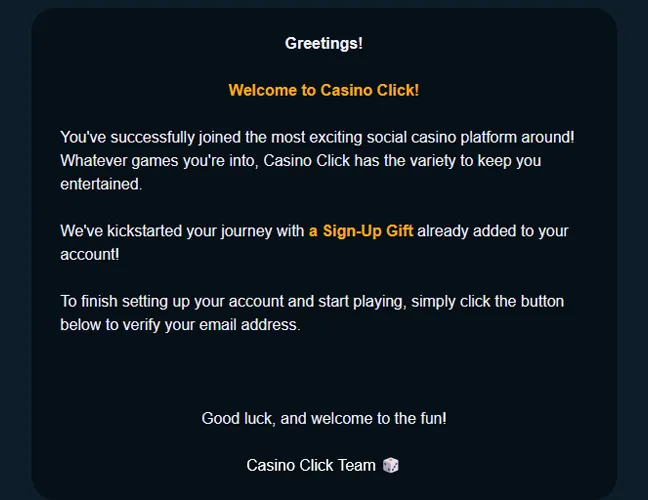
- The reward activates after registration and email confirmation.
- No purchase is required for this starting package.
- The reward is limited to one account per person.
Our practical experience shows that the welcome bonus at Casino.Click is one of the best in the social casino segment because it gives both Gold Coins and Sweeps Coins from the start.
First-purchase offer:
- The one-time Welcome Offer costs $9.99.
- The package includes 200,000 GC + 20 Free SC.
- The offer is separate from the no-purchase registration reward.
- Gold Coin package purchases are final, and Sweeps Coins are added as free promotional rewards.
To claim the free starter package, players create a profile, complete email activation, and enter the account lobby. To claim the first-purchase deal, players open the Coin Shop, choose the Welcome Offer, and complete the Gold Coin package purchase.
Tips for Maximizing Bonuses on Casino.Click
To get the most value from Casino Click bonuses, follow the tips below. They help players find active offers faster, claim rewards correctly, and avoid delays before prize redemption.
- Check the Coin Shop after signing in to see active Gold Coin packages and Free SC offers.
- Open the Promotions tab to find daily gifts, special events, and Free SC Spins.
- Use Click Arena to complete missions, earn Points, and move through Click Club levels.
- Keep your ID, selfie, proof of address, and proof of bank account ownership ready, since Casino.Click requires KYC to process prize redemptions.
CasinoClick Sign-Up FAQs
Is it legal to play at Casino.Click in the US?
Yes, Casino.Click is legal for eligible U.S. residents in approved states. Sweeps Games are not available in California, Connecticut, Idaho, Michigan, Montana, New Jersey, New York, Nevada, Tennessee, and Washington, so players from these states can play using only Gold Coins.
What is the minimum age requirement to sign up at CasinoClick?
The minimum age to create a Casino.Click account is 18.
What games are available at Casino Click after registration?
After registration, players get access to slots, Fast Games, Live Games, Exclusive titles, and Hold & Win games. The lobby also includes selected blackjack, roulette, crash, and Plinko titles.
How do I get my welcome bonus when I sign up at Casino.Click?
Casino.Click adds the welcome reward after a player creates an eligible account and completes email activation. New players receive 100,000 GC + 2 SC for registration, while the $9.99 first-purchase Welcome Offer with 200,000 GC + 20 Free SC is claimed separately in the Coin Shop.
Am I allowed to have multiple accounts at Casino Click?
No, Casino.Click allows one account per person. Duplicate accounts are closed, and Casino Click withholds balances or prizes associated with duplicate profiles.
What should I do when I’m having trouble logging in to Casino.Click?
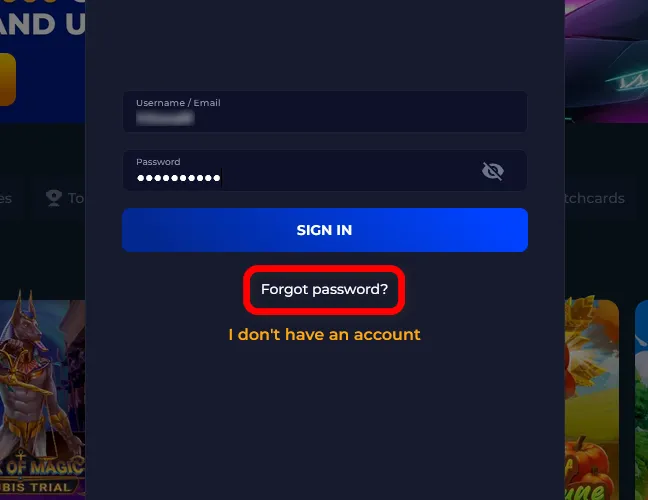
Use “Forgot password?” on the Sign In form to recover access using the email address linked to the profile. For Click login issues, players can use live chat, email support, or phone support.
How do I delete my Casino.Click account permanently?
To delete a Casino.Click account permanently, contact support and request account closure. Use all remaining GC and SC before deletion because balances are not retained after an account is deleted.
Who do I contact for help with my Casino Click registration?
For registration support, contact Casino.Click by phone at +1 855 450 0686 or by email at [email protected]. Help is also available through live chat and social channels on Facebook, Instagram, Bluesky, and X.

 PokerListings




Log in to leave a comment
Takes a minute. Your rating counts toward the score.